
 Everyone wants his website appear at least on first page of the Google search result. I am not thinking about other search engines like yahoo, Bing or any other because most of the global search conducting through the big “G”, yes Google. There are many reasons why Google is so famous and world’s most used website or search engines. Their top ranking free products like Gmail, YouTube always attracts youth and old people too. In this article we will see the top 6 things that you should avoid to so with your website for not getting ban or blacklisted in the Google search result. There are many algorithms already implemented by Google and update is also going on daily basis. You thinking is write I am speaking not other than Google PandaTM algorithm. So you should avoid these shortcuts to blacklist your website in Google.
6 easy shortcuts that can blacklist your website!
1) Link from/to to spammy and porn websites:
Google take two keywords very seriously, and then are spam and porn. So are you going to start any link building for search engine optimization? Then please beware from website which comes under these two categories. You may think how to detect those websites? The answer is easy, the spammy websites are those which post the stuff just for promotions and often it is useless one. I don’t want to tell you how to find porn websites. Surely you cannot control who can link your website. But remember that never link to those websites which are bad.
2) Selling and buying paid Text links:
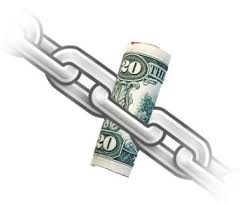
This is another big reason that Google will kick out instantly from their search index as soon as they find you in such a link sell and buy activities. What Google say? “You want my links for traffic. totally fine but want to pass my page rank juice? No”
3) Using bots to add or edit contents automatically:
Google hates automated bots and software who create or modify your site content automatically behalf of you. Like automated search queries catching and converting them to tags like that. So if you use such things then Google can ban you surely and will blacklist your website!
Read: How to write engaging content
4) Modifying Robots.txt file:
Robots.txt file is the entry pass for all the search engines. Whenever any search engine bot comes to your website for crawling your content then it first read the lines inside robots.txt and follows it. So by modifying the robobs.txt file you can disallow all the search engines bots from crawling your website easily.
User-agent: *
Disallow: /
The above lines in the robots.txt can stop all the search engine bots to your website. So be careful while modifying this file.
5) Duplicate or low quality content:
Google really hates duplicate content. Each and every person in the world is unique and he/she can thing unique so Google like unique sentences and word arrangements in any text. Duplicate content can easily through your site at the bottom in search engine result. Another thing that should be considered is low quality content. What is low quality content? Google define good or high quality content as by which a small child can also learn. So the content which is written just for increasing the article site or increasing the number of pages of your website and not useful to anyone can be categorized under low quality content. Avoid it else it will blacklist your website.
6) Fooling Search engine Bots (Cloaking):
This is an issue that well explained by Matt Cutts (Head of web spam Team) on a YouTube Video. Have a look below!
Cloaking means showing content to search engine bots and showing some another content to user. This is considering as very bad activity. Suppose you are running a product website and you showing 100 numbers of products details to search engines and when user comes there are only 10 products details all other are links just saying no results. Then user will disappointed and never think to visit your website again, because he was in search of xyz product detail which is not on your website but he just got fooled because of cloaking. So these points should be considered and you will never blacklist your website.