
After a lot of trial, efforts and modify Previous Cool Social Icons With Hover Effect Widget. I finally created this cool, stylish , awesome Social Icons With Hover Effect Widget v2. You can now add this social icons with hover effect v2 widget to both WordPress and Blogger. You can easily add this to your sidebar which is a better option to take attention of visitors. This social icons with hover effect is available only on AllBlogggingTips. I made it to work for both Blogger and WordPress Blogs. I show you How TO Add Cool Social Icons With Hover Effect v2 Widget To WordPress and Blogger. Check out demo below.
Features: We had added new most commonly used social media profile icons like Google+, Facebook, Twitter, RSS and Email which was not in previous V1
See also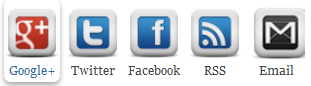
Credits
This Cool Social Icons With Hover Effect Widget V2 is first shared on AllBloggingTips. Bloggers are requested to link back if they are going to share above widget with there visitors.
Add Cool Social Icons With Hover Effect v2 Widget To Blogger
Adding CSS Code
- Go To Blogger > Layout > Edit HTML
- Search For ]]></b:skin>
- And paste the code below just above ]]></b:skin>
/* Social Widget by AllBloggingTips*/

#subscribe2 {
background:#f3f3f3;
border: 1px solid #ECEDE8;
font-size: 90%;
margin: 0 0 15px 0;
padding: 7px 5px 3px 5px;
width: 288px;
}
.subscribe-icons2 {
margin: 0 auto;
width: 286px;     background: #f7f7f7;
}
.subscribe-icons2 li {     -moz-border-radius:6px;
display: inline;
float: left;
font-size: 11px;
margin: 0 2px 10px 2px;
width: 52px;
text-align: center;
}
.subscribe-icons2 a {
color: #444 !important;
display: block;
padding: 56px 0 2px;
-moz-transition: all .2s ease-out;
-webkit-transition: all .2s ease-out;
}
.subscribe-icons2 a:hover {     -moz-border-radius:6px;
-moz-box-shadow: 0 2px 4px hsla(0,0%,0%,.35);
-webkit-box-shadow: 0 2px 4px hsla(0,0%,0%,.35);
color: #369 !important;
text-decoration: none;
}
.subscribe-icons2 .subscribe-youtube a {
background: url(http://karrersimpson.com/obituaries/tomchuk-helen-1575/icon64_googleplus.png) center top no-repeat;
}
.subscribe-icons2 .subscribe-twitter a {
background: url(http://karrersimpson.com/obituaries/tomchuk-helen-1575/icon64_twittert.png) center top no-repeat;
}
.subscribe-icons2 .subscribe-facebook a {
background: url(http://karrersimpson.com/obituaries/tomchuk-helen-1575/icon64_facebook.png) center top no-repeat;
}
.subscribe-icons2 .subscribe-rss a {
background: url(http://karrersimpson.com/obituaries/tomchuk-helen-1575/icon64_rss.png) center top no-repeat;
}
.subscribe-icons2 .subscribe-email a {
background: url(http://1.bp.blogspot.com/-ee20tH09o24/Ty1cavc7UtI/AAAAAAAAAVQ/0wIS7Fgjs_k/s320/gmail-email%2B21.png) center top no-repeat;
}
Adding social icons with hover in sidebar
- Go To Blogger > Design
- Click choose a gadget
- Select HTML/javascript widget
- Paste the following code inside it
<div class='subscribe2'> <ul> <li><a target="_blank" rel="nofollow" href="https://plus.google.com/103280517588083500359">Google+</a></li> <li><a target="_blank" rel="nofollow" href="http://twitter.com/allbloggingtips">Twitter</a></li> <li><a target="_blank" rel="nofollow" href="http://www.facebook.com/allbloggingtips">Facebook</a></li> <li><a target="_blank" rel="nofollow" href="http://feeds.feedburner.com/latestbloggingtips4u">RSS</a></li> <li><a target="_blank" rel="nofollow" href="http://feedburner.google.com/fb/a/mailverify?uri=latestbloggingtips4u&loc=en_US"> Email</a></li> </ul> <!--end .subscribe-icons--> <div/> </div>
Make Following Changes
- Replace AllBloggingTips with your Twitter, Youtube, facebook, Feed and Email username.
- Replace https://plus.google.com/+AmmarAlii/ with your google+ ID
Add Cool Social Icons With Hover Effect v2 Widget To WordPress
- Goto WordPress Dashboard > Appearance > Editor and Select Style.css from right side .
- Copy And Paste The Below Code Into The CSS file:
/* Social Widget by AllBloggingTips*/
#subscribe2 {
background:#f3f3f3;
border: 1px solid #ECEDE8;
font-size: 90%;
margin: 0 0 15px 0;
padding: 7px 5px 3px 5px;
width: 288px;
}
.subscribe-icons2 {
margin: 0 auto;
width: 286px; background: #f7f7f7;
}
.subscribe-icons2 li { -moz-border-radius:6px;
display: inline;
float: left;
font-size: 11px;
margin: 0 2px 10px 2px;
width: 52px;
text-align: center;
}
.subscribe-icons2 a {
color: #444 !important;
display: block;
padding: 56px 0 2px;
-moz-transition: all .2s ease-out;
-webkit-transition: all .2s ease-out;
}
.subscribe-icons2 a:hover { -moz-border-radius:6px;
-moz-box-shadow: 0 2px 4px hsla(0,0%,0%,.35);
-webkit-box-shadow: 0 2px 4px hsla(0,0%,0%,.35);
color: #369 !important;
text-decoration: none;
}
.subscribe-icons2 .subscribe-youtube a {
background: url(http://karrersimpson.com/obituaries/tomchuk-helen-1575/icon64_googleplus.png) center top no-repeat;
}
.subscribe-icons2 .subscribe-twitter a {
background: url(http://karrersimpson.com/obituaries/tomchuk-helen-1575/icon64_twittert.png) center top no-repeat;
}
.subscribe-icons2 .subscribe-facebook a {
background: url(http://karrersimpson.com/obituaries/tomchuk-helen-1575/icon64_facebook.png) center top no-repeat;
}
.subscribe-icons2 .subscribe-rss a {
background: url(http://karrersimpson.com/obituaries/tomchuk-helen-1575/icon64_rss.png) center top no-repeat;
}
.subscribe-icons2 .subscribe-email a {
background: url(http://1.bp.blogspot.com/-ee20tH09o24/Ty1cavc7UtI/AAAAAAAAAVQ/0wIS7Fgjs_k/s320/gmail-email%2B21.png) center top no-repeat;
}
Adding social icons with hover in sidebar
- Goto WordPress Dashboard > Appearance > Widget
- Click choose a Text widget
- Paste the following code inside it
<div class='subscribe2'>
<ul>
<li><a target="_blank" rel="nofollow" href="https://plus.google.com/103280517588083500359">Google+</a></li>
<li><a target="_blank" rel="nofollow" href="http://twitter.com/allbloggingtips">Twitter</a></li>
<li><a target="_blank" rel="nofollow" href="http://www.facebook.com/allbloggingtips">Facebook</a></li>
<li><a target="_blank" rel="nofollow" href="http://feeds.feedburner.com/latestbloggingtips4u">RSS</a></li>
<li><a target="_blank" rel="nofollow" href="http://feedburner.google.com/fb/a/mailverify?uri=latestbloggingtips4u&loc=en_US"> Email</a></li>
</ul> <!--end .subscribe-icons-->
<div/>
</div>
Make Following Changes
- Replace AllBloggingTips with your Twitter, Youtube, facebook, Feed and Email username.
- Replace https://plus.google.com/+AmmarAlii/ with your google+ ID
That’s All IF you face any problem adding New Cool Social Icons With Hover Effect Widget V2 in WordPress and Blogger feel free to ask.
Credits
This Cool Social Icons With Hover Effect Widget V2 is first shared on AllBloggingTips. Bloggers are requested to link back if they are going to share above widget with there visitors.
Peace!!