• Skip to primary navigation
  • Skip to main content
  • Skip to primary sidebar
  • Skip to footer
logo

All Blogging Tips

Everything About Blogging

  • Home
  • Start a Blog
  • Grow Your Blog
  • About
  • Contact
  • Tools I Use

Search Results for: ai

Giveaway: Win a Premium WordPress Theme from TemplateMonster

By Ammar Ali 16 Comments

Would you like to create a new WordPress site — or redesign your current WordPress site? Then you’ll be pleased to know that we’re hosting a giveaway. Keep reading to learn what you can win and how to enter the giveaway.
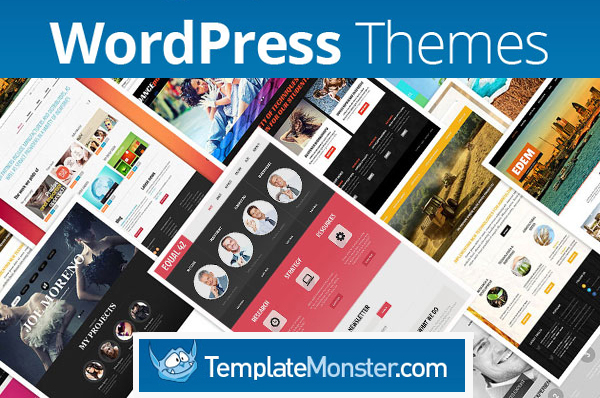
TM - WP themes
THE PRIZE:

A premium WordPress theme from TemplateMonster

TemplateMonster is a US-based template selling company. There are more than 30, 000 templates on templatemonster.com, including WordPress themes (2, 000 themes and counting), Joomla templates (1,500 templates and counting) and thousands of other templates. Btw, the TemplateMonster Team keeps an eye on the latest web design trends, and that’s the reason why many of TemplateMonster templates are responsive. There is also an increasing number of flat templates, you can see them here.

Although, TemplateMonster has a lot of templates to offer, it will not take you long to find the perfect template for your project because you can filter templates by category, keyword, style, functionality, etc.

THE WINNERS:

There will be 3 winners and each winner will get a WordPress theme of his/her choice.

HOW TO ENTER:

  1. Visit templatemonster.com and find the WP theme you like best.
    Note: you can choose from over 2,000 WordPress themes.
  2. Then come back to this post and comment, telling us what theme you’d like to win.
    For example, your comment can be as simple as “I want to win WP theme # 48245”.
  3. Share this giveaway on Facebook, Twitter and Google+

Please make sure to describe reason in comments why you want to win the theme and enter a valid email address in the form below. Your email address will be only used to send you the prize if you win.

DATES:

All entries must be received by March 3, 2014.

Now you know all about the giveaway.

Share this giveway daily on facebook and twitter to increase chances of winning.

Enter to win a WordPress theme for your website or blog!
Blogging Tools & Resources I Personally Use

Over the years, I’ve tested dozens of blogging tools while building and managing multiple websites. The resources listed below are the ones I personally use or confidently recommend because they are reliable, beginner-friendly, and proven to work long-term.


Domain Names

Your domain is your online identity. A good registrar should be affordable,
transparent with renewals, and easy to manage long-term.

Namecheap Primary choice

Namecheap is my go-to registrar for most projects. It offers competitive
pricing, free WHOIS privacy, and a clean dashboard.

Visit Namecheap

NameSilo

NameSilo is a solid alternative if you care about low renewal costs and
long-term savings, especially for large domain portfolios.

Visit NameSilo


Web Hosting

Hosting directly affects your website’s speed, uptime, and SEO.
Cheap or unstable hosting often leads to slow websites and technical headaches.

InMotion Hosting Balanced & reliable

A strong mix of performance, customer support, and scalability.
Suitable for both beginners and growing blogs.

Check InMotion

Hostinger

Beginner-friendly and affordable hosting.
A good choice if you’re starting out and want decent speed at a low cost.

Check Hostinger

Bluehost

Officially recommended by WordPress.
Best suited for absolute beginners, though advanced users may outgrow it.

Check Bluehost


Themes & Design

A clean design improves trust and readability.
You don’t need complex layouts — just something fast, flexible, and easy to manage.

Elegant Themes (Divi)

A powerful WordPress theme and page builder that allows full design control
without writing code. I often use it for client projects.

View Divi

Canva

An essential design tool for creating blog graphics, thumbnails,
and social media visuals — even with zero design experience.

Try Canva


Payments

Receiving international payments can be difficult depending on your country.
These are tools I personally use for client and platform payments.

Payoneer

Payoneer provides virtual bank accounts that allow you to receive payments
from Google, Amazon, and international clients.

Visit Payoneer


Some of the links on this page are affiliate links. This means that if you choose to purchase a product or service through these links, I may earn a small commission at no additional cost to you. I only recommend tools and services that I personally use, trust, or have tested thoroughly. Any earnings help support this website and allow me to continue sharing free, useful content.

Can’t Manage Multiple WordPress Sites? Here’s An Effectively Solution

By Ammar Ali 19 Comments

WordPress is the world’s largest blogging platform and the most popular one too. And. The basic reason for that is the ease that it provides in every way to bloggers. As we know, it is an open source platform which means people can edit it whatever the way they want. There are plugins for almost everything to be done with perfection and ease. However, things can still be complicated many times.

Making money from blogging is not a walk in the park and to be honest it is a Hercules task that takes so much out of you that if you fail, your heart breaks. It is much easier to make more money with multiple blogs as compared to just one and that is the reason why a lot of people create multiple blogs.

And, again it’s hard task to manage multiple WordPress weblogs. And, even though WordPress offers functionality in which you can manage multiple sites from same dashboard, most people don’t seem to be happy about it and I am just one of those people.

I started to search because I wanted better than that and I found what I needed. I came to realize that there are more than one site that allow you to do the same job with multiple features and I gave a try to few of them. And, one of them was CMS Commander. I was disappointed by others, but this one hooked me. And, I was impressed and that is the reason why I am sharing this post with you guys because I know that many of you are tired of managing multiple blogs.

The site was launched in 2012 and within just one year and a little more it has already crossed the number 20,000. Yes, that is the combined number of websites that are being managed using this awesome service.

But I am not just telling you that this place is a good, but I’ll show you exactly why is it that way.

What Is CMS Commander?

You see, time is the most precious thing that human beings have. If anyone learns to utilize time, he achieves greatness and those who fail to utilize it fall into deep dark holes of pain and sufferings. Blogging is all about doing the right things at the right time, taking the right steps and capitalizing on the opportunities that you are being offered.

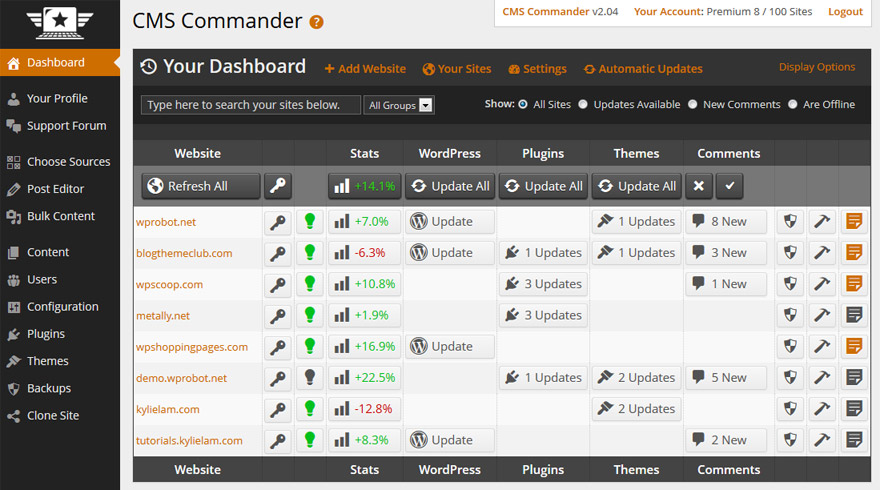
CMS Commander is a service that helps people manage multiple blogs from the same dashboard. They don’t have to spend time in logging in and logging out of blogs and websites and instead they can use that time in promoting their stuff or doing other things that are beneficial.

Sign up now for FREE

Why I Love CMS Commander?

a)      You can sign up for free and use all of their premium features for up to one month and manage as many sites as you want. If you want to continue enjoying those services, you pay. Otherwise, your account is converted into free and you still use their service, but with limited options. Something is better than nothing. ;)

b)      It allows you to write using the power writing tools and with everything that is required for creating killer content.

c)      If you want to post the same post on 10 websites/blogs or even more, you can do that with simple steps.

This means that you don’t have to go to every single site and do all the things like selecting categories and adding SEO titles and description and setting H tags and all that stuff. You have to do it only once and the post would be published on all blogs or the ones you wish.

d)     You can install plugins or themes on all of your blogs with simple steps without having to go to each of them.

e)      Another amazing thing that it comes with is the ability of article spinning and re-writing. Hence, you would save a lot and money by signing up for this services that you would otherwise put in buying software for doing these two jobs.

f)       You have the full control of monetization and it can boost your earnings too if you are an affiliate marketer.

g)      For those of you who like to create many websites with same design, everything changes now. This is because with CMS Commander, you can copy one site’s whole design within just 1 minute.

All these things and much more. You can sign up for their trial account and test their services for one month and then decide what you really want to do in future.

Final Words:

It has not been long time since I’m using their services and I’m loving every single bit of it. I strongly suggest you to give them a try.

No, I am not their affiliate or anything like that and I will get nothing for this post. I am doing it just for showing you a great thing that I just found. Hopefully you’ll love it.

The Simple Unknown Secret to Start Making More Money

By Ahmed Safwan 24 Comments

Stop! Stop everything you’re doing and give this post your full attention. Spending the time reading this post could be the best decision you’ll make this week.

What if I told you that I’ll share  with you the secret to monetizing your blog?

Monetizing your blog or site has for the majority of site owners hasn’t been that successful with them only making a few dollars each month from carrying ads on their site.

The secret to monetizing your site  is simple: Stop selling Advertisements.

Confused?

Don’t worry, you’ve every right to be.

What I’m stating is hard to digest, right?

But it’s the harsh truth. [Read more…] about The Simple Unknown Secret to Start Making More Money

Comment to Get a Discount on Your Next WordPress Theme

By Ammar Ali 9 Comments

We have a lot of articles about WordPress and WordPress themes on our site, but this one will be special.

Why? That’s because it’s not just an article, but your chance to get a 30% discount on premium WP theme(s).

This is a special offer from TemplateMonster, a US based company that is known for creating killer WordPress themes and other design related products.

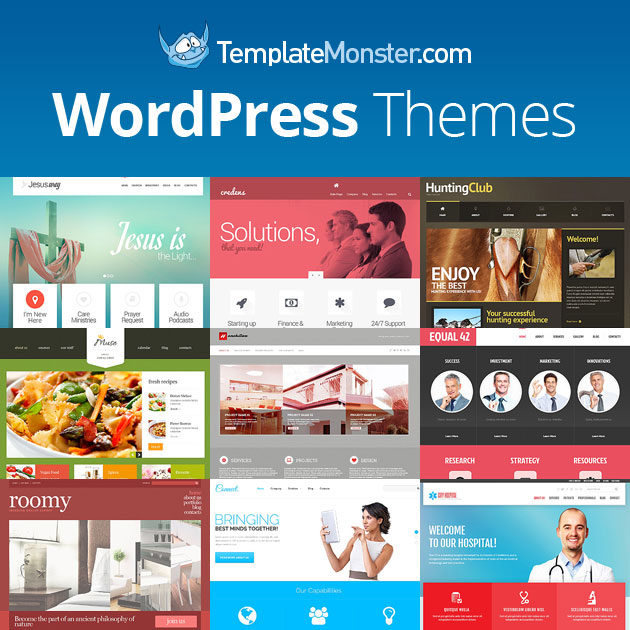
TM

A Word about TemplateMonster

TemplateMonster has been in business since 2002. They started with website templates and now they’re offering thousands of different types of templates, including CMS templates (WordPress themes, Joomla templates, Drupal themes), eCommerce templates (Magento themes, PrestaShop themes, VirtueMart Templates, Jigoshop themes), HTML5 templates, Flash templates and many others.

One of the best things about TemplateMonster is that they’re offering free 24/7 support on all premium products. By the way, you can contact the Support Team in many ways, including online chat, call or by submitting a ticket.

Let me guess… if you’re reading this article, then you’re probably interested in getting a premium WordPress theme at a special price, right?

The good thing is that there are more than 1900 WP themes at TemplateMonster, many of them are responsive (you can see responsive WP themes here). And even if there are so many WordPress themes on templatemonster.com, you can still easily find the theme that you need. The point is you can search themes by category (Fashion, Real Estate, Hosting, Photography, Sport, Travel, etc), style (Clean, Flat, Minimalist, etc), color or keyword.

So feel free to visit templatemonster.com and see their collection of WP themes, then come back to this post and leave a comment telling us which Template Monster WordPress theme you like best.

For instance, your comment can be as simple as “I’d like to win WP theme #47926″

Note: Anyone commenting on this article will get a promotional code to save 30% on any WordPress theme from TemplateMonster (If you buy a few WP themes at once, each of them will come at a special price.)

The only requirement is that you should comment before February 5, 2014!

And of course, you can only comment after you visit the official website of TemplateMonster. Actually, that’s the only way you can learn which of their WordPress themes is your favorite one.

Note: the winners will be notified by email. So make sure you use a valid email address when commenting on this article. Of course, your email address will not be used for any other purpose than contacting you about the prize.

The promo starts now and will be running for a week. As we’ve already mentioned, anyone who comments before Wednesday, February 5th will get a 30% discount on all TemplateMonster WP themes. Whether you buy one WordPress theme, a few or many, you’ll save 30% on your order.

  • « Go to Previous Page
  • Page 1
  • Interim pages omitted …
  • Page 19
  • Page 20
  • Page 21
  • Page 22
  • Page 23
  • Interim pages omitted …
  • Page 70
  • Go to Next Page »

Primary Sidebar

Get Blogging & SEO Tips by Email

Get helpful blogging, SEO, and content tips delivered straight to your inbox. No spam.

Join 3,489 other subscribers

Popular Posts

  • Is Your Blog Properly Optimized for Performance and SEO?
  • 10 Powerful Ways to Become a Famous Blogger
  • Google AdSense vs Affiliate Marketing: A Simple Comparison for Beginners
  • Effective Ways to Increase Content Reach and Audience Engagement
  • 12 Things to Do Before Applying for Google AdSense
  • Are Backlinks Becoming Less Valuable in Modern SEO?
  • Step-by-Step Guide to Creating a Successful Travel Blog
  • How to Start as a Freelance Writer & Is It Worth?
  • Add Smooth Multi Level Drop-Down Menu In Blogger
  • How To Delete A Blogger Blog Permanently In 5 Minutes (+ FAQs)

Blogging Tools I Use

Over the years, I’ve tested dozens of blogging and WordPress tools. Below are the tools I personally use and recommend for blogging, performance, SEO, and monetization.

Blogging Tools I Use →

Footer

About This Site

All Blogging Tips helps beginners learn how to start, grow, and monetize blogs using WordPress. I share practical guides and honest recommendations based on real blogging experience.

Read more →

Site & Resources

  • Tools I Use
  • About
  • Advertise Here
  • Contact
  • Disclosure Policy
  • Copyright Policy
  • Privacy Policy

Start & Grow Your Blog

  • A Ridiculously Helpful Guide to Start Your Own Blog In 10 Minutes
  • How To Grow Your Blog And Build An Audience
  • How To Make Money From Your Blog
  • Cheap WordPress Hosting
  • Free WordPress Hosting

Copyright © 2026 All Blogging Tips · Powered by InMotion Hosting · WordPress · Log in