
• Skip to primary navigation
  • Skip to main content
  • Skip to primary sidebar
  • Skip to footer
logo

All Blogging Tips

Everything About Blogging

  • Home
  • Start a Blog
  • Grow Your Blog
  • About
  • Contact
  • Privacy Policy
  • Tools I Use

Blogging Tips

Nofollow and Dofollow links – Know the difference

By Kuldeep Khatri 10 Comments

When we talk about the term Search Engine Optimization, Don’t we come across some terms like ‘dofollow’ or ‘nofollow’ links which are always been an important terms of SEO??? We often hear about dofollow blogs or we sometimes see some sites sharing a list of dofollow blogs and many other things on this topic. Many of the readers may not know about what is actually dofollow and nofollow. This thing will also enlighten newbies about one of the major concept of SEO i.e. ‘dofollow’ and ‘nofollow’ !!!dfollow nofollow
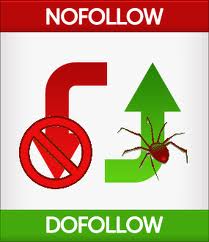
 Nofollow and Dofollow links – Know the difference

Search Engines use links to go through all the sites on the web. What happens actually is Google bots visit your blog to go through it completely. Your content,keywords,links,etc. So, when talking about links, bots crawl through your website and find various links on your blogs; and these links can be of two types- either nofollow or dofollow where both the terms are completely opposite to each other.

Nofollow is an HTML attribute of the tag rel which tell the Search Engine bots to not to follow this link.

In WordPress, by default, all the comments are having Nofollow attribute but they can be easily removed using plugins and all the comments in it made in the past and future will be dofollow as it removes the nofollow tag from all the comments. And in even blogger,by default, all the comments are marked as nofollow but it can be tweaked to dofollow by removing the rel=”nofollow” tag from the HTML section.

In a case where your blog is dofollow, when a bot finds a link on your blog, it follows it and lands on another page. Do you know, this is the way only bots come to know about your websites and helps to index or cache them and display it in search results.

However, as I said earlier that dofollow and nofollow are completely opposite to each other. In a dofollow case, the bot follows your blog lands to another page but In a nofollow case i.e. if the link is nofollow, this nofollow tag tell the search engines or the bots to NOT to follow this links to any other websites. So, the bit won’t be able to follow that link. So, nofollow tag does not allows the bot to follow a link.

So, that’s it in the introduction part of nofollow and dofollow links. Hope you understand this concept in a better manner as I explained it with the help of examples.


Kuldeep Khatri is a 13 year old passionate guy who is a Student by Force, Internet User by Addiction and Blogger by Passion.He mainly blogs at Cool Tricks. Hope you like his work.


How Traveling Can Improve Your Blog

By Joe Pawlikowski Leave a Comment

There comes a time in every blog’s existence that it becomes stale. This is no knock on the author or authors. They might be working as diligently as ever. But at some point, it’s tough to come up with fresh ideas. Each blogger’s reaction to this period of staleness will determine whether her blog will thrive or plummet.

Sometime the issue works out itself. It’s just part of any blog’s natural cycle, and eventually the author or authors become inspired again. At some point, though, there might come a time for deliberate intervention. For those instances, there might be no better inspirational stimulus than a short trip.

How travel can help our blogs

Inspiration can come from anywhere. Yet sometimes our inspirational wells run dry. That tends to happen when our environments become stale. When we talk to the same people, experience the same situations, and see the same sights every day, they tend to become dulled in our minds. They no longer fill us with energy. That’s when life starts to stagnate.

Traveling, even on a short trip, acts as a stimulus reset button. For a short time we experience new things. We talk to new people, and we see new sights. Everything is new for that time, and from that we can draw new inspiration. And then when we return to our normal environments, they’re suddenly not that stale. Since we got away and broke the monotony, we can look at these routine items anew.

When a blog becomes stale, it’s time to hit the road. This can be as a group trip, in the case of a group blog, or it can be a solitary experience. But whatever the case, changing your environment will change your mindset. It’s a pretty simple process, really.

Group travel

While it’s not always possible, group outings can inspire an entire team. They’re a chance for the gang to get together and not only discuss ideas about the blog, but also exchange ideas on any number of topics. Group bonding trips are always big on corporate agendas, so why not have one for your own?

The best part about group travel is that it can be pretty much anywhere. As long as everyone can get to the destination, there really are no limitations. You can justify the time usage, since your blog is a business. You can also perhaps expense some of the trip to the blog. With the preponderance of cheap airline tickets, packaged with hotels and car rentals, many blogs can afford this expense.

By eating meals together, by conversing with one anther, and by partaking in common activities, you will grow a new bond with your co-bloggers. And in the process you’re likely to develop new ideas — both for posts and for the blog in general. Since you’re all removed from your normal environments and are immersing yourselves in a new one, you’re bound to find new inspiration.

Yet sometimes group travel just isn’t possible. Some blogs have contributors who span continents. Still others don’t have funding for such trips. There is an alternative for individuals, though, which works just as well for group and individual blogs.

Individual travel

On individual travel I speak from experience. Ever since I started working from home, five years ago, I’ve used these trips to not only help find new inspiration, but also to remain sane. Working from home means seeing the same things, and talking to the same people, all day every day. The monotony can drive a person bonkers. Trips then become a necessary.

Since you need only coordinate an individual trip with yourself, or perhaps a significant other, you can take them more frequently. This means shorter trips, but that’s fine. It means less time taken off work, so you can get away while still remaining productive.

The key is to find an environment completely different than your own. I live in an urban area, so it’s to small towns with lots of trees for me. If you live in one of those small towns, perhaps a trip to the city for a few days will do you well. I like to get the full immersion experience, and so I rent a car. That means there are even fewer familiar aspects of the trip.

A fresh start

Upon returning, you might feel different. The things that seemed boring and redundant when you left might feel fresher. You might approach your work with more energy. These are typical reactions to time away. Best of all, you should have a bank of new blog ideas.

We all need time away from everyday life. Repeated stimulus eventually becomes boring, and our lives become staler. This has an effect on all our work, but especially creative work such as a blog. Getting away, even for a short time, can prove useful.

10 Crucial Points To Help You Write Better Blog Posts

By Rajkumar Jonnala 1 Comment

How many times have you had killer post ideas for your blog? Tons of times, you say? So how many readers did that get your post? The problem with most bloggers is that most of them have wonderful ideas coming out of their brains at regular intervals, but when they sit down to write a post, it does not really translate into something great. We understand your frustration. This is something most bloggers feel everyday of their lives. How does one write good content? Here are 10 crucial points to remember that will help you write better blog posts.

biodegradeable-pen

  1. A lot of bloggers are guilty of ‘punching’ out their posts instead of ‘creating’  them. Yes, that’s right. It is almost as if they are under some kind of influence to write the post fast or else they will somehow miss a deadline! Don’t do that. Take time in choosing a topic that will be of interest to your niche readers. When you pick out a topic that is interesting, you have all the more chance of becoming a conversation- starter.
  1. Creating a good blog post title is very important. If you are a blogger, you can’t ignore the importance of blog post titles. It is what creates an urge in the visitors to read the whole post and it is what drives search engine results to your blog.
  1. Have a great opening line. Once a visitor has come to your blog and been interested enough to read your post, it is important that you create an opening line that will draw her in. It should be something that is interesting and which creates a desire in the reader to read the whole post.
  1. Make your blog posts matter. Just a good title and opening line will not get you far. You need to have a point that deserves a whole post being written about it. Have an opinion about something and make sure you write it.
  1. It is important that your post urges your readers to ‘do’ something. It may be as simple as asking for their opinion or something that urges them to stop indulging in corruption. Whatever it is, asking them to do something often imprints your blog to their minds.
  1. Add a certain amount of depth to each of your posts to ensure that your readers remember it.
  1. Spend time re- reading each and every post before hitting the ‘Publish’ button. Spelling and punctuation mistakes will only showcase the fact that you don’t care for your readers.
  1. If you publish your posts at the right time, it will ensure that most readers read it. Weekdays are good for publishing as a lot of people are working in their offices and often like reading new posts that come up in their readers.
  1. Promote your post in forums and other related websites.

10. Make sure you reply to comments. This will make readers feel they have added something important and they will keep coming back.

Author Bio:Rajkumar Jonnala wishes to research and find out more on desk cable management operations. His field of interest spans across wider domains and business areas. His past work experience in cable cover and cable floor cover process helps him to share the real life knowledge to his friends and readers of his blogs.

7 Ways To Find Unique Blog Post Ideas For Your Blog

By Rajkumar Jonnala 5 Comments

Fin ideas dailySometimes all you need is a good idea. This is more so if you happen to be a blogger. A lot of bloggers have enough time on their hands to blog everyday yet they seem to be lacking ideas. If you are facing a dearth of ideas for blog posts, you are certainly not alone. For bloggers who want to write good quality content that is interesting, a dearth of blog post ideas is something they have to deal with often. But don’t worry. There are ways in which you can find unique blog post ideas for your blog. You can also use random word generator to find some keyword ideas for next log post. Here’s how.

  1. Forums are a great place to pick out new ideas for your blog. Lots of people log into popular forums everyday to express their thoughts, ideas and opinions. Visit such forums that are related to the niche your blog deals with and see what people are interested about and are talking on. This will give you some pretty good ideas about topics to write about. For example, if your blog is about parenting, visit forums which have lots of moms and dads coming in and find out what interests them.
  2. Social bookmarking sites are another place where you can get unique idea of what to write on your blog. Sites like Digg and StumbleUpon have articles on their home pages which indicate that those are the topics people searched on recently. This will give you a good idea of what to write on the niche you are interested in.
  3. The blog comment section of other blogs is a wonderful place to go visit for unique new ideas. Yes, that’s right. Visit blogs which are related to the topic your blog is about and find out what people are commenting and discussing in the comments section. Often, you will find ideas that are fantastic and worth writing about.
  4. You can also go to related blogs for ideas for posts. Go to the archive section of the blog and find out what is being written about. That does not however mean that you copy ideas and stuff. The idea is more about finding topics that interest you and something that you wish to write about.
  5. New sites are a wonderful place to get unique ideas for your blog. Good news sites like the ones by Yahoo and Google are places where the latest and most happening news from all around the globe are reported. You can easily find lots of things to write about, especially if your blog deals with current affairs.
  6. There are quite a few popular ‘questions and answers’ websites on the internet. Yahoo Answers, Wiki Answers and Google Answers are just a few of them. Here people come in to put up their questions and want answers. They are great for finding new ideas for blog posts.
  7. Interview someone you admire. It could be a fellow blogger, a person you admire or your aunt. Only thing, the interview has to be interesting and worthy of reading.


Rajkumar Jonnala likes to write about topics on IT, Science and Technology related to server rack and rack cabinets.

7 Killer SEO Steps to Optimize Your Website in SERP

By Ammar Ali 16 Comments

SEOSEO optimize your blog or make it appear on top Search Engine Results to enhance the traffic on your site. Basically, the thing matters here, is to figure out the keywords on which you want the visitors to reach your site through Search Engine Results Page (SERP). If you are new to blogging and SEO in particular, you should be aware of some basic SEO tips to improve your site’s ranking in the SERPs.

7 Killer SEO Steps to Optimize Your Website in SERP


1. Keywords in Title Tag

Title Tag is one of the most significant elements to position your webpage higher in your chosen keyword. This tag gets visible in the clickable link on the SERPs. It’s better to start your title with a long-tail keyword having less competition. Try to use your Keyword within the range of 65 characters, as search engine don’t consider anything after 65 character limit. Don’t repeat your Keyword in your title; otherwise your site could be penalized.

2. Use Keywords in Header Tags

Header tags are one of the most imperative On-page search engine optimization factors. Use the similar keywords in all heading tags. This way, you can easily bring focus of the page on a sole keyword while getting superiority in the Search Engines. You should better utilize your main keyword in first heading tag while trying to keep the Keyword at first.

3. Use Keywords in Image Alt tag

Images can express many words but SE Spiders don’t translate images, they only read the alt tag to understand the image with textual description. Therefore, it is vital to provide a significant description of an image with using keywords. It will optimize the images used in your content and rank them higher in image searches.

4. The Power of Internal Linking

One significant factor of SEO that is often ignored is Internal Linking. The better approach is to reactivate and revitalize the old posts in archive, as compared to link them in your fresh posts. Don’t miscalculate the authority of internal linking in the distribution of page rank.

5. Links from Directories

Planting in directories, such as Yahoo, DMOZ and other article and content listings can be quite helpful to achieve positive ranking overall. Some people believe that it’s not possible to list your content on DMOZ, especially if you don’t have much credible data, but if you could, it may bring you positive results.

6. Use Meta Description

Though Google is now giving less importance to meta-tags, there are two meta-tags that still matter in SEO, But, Meta description Tag still has importance from a human and search engine perspective. Description meta-tag is what you use to illustrate your website. In fact, this description is what the visitors see when your site appears on the search results.

7. Use Keywords Meta Tag

Fill your Keyword tags with relevant keywords while avoiding replicas and Keyword stuffing. The Keywords you mention in the keyword tag should be relevant to the context of your page. Keywords used in meta-keywords-tag must somehow appear somewhere within the body of text. Otherwise, your webpage can be penalized for irrelevant content.

About The Author
This is guest post by Sarah Smith who is a professional Guest blogger. Writing for MacKeeper-useful software that will help you with Mac fix and Mac scan.

  • « Go to Previous Page
  • Page 1
  • Interim pages omitted …
  • Page 14
  • Page 15
  • Page 16
  • Page 17
  • Go to Next Page »

Primary Sidebar

Get Blogging & SEO Tips by Email

Get helpful blogging, SEO, and content tips delivered straight to your inbox. No spam.

Join 3,489 other subscribers

Popular Posts

  • Is Your Blog Properly Optimized for Performance and SEO?
  • 10 Powerful Ways to Become a Famous Blogger
  • Google AdSense vs Affiliate Marketing: A Simple Comparison for Beginners
  • Effective Ways to Increase Content Reach and Audience Engagement
  • 12 Things to Do Before Applying for Google AdSense
  • Are Backlinks Becoming Less Valuable in Modern SEO?
  • Step-by-Step Guide to Creating a Successful Travel Blog
  • How to Start as a Freelance Writer & Is It Worth?
  • Add Smooth Multi Level Drop-Down Menu In Blogger
  • How To Delete A Blogger Blog Permanently In 5 Minutes (+ FAQs)

Blogging Tools I Use

Over the years, I’ve tested dozens of blogging and WordPress tools. Below are the tools I personally use and recommend for blogging, performance, SEO, and monetization.

Blogging Tools I Use →

Categories

  • Announcement (12)
  • Ask The Readers (2)
  • Blogger (56)
    • Blogger Hacks (4)
    • Blogger Tips (24)
  • Blogging (108)
    • Blogging Tips (81)
    • Writing Tips (6)
  • Coupons (2)
  • Design (5)
  • Email Marketing (4)
  • Free Themes (1)
    • WordPress Themes (1)
  • Free Traffic (40)
    • Guest Blogging (7)
    • Search Engine Optimization (4)
    • Social Media (13)
  • Giveaway (16)
  • Hosting (14)
  • How To (48)
  • Latest News (1)
  • Make Money Online (37)
    • Adsense (7)
    • Affiliate Marketing (8)
  • Reviews (17)
  • SEO (46)
  • Social Media (13)
    • Facebook (5)
      • Tips and Tricks (3)
    • Twitter (2)
  • WordPress (54)
    • WordPress Plugins (17)
    • WordPress Themes (5)
    • WordPress Tricks (2)
    • WordPress Widgets (14)

Footer

About This Site

All Blogging Tips helps beginners learn how to start, grow, and monetize blogs using WordPress. I share practical guides and honest recommendations based on real blogging experience.

Read more →

Site & Resources

  • Tools I Use
  • About
  • Advertise Here
  • Contact
  • Disclosure Policy
  • Copyright Policy
  • Privacy Policy

Start & Grow Your Blog

  • A Ridiculously Helpful Guide to Start Your Own Blog In 10 Minutes
  • How To Grow Your Blog And Build An Audience
  • How To Make Money From Your Blog
  • Cheap WordPress Hosting
  • Free WordPress Hosting

Copyright © 2026 All Blogging Tips · Powered by InMotion Hosting · WordPress · Log in