
The way people view the web is changing. Go ahead, take a look at your Google Analytics numbers. You’ll see that more and more people are browsing the web from their smartphones. The problem is that they might not be getting the most out of your site. They’re using a small screen to view something that was designed for a screen three to five times larger. That is, unless you’ve installed a mobile website plugin for WordPress. There are many options, but these plugins can give your site a look and feel that was made for mobile.
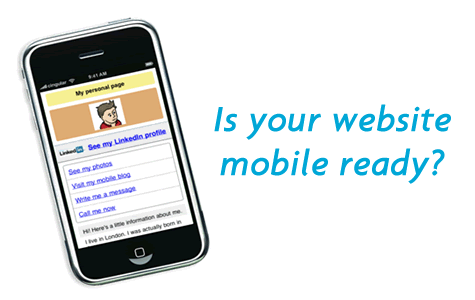
Here are five reasons that you need to install a mobile website WordPress plugin today.
1. Sleek look and feel
While each mobile website plugin provides a distinct look, they all come down to one thing: simplicity. What you’ll get with a mobile plugin is a listing of the latest headlines, followed by tags and categories and perhaps a small blurb. That’s the perfect amount of information for a mobile viewer. It flows, and it looks nice. There might not be fancy images, but that’s not necessary when viewing on a smartphone. Plus, users will have the choice of when to view those images, which comes in handy for Reasons Nos. 2 and 3.
2. Perfect for small-screen viewing
When you load a regular website on a mobile phone, it looks unnatural. Everything is small and unreadable, because you’re loading a site designed for a much larger screen. You have to zoom into read the articles. You probably have to scroll left and right to see everything on the screen. Since mobile website plugins list posts in reverse chronological order, you’re getting just the information you need, at a size that’s designed for a small screen. It’s really the perfect smartphone viewing experience.
3. Uses less data when loading
In an age where unlimited data plans really have hidden limits, data usage comes at a premium. When you load a normal website, it eats up tons of data. It has to load all the content, plus images and ads. That can eat valuable kilobytes from your monthly data plan. A mobile website is stripped down to the basics, so it uses very little data when loading. That means you can view more sites while using less data. See also: Optimize WordPress Blog Loading Time
4. Universal look across smartphones
There are dozens of different smartphone browsers. Beyond Safari for iPhone, the Android browser, and the BlackBerry browser, there are tons of third-party alternatives on each platform. A Samsung Galaxy from T-Mobile using the default Android browser might see a site differently than the same phone using the Dolphin browser. Using a mobile website means that every smartphone user will see the same thing. That’s not only beneficial for the user, but also beneficial in troubleshooting bugs and errors.
5. More revenue opportunities
So many ads nowadays use Adobe Flash. That’s a problem for mobile browsers, because many of them don’t support Flash at all. If you serve ads in Flash form, that is, zero iPhone users will see your ads. While there is a Flash plugin for Android, it provides a poor experience; many Android users have uninstalled it completely. Mobile websites, however, can support different types of ads. That gives you an opportunity to make money on impressions.
Every blog should install a plugin that gives smartphone users a better experience. There are many, many options for the WordPress platform. Some free ones, such as WordPress Mobile Pack, can get the job done well. But established bloggers with an income stream should consider a premium option. They provide more choices, meaning you get a better experience for you and your readers. Whatever you do, don’t let this one slide. Creating a useful mobile website is an opportunity that no blogger should ignore.
One of the most popular Mobile WordPress plugin which is already SEO optimized plugin.This plugin also integrated with Aduity.com which allows you to serve ads from different mobile networks such as Quattro Wirelss, Admob, InMobi, and even you can serve your own customized ads.
I used mobile press but it didnot load its mobile template in mobile? should i have to configure any option there. However if i access its mobile template it is loading but not by deafault. please help me
The point about advertising is a good one. It will be interesting to see how the market changes in the next couple years as more and more eyeballs move from desktops and laptops to smartphones and tablets. Do you recommend a particular mobile plugin?
I recommend you to use best WP Mobile Plugins like WordPress Mobile Pack or MobilePress