
Whether you are a WordPress blogger or an expert webmaster, you cannot deny the ultimate need of social media marketing and it’s icons. In view to flourish any business strategy, everyone needs to make use of social sharing plugins. The dire need of sharing content with the readers has made social sharing an important topic to discuss nowadays.
Who doesn’t need traffic? I also want to drive traffic to my site, the same way you needit to expand your site.It has become a common knowledge that if social sharing buttons do the magic then you will have a number of visitors on your site.
Social Sharing Plugins for WordPress are highly essential because they are easy to use and can bring valuable visitors. With just one click, your content gets access to new readers. Isn’t it impressive?
Why A Good Social Sharing Plugin Is A Must Have
Social plugins are considered as the ‘indicators’ to analyze the popularity or success of a blog post. It also helps the visitors to view the number of total shares. The readers, as well as bloggers, identify with the help of social icons whether the post has received maximum shares on networking sites or not.
The prominent social sharing plugins require no hard effort at the time of integration. It’s easy to incorporate the WordPress plugins to your site. You can do it too!
All above, social sharing plugins are such a common tools that every blogger uses and I must say that you cannot survive online without these magical sharing buttons.
However, I would suggest adding only those social sharing icons to your site that you think are suitable for your marketing strategy. Facebook, twitter, GooglePlus, LinkedIn, Instagram, and Pinterest are highly popular.
In this article, I will discuss the most important social sharing plugins for WordPress and their exclusive features.
1) Easy Social Share Buttons
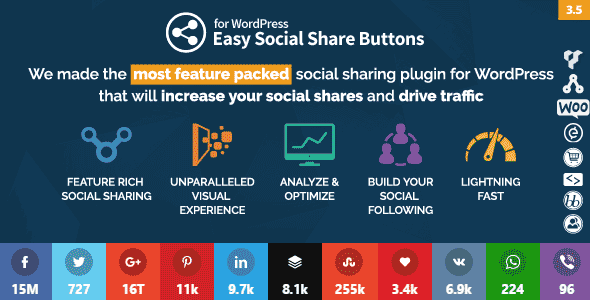
Share buttons is a complete optimized package for all the webmasters. The complete package obtains all the necessary social sharing buttons that will enable your site to grow and expand.
Why is easy social share buttons the best plugin for WordPress?
The answer is simple. This particular plugin accedes every user to share the content on more than 40 social connections. Isn’t it amazing? That’s not limited. It also allows you for optimized mobile sharing.
The plugin also consists of following prominent features;
- Easy social sharing plugin offers a wide range of 31 impressive templates, specially designed for social sharing.
Customization and design position are also effortless. When I said it’s a complete package, it includes everything you need to acquire for social sharing according to your choice. - This plugin also provides an unparalleled visual experience because of an extensive range of buttons, designs, captivating animations and counter styles.
- It also has built-in modules for Google analytics tracking, Click log analytics and other statistics of social media.
- It also offers social profiles and Followers counter modules. In that way, the users get access to view your social media profiles and can interact with you easily.
- It also assists in building your social media following in the most convenient manner.
Monarch Social Media Plugin
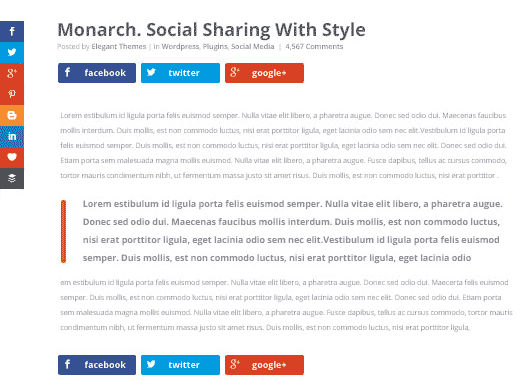 If you need a social sharing and social following plugin for your WordPress blog then Monarch is the first choice. The social media plugin by Elegant Themes is focused on increasing shares and followers.
Monarch is the beautifully designed social media plugin that just not allow you to integrate social buttons on your site, but also encourages the visitors to share more.
I recommend using Monarch plugin to boost social media shares and your social profiles. It is definitely an excellent paid plugin for WordPress users because it is elegantly responsive and provided with smooth design settings.
It has some impressive additional features;
- Monarch enables you to add social sharing icons to 5 different locations; Sidebar, Flyin, Inline, Popup, and Media. You can enable or disable the locations anytime through dashboard settings.
- It allows you to choose from 20 famous social networking icons that can benefit your website.
- With few steps, you can build an impressive social following and also display social counts.
- Monarch plugin, by Elegant themes, also offer different button shapes, 5 sidebar button hover effects, 4 inline button effects to create a customizable design according to your theme.
Social Warfare Plugin
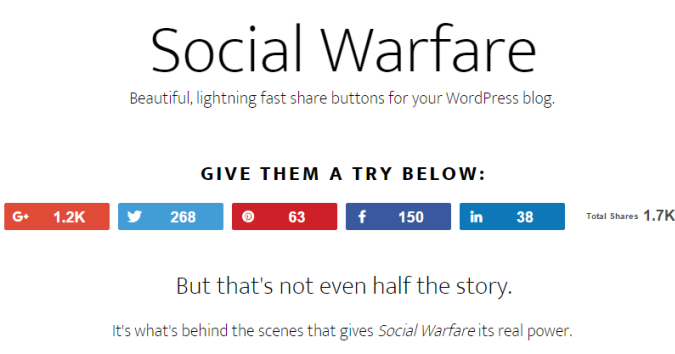 Another social plugin that is advantageous in driving more traffic to your website is warfare plugin. The premium social sharing warfare plugin is specially designed for WordPress users.
I recommend using premium plugins for social media marketing as it gives you more control and easy access to the success of your content.
Free plugins do not guarantee you for faster loading on mobile phones but Warfare plugin does it, exceptionally.
The plugin also got few amazing features;
- The main attractive feature of Warfare Plugin is the stunning visual look of social buttons. You can even customize the colors as per your theme. The social icons are also mobile-ready share buttons so it is an awesome feature.
- It also offers ‘Click to Tweet’ feature with 6 themes and built-in ‘Frame Buster’. The Frame buster plugin restricts other frames which are being placed over your posts. It eventually redirects the visitors to your original post.
- Another striking feature of this awesome plugin is that now you can show off your tweets. As you know twitter has now removed tweet counts but warfare plugin enables you to enjoy displaying total tweet counts.
- Smooth performance and no hassle in loading content, even on mobile.
- It allows you to add customized Pinterest image with descriptions.
- Twitter card is another built-in feature of Warfare plugin.
- It also helps to recover the social share counts.
Floating Social bar
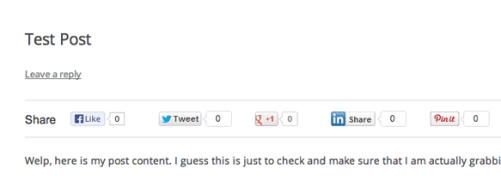 Among WordPress plugins, floating social bar is another notable plugin which bloggers should consider. When you install this plugin, a horizontal floating share bar is added to your web contents.
The captivating floating bar of social media icons will help your content to be shared on respective social sites without any hassle.
This plugin is particularly designed in view to speeding up the site and make it fast that’s why it does not compromise on the speed factor.
Some of the incredible features of floating social bar are discussed below;
- The plugin is light weighted thus it does not slow down the performance of your site.
- It is extremely fast, reliable and slim.
- Keeping in mind about the speed of the website, the plugin only supports main social networks, Facebook, Twitter, Google Plus, LinkedIn, and Pinterest.
- Incredible easy drag-drop interface that provides bloggers for dropping social icons of their choice on the site.
Mashshare Plugin
 The free Mashshare plugin is commonly known for its attractive style of sharing social media icons to your blog. If you want to have a clean plugin that is responsive and highly impressive then Mashshare should be your choice. It is fast and ready to go.
If you desire to use it for free, you can have access to three major social icons. One is Facebook, other is Twitter and third is optional where you can add a subscribe button.
Though, you can opt for its premium services by paying few extra bucks annually.
Mashshare plugin also has few benefits;
- Great looking total social media shares count.
- High-speed performance social buttons.
- Expandable with Add-Ons (You can purchase Add-Ons and enjoy other social buttons and email contact support)
- Easy to use and customize.
- You can disable total counts by using shortcode option if you want.
6) Sumome
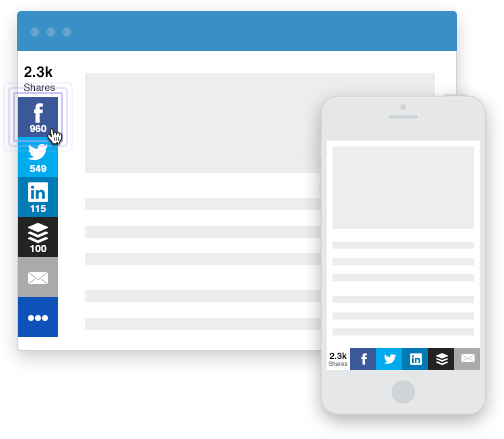 If you are a non-techie or even a webmaster, this WordPress plugin called ‘Sumome’ obtains multiple features for the benefit of your website.
Many website users have given friendly reviews about Sumome Share because of the FREE version. But, if you do not want your site occupied with Sumome branding, then you can remove the ads by paying an amount. Pretty simple. I even don’t like any third party branding.
If you are a serious blogger, then you can also go for Share Pro on spending bugs. The benefits are completely enjoyable. But, free version also works for many users.
Sumome plugin sums up the formula for more shares, more traffic, and more real viewers.
This WordPress plugin has got best features too;
- Sumome Share plugin works best in driving traffic and gain attention. You can opt your favorite social media icon from 16 social sites.
- It works efficiently on both mobile and desktop.
- It also got a smart share button which helps you to optimize specific sharing options on each page.
- It’s sleek design also encourages viewers.
7) Get Social Plugin
 This incredible plugin has jotted down everything at an ease for all the WordPress users. Social Sharing, Smart Popup and Share Buttons by Get Social is a freemium WordPress plugin that you can integrate into your site.
The plugin provides multiple free features, however, there are also certain paid features. If your site works fine with free, then it’s quite awesome.
Some of the prominent features(free and paid)are discussed below;
- Hello Buddy is an intelligent popup free feature to boosts up visitor’s engagement with the site.
- Welcome bar and floating social bar are also free features to drive traffic.
- Mobile share and Follow bar is a paid feature.
- Another attractive free feature is custom facebook shares (want, wish etc).
- You have to pay for extended optimization in social icons or any theme.
There are specific social sharing tools, Following tools and Tracking tools. Enjoy the advantage of this amazing plugin. You can view the details and download the plugin.
Overall, it’s a good plugin but advantageous features are mostly paid.
8) Sharify Social Sharing Buttons Plugin

By installing Sharify, you can add gorgeous social sharing buttons to your WordPress site and build more traffic. The simple plugin is extensively fast in performance as it speeds up the sharing activity.
The plugin provides following major features;
- It has elegantly responsive social sharing buttons for popular social networking sites. The sites include Facebook, Twitter, Reddit, GooglePlus,LinkedIn,Pinterest, Email, Vontake,Pocket.
- It has the capacity to enable or disable the social share icons. You can also change colors of buttons.
- Share counts for popular sites only.
- It enables caching, which makes the site work faster than ever.
- It works perfectly on mobile devices.
- Fast and reliable.
- Installation process is very quick.
- High Performance.
9) AddThis Share Button

Take social sharing to the next level with the AddThis Share Button Plugin for WordPress. It’s important to display the share buttons on the necessary pages. I would suggest that you should display the social icons on the well-written content or viral blog posts.
The benefits of using AddThis Share Button are;
- Its basically a free plugin. Avail all the benefits free of cost.
- You can choose the particular social icon from different styles and sizes.
- It also obtains share counts that motivate a visitor to share the content with family and friends.
- A good service provider and easy to use.
10) Sharebar Plugin
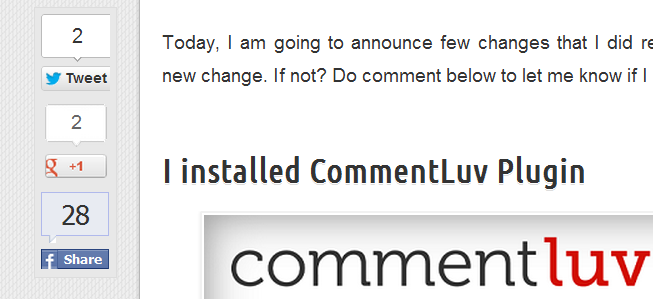 Sharebar plugin is little different due to its vertical box, obtaining multiple links to famous social sites. If you have a wide blog, a vertical social sharing bar displays on the left side of any article.
The features of sharebar plugin are;
- It’s easy to use. Every newbie can use the plugin with an ease.
- If your blog is too wide, the vertical social bar automatically turns into a horizontal social sharing bar.
- It’s highly compatible.
However, due to its limited features, the plugin works more for new bloggers.
Final words
All above mentioned social sharing plugins WordPress are effective enough to install and integrate to your site. As you’ve read that every sharing plugin has some common features so it is fine if you install any one of the social sharing plugins.
But, I have my personal recommendations for premium Plugins as it obtains extensive features that ACTUALLY boosts up the traffic, makes your content go viral and develop your social profile.
If you’re looking for a premium plugin. I find Monarch by Elegant themes and Easy Social Share Button more suitable for WordPress.
Try your favorite plugin and hit me back with a rocking feedback.
If there is any other plugin which is fast and reliable, share with me in comments.

Useful article – thank you:-)
I have a couple of questions for you. I don’t like my current share plugin (Get Social) and want to change it. But if I do, will I lose all the shares the old one had? Are there some which will import the old shares I had?
Also, do you know why sometimes it sits on top of the content when viewed on IPads and mobiles, and how to stop that happening?
Thanks!
Ethan,
As far as I know, even if you change plugin the social counts remain same. Though, I’m not sure about it..
And, this happens because your current setting might be set to make social bar float on top.. You can change through setting.
Thanks, i’m installing #1 Plugin: sharebar
hope enjoy it
thank you!
I personally like TF share plugin. It ia a nice plugin and social share bar float left side of the post.
I was already thinking about this floating social icons that is on your blog and you mentioned it above. Will not have to google for it now haha.
Thanks for sharing some best tips on this blog.
I was using TF Social Share aka Twitter Facebook Share, Now switched to Socialize for it’s appearance and Call to action box :P :D
I’m going to start using the ‘Socialize’ plugin for its ‘call to action’ box. Good post
awesome! All the best :D
I am facing issues with Shareoholic. Will try ShareThis once.
Pages load a bit slow when using that plugin.
Well, You can also try sharebar or digg digg. I’ve used them last year, they worked perfect! :D
I’m using share this plug in but I’m unable to hide the sharing option on home page. So, can anyone help me?
If they don’t have any option. then you should switch to other plugin. You can try sharebar or Digg Digg.
All these plugins are useful ,i also use wp mashsocial widget which is excellent free plugin-there is g+,facebook,twitter and youtube and email subscribe option.Whoever reading my comment should use this plugin
Dear I also using Share this ! But which one is best for sharing ?
Sharebar or Digg Digg. :D
Among these Share bar is the best. But i would also suggest “getsocial” to the list.
GetSocial is also a valuable plugin similar to Share Bar…. What say???
hmm. thanks for the input. I’ll try it soon! :)
Hello Ammar, I just wanted to drop a little feedback about the Sociable plugin. It ruined my website’s CSS. So everybody gotta be careful before using that. Other plugins are good. Thanks for the list! :)
Thank you for this post i installed the sexy bookmark and it is really good
I was using share bar but its latest updates have bugs in it
you have a great blog and i loved the way you shared the plugins to your readers. thanks a lot for the share :)
hello i am searching a good social plugin for my blog on google, and now i finally got your post. i check all plugins but i like digg digg plugin. thank you for sharing this post. its really helped me. thank you
Hey Hira, Nice to see you here. I’m also using Digg Digg, Its awesome! :D
thank. Great i like ShareBar best
Great tips there, i am trying to implement bit same features as you have provide. Let’s see how I implement them.
Hello Ammar, just upgraded one of my websites to wordpress, need social buttons like on learnblogtips.com/blog of Rahul Kuntala, can you help me on that.
Hi Ammar,
I have started using Sharebar in 2 of my blogs after visiting this thread.
You’re doing great job at the early age of yours. :)
Regards!
Sarah
Glad to hear that! :D
I have recently been having trouble with Sexy Bookmarks & WP Socializer. I just need to find something that doesn’t mess up when you share!
You have collected good plugins list for social media with WordPress
Thanks for the great article. Was looking for a list of the best social sharing plugins for my blog and one that was up to date. Found yours and was delighted. Have installed Sharebar and it’s great.
Great! :D
Hi,
I’m still not able to decide which one is the best. I tried some of them but was not satisfied. Currently I’m using social sharing option provided by Jetpack. I think Sexy Bookmarks would be better for Posts. What do you say?
I would recommend you to use “Digg Digg” or “Sharebar”.. They’re best. I’ve used both! :) Works great!
You can also give try to “Twitter, Facebook Like,G+ one Social share” Plugin as well!
Nice Post :) Ammar .
its disappointing that we need to Install two plugins to have both Floating social share as well as above/below post social sharing widgets…
is there a plugin that do both in a single run ?
Yeah. Seems to be. Here is solution for this!
Just install any of floating social sharing plugin. It will add floating social buttons to left side of your page. And then goto addthis.com and get social sharing buttons and place their code after post. It will do all things you need! :D
yes WordPress has huge collection of plugins, so its difficult to find right one, its good article about best plugins, so bloggers can easily start their blogging carrier :)
This is yet another great list of plugins. I’m a big fan of Digg Digg! I took out the rest of the social networking plugins and stuck with just one to make it easier for everyone to share. I’m sure they work the same way. Great Post!
hello..This Is Really A Nice Article..
Before this i am really Confused alot on which social plugin is best for my blog..But Thnx To You That You Solve my Confusion.. :)
Hey bro,
GetSocial is also a fantastic social plugin which i am using currently on my blog. You can have a look at it. thats awesome.
BTW your plugins are also great. I am using Sexy Bookmarks too. :(
Hey,
What you are doing here? Today is your birthday ;) Go and enjoy it.
anyway, Get Social is also great. I am using Sharebar.
BTW, why you are sad? :|
Did anyone tried LoginRadius’ social login and sharing widget? Looks very promising!!
Never heard about that. But seems it looks great! :D
Thank you Ammar Ali.
I like all of your blog posts.
With this blog post i got a nice picture about social sharing plugins.
Thank you | Thank you very much
You can also check my blog post
Hey Abdu
thanks for your visit and motivational words bro. Keep visiting :)
I currently customized the social buttons on my site, but from those you have listed, by far sharethis is the best solution for a single reason: you can track with Google Analytics. In this way you can see which articles are being shared the most and invest more on articles like those.
I have used the no 3 and that worked perfectly on my blog.
I Think ShareBar Is very convenient and is my favourite
I have tried many, but stop with Sexy Bookmarks,It makes my readers to actually submit articles to numerous social bookmarking sites.
I’m currently using Po.st. It’s a single JS code, so it’s lightweight and doesn’t affect my load time on my site. They have every sharing option available, just like the others, but the kicker is that they help me make money by showing an ad after someone shares my content. I don’t believe that any other sharing tool does that.
Check out my site: advertisemetoo.com/
Twitter: Advertise_ME
That’s excellent bunch of plugins. Smart social is working great for me. :)
I prefer ShareBar As it scrolls down with page scroll
I am too using Sharebar its just awesome :D
I have used Digg Digg, ShareBar and Sexy Bookmarks but did not satisfied with their performance. Each one loads their javascript increasing load time. I prefer to use own codes.
Hey Bro,
I am really happy to share what i am using?
Firstly I used the AddThis plugin on my blog.
But presently i’m using ShareBar and Sexy Bookmarks.
These 2 plugins are working fantastically on my blog.
Although some plugins takes a lot of time to load but these 2 are not so. They both loads in normal time and works best for my blog. :)
Glad to hear this from you! Ashwani ;)
I love the sexy bar sharing widget most , so attractive :)
Share This is one of the worst sharing plugin. I have ever used in my career. It just increase your website load timings, also delays the browser side rendering of your website pages. My advice is to stay away from such a buggy product. There are already number of Sharing Plugins..
Even the one I’m using on my blog is amazing. Pease check it out. If I’m not wrong, it’s known as SOCIAL BAR (or something like that, I’m not really sure :D
Sure pal :D
Hello Ammar,
I love all of them and I know all of them works perfectly for every WordPress blog I want to know that which one of them are you using?
Because I wanna use the one which you are using
I am using Sharebar plugin. Its awesome ;)
I’ve started using the Twitter, Facebook, Like G+ share plugin after reading this post because I’ve found that awesome and working perfectly on my blog.
I am using Sharebar along with this I also added social sharing buttons using custom codes. You can see them below related posts!