
A continuous flow of traffic to the blog is the ultimate goal of every blogger. This requires that the author takes advantage of effective tools to track the visitors to the website. If yours is a self-hosted website created and maintained with the assistance of WordPress software, it is a must that you are able to track visitors to your website. This offers you an opportunity to optimize it in such a way that the blog attracts new visitors and retains the existing ones with effective strategies. The following article analyzes how to track visitors on WordPress blog using WP plugins.
Google Analytics Plugin
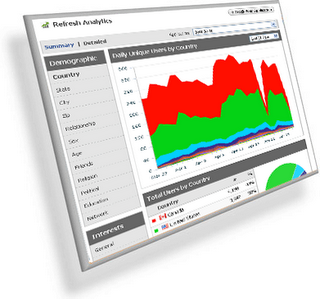
An easy to install WordPress plugin, this enables you to keep a track of visitors to your website. The details you can acquire from this great tracking tool is the instances of outbound clicks and the page viewed. The tool allows you to take advantage of “asynchronous” code which enjoys the reputation of being the safest and the most reliable Google Analytics tracking code. It even allows you to take the code and keep it in any other location of your choice if that is what you desire. If you wish, you can even track the information of downloads from your website. However, the feature which sets itself apart from the others of the kind is the facility to ignore any user if you wish to do so. Even if you desire to integrate your website with the Google product of your choice like AdSense, this WP plugin has an option to achieve the purpose. It is highly recommended that you subscribe to the official Google blog posts with this regard. They are sure to give you great insights into how to track visitors on WordPress using WP plugins.
WassUp
If you are someone who has a passion for search engine optimization, WassUp is just for you. It gives you a detailed description on the activities of the visitors to your website in real time. It tells you the number of users online and what they are doing in your website. It also allows you to monitor attempts of unauthorized access to your websites and the efforts to hack the site. If you wish, you can even disable tracking. The facility to ban certain IPs and the option to disable the monitoring of the attempts to exploit your website are just a few features available for you to ensure that you are able to optimize this plugin to your likes and dislikes.
StatPress
Known to be the first of this kind, this plugin allows you to actually spy the activities of the visitors to your website. And it is ideal for anyone who is concerned about the “blog statistics”. This allows you to view the web browsers used, the IP address and even the name of the user surfing your website. Your traffic monitoring starts from the moment the plugin gets activated. A dashboard displays all the information being collected. In the instance of your recorded information exceeds the available space limits, StatPress automatically delete past records to allow the recording of update information about the visitors to your blog. It even offers an option to ban the IPs you wish from surfing your website.
WP SlimStat
A powerful plugin which allows you to analyze the behavior of those who surf your website, this plugin offers advanced and user-friendly interface. If your website has reserved a place of its own in Facebook, this plugin allows you even to track the Facebook and Google Plus clicks with regard to your blog post. WP SlimStat even allows you to ban IPs, users or even domains in accordance to your requirements and specifications. And to make sure that you get maximum advantage of all the features and the latest developments in the field, you are required to subscribe to the WordPress blog posts of the authors or owners of the plugin. If you wish to install this plugin, you should have SQL server and at least a minimum of five MB free space in your website.
We have just scratched the surface. The options for you are vast and diverse. If you wish to remain updated with this regard, you are advised to be an active member of WordPress, commenting on the blog posts of the authors of your choice. Reading the reviews written by online marketers is the best option to gain in-depth knowledge on how to track visitors on WordPress blog using WP plugins.
Chetan Bhawani is a tech blogger, a web hosting analyzer who reviews the various web hosting services, one of them being the fatcow hosting reviews and gives all the hosting answers to people who want to learn more and decide on which would be the best hosting company to choose.
I used to use slimstat for awhile but it stopped working so I uninstalled it, Hope it is working again I really did like the way it works
At present I am using Analytics and StatCounter, but would love to use StatPress as well as WP SlimStat :)
You could try using various, but try to end up using just 1-2 and keep the blog fast loading, as these stats plugins do give some load on the blog servers and affect the speed of loading of the pages.
I used StatPress, Analytics and Stat Counter. :) Never tried others.
I never knew Stat Counter had a plugin for WordPress. If they did, then that would be a great addition to the list, or else we are talking about the plugins that help in tracking the traffic :)
google anayltics show u all the result traffic sources and many other features and gets many other useful i think also google anayltics is enough.
Not everyone would prefer Analytics and there may be reasons behind the same, so keeping a track of the alternatives is always preferred although we might not be using them :)
I think Google analytic should be enough.
I heard about custom plugins affecting load time.
You are right, but Analytics has to be opened in its own base but the other plugins can be used and checked right from within the wp admin area. Each has its own advantage! Google Analytics used to lack the live stats earlier, but after they brought in the live traffic tracking, they have become the favorites.
I am already using WP SlimStat and Google Analytics to track visitors but other two plugins looks fruitful too.
Analytics is always the best, but others are tried and worked the best so the post! :) Wassup is something that would put a little load on the site, but works perfect in showing the live stats within the wp admin area.