
Recently I was search for best wordpress plugin that Add Floating Notification Bar in top of the page with fully customizable features to put a small note about kolakube skins. I found this great wordpress plugin called “Notification Bar”. So I thought t0 share this with my blog readers.
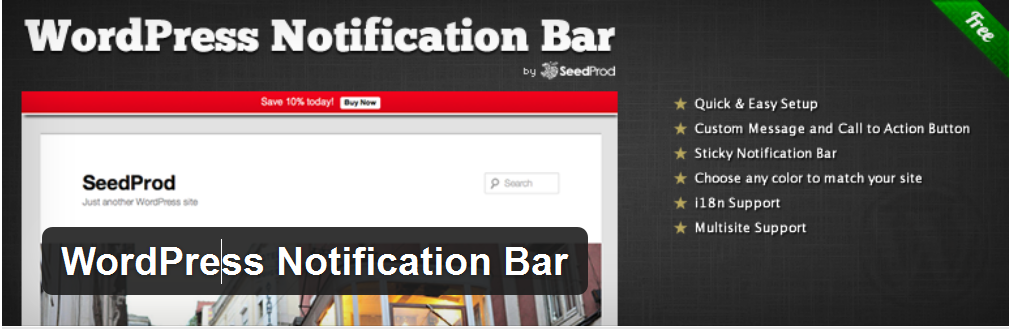
It is very easy to use just install plugin from WP plugin directory. Configure it. So Without wasting anytime move on to Add Floating Notification Bar in WordPress.
Benefits, Features and Options:
- Quick & easy setup!
- Custom message and call to action button
- Sticky Notification Bar!
- Choose any color to match with your site
- Very easy to customize
How to Add Floating Notification Bar in WordPress ?
- Go and Download Notification Bar Plugin from here.
- Activate this plugin.
- Than goto Setting => Notification Bar
- And configure it as per your need. (See screenshot below!)
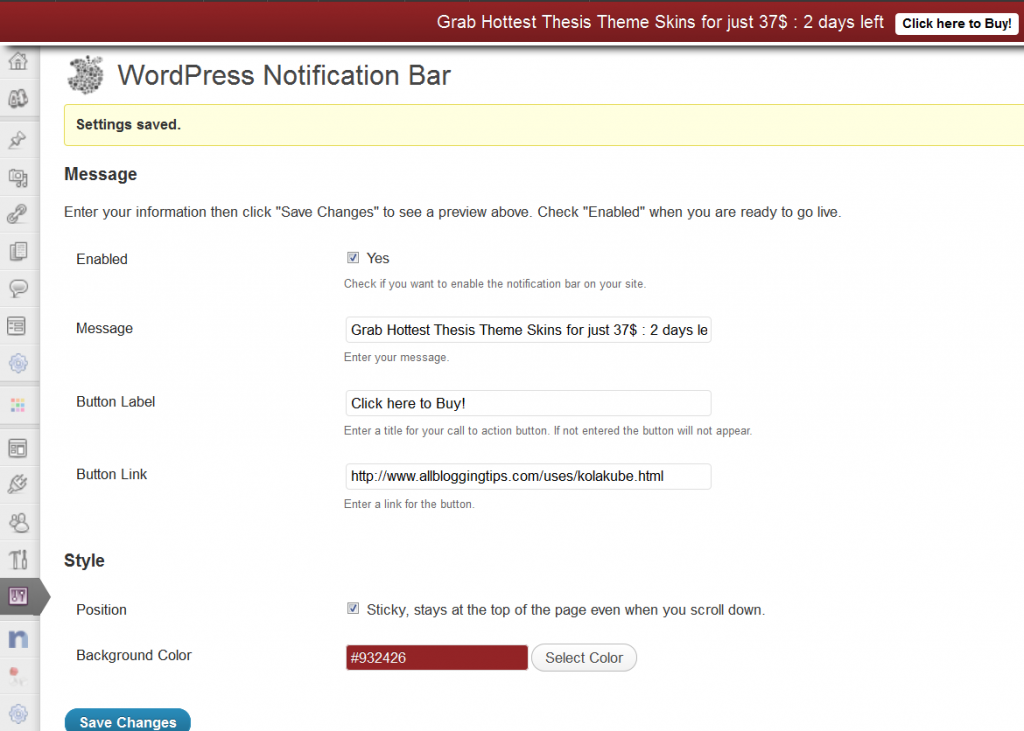
5. Click on Save Changes and see your wordpress blog.
What you can do with Floating Notification Bar in WordPress?
- You can show your popular post in floating notification bar.
- You can show some important note to your visitors.
- You can add link of some specific post.
- You can also add a short link + text about any affiliate product and can earn money ;)
That’s all. I hope you will like my short but helpful tutorial about how to Add Floating Notification Bar. Make sure to drop your comments below..
Stay Safe :D

Amazing plugin Ammar, but, I was looking for a similar plugin that could add a similar bar with a search box to the top of my site. do you know if any?
Not sure about it. You can try this http://www.makeuseof.com/tag/sticky-header-bar-makeuseof/
Thank you ammar bro ! Because i was having very trouble to finding this bar, You Helped me in a easier way :)
really thank you, I can advertise my products here.
Welcome! :D
I added it to my blog. I is working fine. If anyone wants you can see a live demo at my blog. I was looking this for log time. Thanks for sharing Ammar Ali.
I have used this plugin before, but wasn’t showing good on my theme. I changed my theme to premium SmartBlog theme. Will check it again. thanks for the featured Ammar.
Welcome Ehsan :D
Thanks for sharing this WP plugins, Ammar – BTW I think you can use HelloBar script to do that so :)
How can I add this to my blog on blogger.
Hi Syhala.
Currently this is for WordPress only. I will post this for blogspot in next day! Subscribe to us to get this in your inbox :
Excellent post, and thanks to Andi I also get to know about a cool pop up plugin too :-) 2 for the price of 1! Just what I need thanks guys.
Regards
SI
Excellent thank you Ammar, I have been intending to do a search for a floating bar plugin and now you have saved me the time. I shall give it a try, At the moment we are using a free Pop Up box plugin called ‘Super Popup’ don’t know if you have ever used it but it is pretty cool.
Regards
Andi
Hi Andi :D
I am happy that this post help you in saving some of your time. Make sure to come back as more awesome articles are on the way.
Yes! I was using “Super Popup” Plugin recently. It was working fine for me to increase facebook like box.. Its also cool :)
~ Ammar