
Related post widget always help us to reduce bounce rate and increase visitors time on the site. Related post are always shown at end of article to engage readers.
In Blogger, there are no official widget available. But now you can easily add Best Customizable Related Post Widget for Blogger using nrelate. nRelate is a free tool that adds related post widget to blogger even in wordpress or any other site. In this post I will only show you how to add Customizable Related Post Widget for Blogger using nrelate.
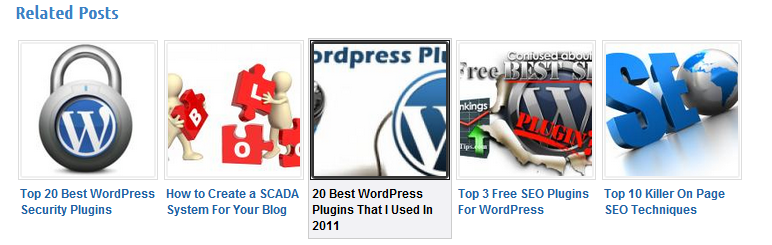
Fully Customizable Related Post Widget for Blogger
- Go to Partners.Nrelate.com. Register for your new account here.
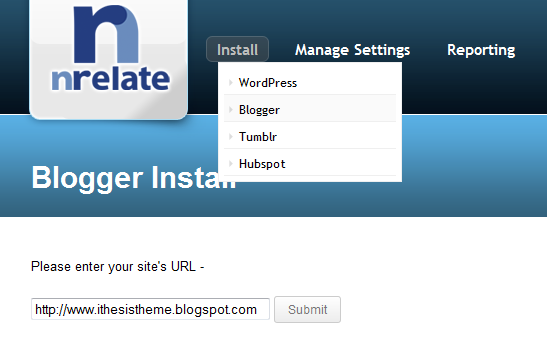
- Click Install Tab => Blogger
- Enter the domain in which you want to add nrelated post widget for blogger. Than click “Submit”
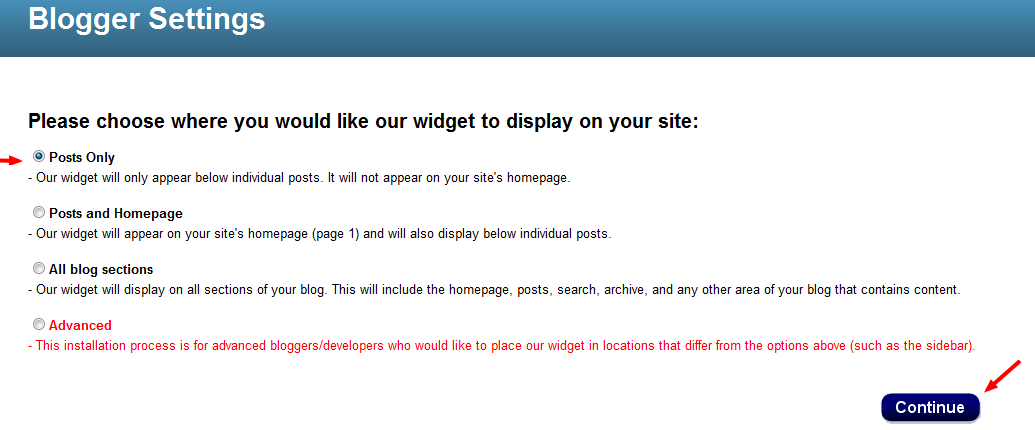
- In next page. It will ask you to select option where you want to show related post. Better to select Post only!
- Click the “Add to Blogger” button below and then click “Add Widget” as shown in the following image.
This will complete the installation. It may take up to 2 hours before appearing on your site.
- After clicking the Continue button you will be presented with a option to Add the widget to your blog. Select your blog and click the Add Widget button
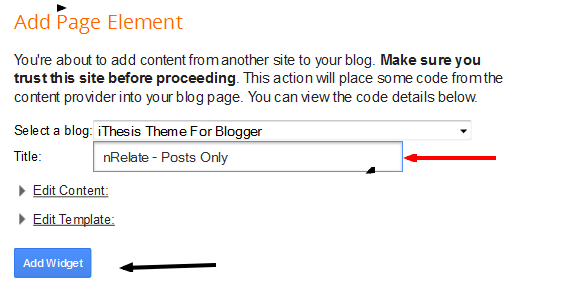
That’s it. Now you had added related post widget for blogger using nrelate. Now its time to customize it ;)
How to Customize nrelate widget ?
Customization is very easy. All you have to do is just customize your site from nrelate menu.B elow are few options that are available in nrelate related post widget for blogger dashboard.
Go to Manage Setting => Blogger. Here you will see main setting first.
- In main setting you can edit size of your related post along with number of articles you want to show in related posts.
- You also show sponsored ads. If you want to make extra money ;) from your site!
- You can also add link back to nrelate site if you like this widget.
Customizing Thumbnail Style!
You can customize this related post widget thumbnails style. This comes with 5+ awesome style for your related post. You can select anyone that you want from that drop down option in “Manage Setting => Blogger => Styles ”
Don’t be panic. :D
It may take 2 hours to show related post widget in your blogspot blogs. I am using nrelate in my wordpress blog too. Its awesome related post widget.
That’s all. I hope you like this article and related post widget for blogger by nrelate.com . Its best widget not only easy to use but also very easy to customize. Isn’t it? ;)

Tried to put this on my blog, but failed.
probably nrelate is not supporting blogger blogs temporarily.
Thanks to share.
Dear Sir,
I have done it about 72 hours ago, but there is no related posts on site yet.
Now, Can you tell me How can I solve the Problem Please?
Might be some other scripts are creating issue. You can try LinkWithin.com related posts :)
bro..can u plz tell me why this widget is showing the results of nrelate marketing in my blog posts (http://techno-hints.blogspot.in) and how can i get rid of it?
Also i want to know,how can I sponsor the ads like you..I din’t get any option or html code to copy it in my blog..
Thanks in advance
I din’t get your question about nrelate. Can you please explain?
And that sponsor widget I’m using in blog sidebar is made with custom codes :)
I was asking that my nrelate ads are being displayed blended with the related posts..Cant I just show them as separate ads somewhere else in my blog rather than displaying them with my related posts?
No buddy! This is not possible.. :D
Like ‘linkwithin’, will these related posts displayed on blog gives ‘nrelate’ as referrel?
It’s up to you. If you want to show credit link to nrelate you can select option their!
Thanks for ur quick reply, Ammar Ali.
Great Plugin For Blogger. Third Party Plugin Always Make Easier For User To Customize Widget.
nice tutorial bro. i was looking for this before
greetings from malaysia
nrelate is a very good related post plugin for Blogger.
Nrelated offers nice looking theme, However i just use the classic yet another related post to support strong seo for internal linking .
wow one of the most informative article related to widget . i was actually looking for this .
thanks for sharing such valuable inforamtion.
Ammar this is very cool !!!!!!!!
Awesome tutorial Ammar bro,
I was wondering how to display related posts etc on my Health blog which is powered by Blogger which I showed you on Facebook.
That is awesome bro. Quick and easy method:P
Yeah. Best of luck. It will looks perfect with customization!!
ohh man, I was looking for this.