
You must have heard about Shareaholic, The Leader in the creation of stylish sharing scripts. After Their Great Success of The Sexy Bookmarks, recently they just have created another awesome design which is known as SassyBookmarks ( Social Sharing Widget ). Here in this post i’ll let you know how to implement SassyBookmarks or Social Sharing Widget on your wordpress and blogger site! :)
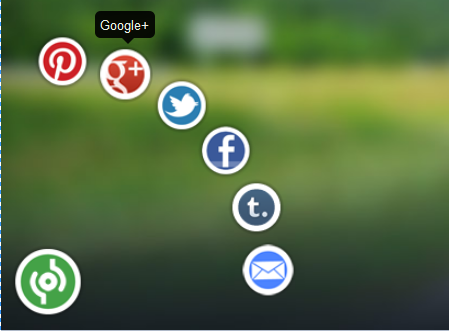
Live Demo!
Table of Contents
How to Add Animated Social Sharing Widget to blogs? (Updated!)
Adding to WordPress!
- Go To Your dashboard, Then Click On Appearance and then Navigate To Editor.
- Now on The Right Side you can a list of template files, move your mouse to footer.php and then click on that
- As Soon the page loads completely, Press CTRL+F and Find </body>
- Now be careful and paste the below code just about it !
- Hit on Update File, Now Visit Your WordPress Blog ! You can see it located on The Bottom Left
Adding to Blogger/Blogspot!
- Go to Blogger Dashboard > Template
- Take a backup of your template.
- Now find for below code in your template </body>
- Add below piece of code just above/before of above code.
<!-- Start Social Sharing Widget Sassy Bookmarks HTML (allbloggingtips.com)-->
<div class="shr_ss shr_publisher">

</div>
<!-- End Shareaholic Sassy Bookmarks HTML -->
<!-- Start Shareaholic Sassy Bookmarks settings -->
<script type="text/javascript">
  var SHRSS_Settings = {"shr_ss":{"src":"//dtym7iokkjlif.cloudfront.net/media/downloads/sassybookmark","link":"","service":"5,7,2,313,38,201,88,74","apikey":"b87f5899d80a5edce8b5e55f58542ef0f","localize":true,"shortener":"bitly","shortener_key":"","designer_toolTips":true,"tip_bg_color":"black","tip_text_color":"white","viewport":true,"twitter_template":"${title} - ${short_link} via @Shareaholic"}};
  </script>
 <!-- End Shareaholic Sassy Bookmarks settings -->
<!-- Start Shareaholic Sassy Bookmarks script -->
<script type="text/javascript">
       (function() {
            var sb = document.createElement("script"); sb.type = "text/javascript";sb.async = true;
            sb.src = ("https:" == document.location.protocol ? "https://dtym7iokkjlif.cloudfront.net" : "http://cdn.shareaholic.com") + "/media/js/jquery.shareaholic-publishers-ss.min.js";
            var s = document.getElementsByTagName("script")[0]; s.parentNode.insertBefore(sb, s);
        })();
        </script>

<!-- End Shareaholic Sassy Bookmarks script -->
Endlines.
Hope You’ve find this implementation interesting. This Social Sharing Widget Code Snippet is a the property of Shareholic so please don’t remove the copyrights ! Peace and Blessing pals :D
Ammar – Thanks for this. Worked like a charm. Any way to change the twitter share from “Via @shareaholic” to my own?
Simple replace
via @Shareaholifrom above code to your twitter username! :)Hi,
Is there a way to move this to the right side of the blog?
No Buddy,
That’s not possible!
thanks am working on it now
@All, Code is updated please add code again to your blog :)
Thanks
~Ammar!
sorry, but i have trouble with ur widget ?
please help me :(
This one looks really nice! Good share option for the Blogger Guys ;)
It didn’t work for my blog
Can i get your Blog URL ?
Really Awesome widget..!!
THis is just game of jQuery.. Keep it up.
Hi Siddarth, thanks for such a glowing review! We really appreciate the support. :) Let me know if you have any other questions about our sharing tools.
Thank you so much for your comment Ginny :) Really Love Your Shareholic !!
Hi Sidharth, Thanks for sharing the awesome social sharing buttons. Will be using it on my blog soon.
Felt Good To Hear That :)
WooooW Amazing ! Well Done
Thanks Buddy :)
I Think This Ones Better Then Sexy Bookmarks.Nice Post Btw east and simple
You are right Buddy !
Very Light Weight !!
I really like the look of this widget I am going to have to test it out and see how it works on my blog, Thanks for the info.
Bro All Credits Goes to Shareholic Team !
I Just Showed The Directions For It’s implementation !
Hi Sid,
Thanks for explaining the steps to implement this animated social sharing.
Anytime Bro :)