
Now a days many of wordpress blog have author box at end of each post. Now it’s becoming very popular to have author box in author blog.
MOST of you already know author box and its importance to manage multi-author blogs. There are many plugins that add author box to your blog but I’m sharing 5 Best Author Box Plugin with many great features. Simple and advance plugins
5 Best Author Box Plugin for WordPress
Here I’m sharing free and best author box plugins for wordpress. You can try any of them you want.
1. Better Author Bio

This is best author box plugin I like from our list of best author box plugin and would recommend to use as it don’t require any coding. Its just simple, neat and clean :D. Here are few reasons Why I like this plugin!
- It’s simple, clean and elegant.
- View All Post by Author Option
- Author Blog Link
- Author Social Profile Link
- It shows Number of Articles written by author
- Too much easy to install and configure!
2. Fancier Author Box

Give identity to your single or multi-author with Fancier Author Box Plugin. This plugin comes with great features as well as link to author posts and latest post. You can easily hide or show latest post. Though I’ve not used it but many other blogs are using it and its working perfect!
There is also paid version of Fancier Author Box which gives you more advance features like Twitter, Facebook, Google+ Tabs. You can read more here!
Here are few feature of premium version of this plugin.
- Simple and Clean
- Link to Author Latest Post
- Social Icons below avatar
- Easy to enable / customize its look and tab option!
3. Social Author Bio
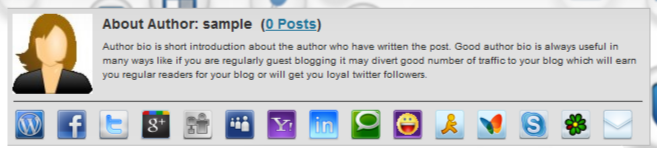
Like other this plugin automatically adds an author bio box with Gravatar and social icons on your each posts. This is the most configurable author bio box with social profile links. It comes with 15+ Social profile links. You can easily customize any of them. Here are few features of this plugin!
- Simple yet stylish like others! ;)
- Gravatar with Author Bio
- Shows Number of post by author
- 15+ Social Profiles Links.
4. Cool Author Box

This plugin don’t need much introduction. This plugin also works like others but it style is different you can see screenshot above. This plugin will add author box to end of your post with avatar at bottom right side and link to author site and archives!
5. Custom About Author

This is last plugin from our collect of best author box plugin. This plugin looks like Social Author Bio. But Its simple with only 4 social profile and rounded corner! It does not contain link to author archives! Although its good plugin. You can try!
Don’t forget to look at our recent plugin collection for WordPress Blog
- 5 Best Author Box Plugin for WordPress
- Top 10 Best Social Sharing Plugins For WordPress
- Top 5 Best Related Posts Plugins For WordPress Blogs
- 10+ Best eCommerce Plugins For WordPress
Over To You!
What do you think why author box is important for blogs? Don’t forget to let me know which best author box plugin you use in your blog in comment section!
Happy Blogging! :)

I’m using fancier author plugin now. So far this plugin working perfect for me and beautiful design. Maybe next time i will buy premium version.
All the above boxes are great but I like Fancier Author. its has great designed and features i.e. tabs with social media buttons and total nos. of posts etc. Thanks Ammar
Hi Ammar, I started using Wp biographia on my personal finance website and I love it! Before that my website didn’t have an author box and after putting one in, I have noticed that my web visitors are staying on the site longer and also contributing with comments section.
Cheers
I’m using Fancier, and its pretty good actually. Nice post, little different and useful as well!
Thanks
Nice! I am looking some Author box plugin and saw this in SERP.
The thing is, I like your Custom coded Author box most than those plugins :D
Hey Ammar,
Just what I was looking for, started a new blog and could not find a decent author box. As suggested, I am going ahead with Better Author Bio plugin for my site. Thanks.
Vivek
You have shared some of the best WordPress author box plugin. But I have Choose Fancier Author Box and i am happy with it. I will be grateful if you share your author box plugin name. I like your author box. Amazing!!
I would shift to using the second one I think. Looks really fancy :) Thanks!
Thanks for sharing – all the plugins sounds cool and this is the perfect post for me. As I am looking up for a blog to offer different plugins. Moreover, can you tell which is that plugin which show the prev and next post on your page?
I personally use the Fanciest author box, the premium version of fancier box it’s great for me! and it costs only 10$
thanks for sharing this awesome post brother :)
Hello Ammar, am using Fancier Author Box and this is really fancier as it name sound, though am thinking of creating my own person author box..
Thanks for this Post..
Cheers
Thanks Ammar for sharing this list. I have searched endlessly for other author post plugins. Even asked some guest authors to recommend a good one to me of which I was only able to get the Social Author Bio plugin. I used it for a while, but didnt like the interface, so I uninstalled it. I think I like the Fancier Author Bio more.
Nice post Ammar Ali, I’ve decided to go with Social Author Bio. I just hope that it is compatible with my other WordPress plugins.
I use the Default one which come with my theme. Love the #2nd one (Fancier Author Box). Will give it a Try :) Thanks.
I liked the way you have modified the authors resource box on this website of yours. Also the write for us link over there is a perfect fit as it suits the purposes just right over there.
Thanks Keral. Glad you like it! :D
Thank you Ammar.. I have used Better Author Bio and It is looking Nice.
you’re welcome! :D
which one you are using?
custom author box ..:D
I’ve tested all of them, but the only one I liked is Fancier Author Box, the design looks great in any theme and was easy to translate.
Isn’t there any generic code for author functionality to add to any WordPress theme Ammar ?
would like to know , what is the author box you are using?
I’m using custom author box code for thesis! :)
Hey mate,
i read your post it gave me an idea on which one to go with but if i add this plugin , will my default author bio will also be visible and available ?
both will be available. You’ve to disable default in order to use above plugin!
ammar……..can u give the name of your author box plugin.i like very much it
I’m using custom codes for this!
if you dont mind plz share the custom codes…..
I use the last one.
But i have a doubt. Is there any way to remove the Author bio from a single user?
I mean, I am Admin at my Tech blog. i dont want a Bio below my articles.
How should i remove it??
That is not possible. You’ve to find some good and perfect php developer. He/she can do this for sure! :)
Hey bro ,which author box plugin you use.
No plugin, Just custom codes for thesis theme! :)
Nice to see a mention of WP Biographia from Holly Jahangiri in the comments. Version 3.3 of the plugin was recently released and includes a lot of new features designed to support multi author sites and sites with guest authors. It also allows you to specify where you want the Biography Box to appear (on top of a post or underneath), what types of post the Biography Box should appear on (front page, posts, pages, archives, etc) and includes comprehensive shortcode and template tag support if you really need finer grained control. It even validates all your social media contact links and nudges you if they look wrong, so a Twitter profile URL of @vicchi (my Twitter ID) will be nudged to tell me to enter the URL as https://mobile.twitter.com/vicchi. Take a look if you get a spare moment.
-Gary
Awesome article :)
I think fancier is better because the tab made different with others.
1st one is best ! ” Better Author Bio”
Nice list of plugins Ammar but i liked 2nd one
i liked Social Author Bio most and am also using it on my blogs………!!
I have already filled that section and moreover my gravatar is also being show in the bar when I access my profile. But don’t know why my introduction is not shown even when I have filled and saved it.
Hi Bilal,
You can start a topic regarding your Fancier Author Box issue here
http://wordpress.org/support/plugin/fancier-author-box
and we’ll try to solve it.
Thanks
Nice post. But can you solve my problem. I tried using Fancier author box. I have filled the About author section in my profile but it is not showing any text except my name. Any idea??
It seems you’ve not added your bio in your “Profile Page” in Wp Dashboard! Goto Dashboard > Profile and > About Yourself and add your info there! I’m sure it will works!
Thanks for compiling this list. I am currently using fancier author plugin but I might consider using the top on which is “better author bio” as it seems much simpler. The social author bio looks good as well.
I was using better author bio few months ago. Since my blog is one author blog so i thought that it is not necessary to install author bio box in single author blog.
What do you think?
Yeah! Author box are mostly useful for multi author blogs! :D
I used the better author bio plugin. Thanks for the list!
cool author box looks nice… thanks for the list, never knew that there are so many plugins for an author box….
Hey you! ;)
Nice to see you here! So which one will you install on your blog? :D
Better author bio is undoubtedly the best WP author plugin!
Great list of Author box plugin. i am using the first one, Better Author Bio. and i am very much satisfied with this one. But hope i will try the others in future.
Thanks for giving awesome list of Plugin.
Though these are great plugins but i would love this feature in my theme not a seperate plugin.
Rakesh,
I can understand why you want an author box as part of a WordPress theme you’re using, but this is not a good idea.
A Theme, as the name suggests, provides graphical styles for your website. Plugins, on the other hand, offer advanced functionality and it’s important not to have the two under same roof.
Don’t want to bore you all with this stuff so if you’re interested you can read more about this on WPTuts+ http://wp.tutsplus.com/articles/general/functionality-plugins-vs-themes/
Cheers
Hi Ammar
I use the AuthorSure author box plugin as it makes it easier to authenticate Authorship with Google.
That allows you to get your Gravatar added to search engine listings.
Thank you for sharing.
Tim
Hello Ammar,
Thanks so much for including our Fancier Author Box to your list of WordPress plugins.
However, the screenshot is not accurate, because it represents our premium author bio plugin – Fanciest Author Box.
In the spirit of honesty and providing your readers the correct information, it would be good to put the right plugin screenshot.
Cheers
Hi Dragan!
Thanks for visiting my blog! I’ve updated this post! :D Hope everything is fine now!
Regards.
Even before everything was great, now it’s even better :)
Nice list Ammar.
Cheers
Thank you very much Dragan! :)
Gone are those days when I used an Author Box plugin :D I’m using custom codes for that author box you see on my posts Ammar. What are your thoughts on that?
PS – I’m soon planning to code it so that it shows the “Follow” and “Like” button, for the specified author of the post. But just need to get my hands on a couple of things before that.
Cheers
That sounds great!
You’re already good at customizing themes! ;) Best of luck! :D
Not a bad list of plugins you got here.
I think these are all cool.
As for my blog, the theme / skin came with it’s own author bio box. Plus I can always edit it the way I want.
Nice post for those who want to add a box to their blog.
Hi Ammar,
Thanks for sharing some awesome author box.
I liked the 1st one ‘Better Author Bio’ .
And I am using it. But I did it with code.
thanks @Ammar really bro nice collation but i like 2nd one :)
Hi Ammar,
I am really sorry to bother you yet again. I installed the “Better Author Bio” because you said it is the simplest. Unfortunately, even that aint simple enough for me. :(
Can you please attach here a screen shot of your settings, because when I click on the Facebook or Twitter button appearing down there with the posts, it is showing error 404.
:(
No problem at all. I’m always here to help you! :)
Here is screeenshot https://allbloggingtips.com/wp-content/uploads/2012/09/bette3r-author-bio.png . Make sure to add proper URL to twitter/facebook field like “http://facebook.com/allbloggingtips” not “allbloggingtips”
Hope everything is clear now!
That’s usually my problem – some apps and plug-ins fail to specify the syntax they expect. Is my Twitter supposed to be HollyJahangiri, @hollyjahangiri, or twitter.com/hollyjahangiri, or http://twitter.com/hollyjahangiri? Kind of annoying to do that by trial and error, isn’t it?
Then, invariably, you get to the Facebook question, and instead of just entering the page name, it expects a full URL. Meh. :)
all the author boxes are good..will like t have o\any of these on my blog but unfortunate my blog is on blogspot..please share some author boxes for blogspot also….
Hi Ammar,
Thanks for sharing the awesome plugins. – I might just change mine accordingly. I think it’s time for a new touch on my website.
Best of luck! :)
First One author box is good simple clean and attractive design
Amazing author boxes bro.
I like 4th one-Cool Author Box
Hey , Ammar would you like to share what you are using ? It has also a + point of a adding a guest post page !
I’m using custom code to add author bio in my marketers delight skin I’d recommend you to use first plugin “Better Author Bio!” That looks simple and clean :D
I don’t need a plugin for it as this feature is inbuilt in my theme. Thanks for sharing though Ammar.
That’s great then! Which theme you’re using now? :)
It is a modified theme actually by one of my friends, however the original is by someone else. Once you visit the blog , you will get to know exactly what I am talking about.
I am a new blogger with no knowledge of SEO and stuff. Most of what I do know about blogging is based on useful info I get from blogs like these.
I am installing Plugin #3. I like this one more than the others because it allows me to link my Gravatar and social profile links as well.
If WP Biographia is any better, please let me know.
Good Choice and That’s up to you. You can use any one which suit perfectly on your blog :) I’m not sure about WP Biographia plugin!
You can see WP Biographia in action on my site. You can always give several different ones a try, and just pick the one you like best. :)
Now I am not use any Author Box. But I like to use 1st one(Better Author Bio).
Good collection, going to use one among these.
Which one? ;)
2nd one!
Even search engine journals uses same ;)
Have tried most out of them, and love the first one a lot that is also being used by BasicBlogTips and other biggies. But, still I’d love stick with one that is offered by Genesis itself.
That’s great! :D
Hey,
I am using Custom about Author ! It is really working awesome for me. :)
Have you seen it on my blog? :P
Thank you
That plugin looks awesome on your blog! ;)
I like second one – Fancier Author Box :P
Good Choice! ;-)
I agree with Irfan…i’m in love with Fancier Author Box!!
I use WP Biographia, and like it a lot. Did you give that one a try? If so, I’m curious why it didn’t make the cut.
Hey Holly! :D
Nice to see you on my blog again! This plugin WP Biographia seems great! May be I’ll try this plugin in future!
Do that! I think I’m using it on all my blogs, now. It’s easy and very customizable; also has good support for multi-author blogs (one of the reasons I liked it – I mean, I have the whole “About” page, but my guest bloggers don’t).
Holly u r right i also like WP Biographia and Ammar very nice and useful list as usual.
Hello Holly,
Does it support putting the box on top? I’ve been looking for one like that :)
Thanks!
Thanks. This one looks like a find plugin. So many to choose from, it’s confusing !