
• Skip to primary navigation
  • Skip to main content
  • Skip to primary sidebar
  • Skip to footer
logo

All Blogging Tips

Everything About Blogging

  • Home
  • Start a Blog
  • Grow Your Blog
  • About
  • Contact
  • Privacy Policy
  • Tools I Use

How to Use Fiverr To Increase Your Blogs Social Media Presence

By Suroor Wijdan 6 Comments

Fiverr can be a very useful medium to increase the social media presence of your blog. As we all know that for a blog to be successful it must have a wider reach and social presence. The later can be achieved by using Fiverr services efficiently. Fiverr is a place where you can hire people to get various things done for as less as $5. Fiverr is said to be the worlds largest online marketplace for small services. Each service that is offered on Fiverr is called a Gig. The smallest amount for a Gig is $5. If your not satisfied with a gig than you can cancel the order while it is in process. You will not loose any money in that case.
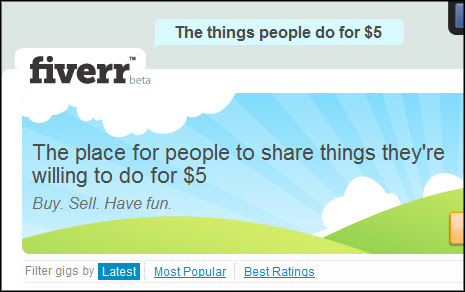
fiverr

You can use Fiverr to increase the number of Likes on your Facebook fanpage, or you can order Gigs which will help you gain more twitter followers. You can even get more subscribers to your blog using one or the other gigs that are available on Fiverr.

Table of Contents
  • Get more Facebook Likes through Fiverr:
  • Get more Twitter followers through Fiverr:
  • Other Services:

Get more Facebook Likes through Fiverr:

You can order one of the Gigs on Fiverr to get a handsome number of Likes to your Facebook fanpage. I will like to tell you here that there are various gigs on Fiverr which provide fake Likes or Likes from bots which are generated through some scripts and software’s. Likes from such sources are not very useful for blog until your just looking for numbers. You should carefully read the gig description before ordering a gig. If you find the description to be like this ” Get Facebook 1000 likes in 24 hours or Get 800 Facebook Likes in one day”, than you should know that this gig will provide fake likes.

Find gigs which look more genuine like, ” I will get my 50 friends to like your Facebook page”. This type of gigs will provide you with genuine likes. You can even contact the seller and ask him about his services before ordering any gig. The more genuine people that like your Facebook page, the wider reach your blog will have.

Read Also: Effectively Use Facebook To Increase Website Traffic

Get more Twitter followers through Fiverr:

Twitter has become one of the most used social networks and having a good number of followers will be great for your blog. If you don’t have much followers on twitter as of now than you can use one of the twitter gigs on Fiverr. There are various types of gigs on Fiverr related to twitter, some sellers offer guaranteed number of retweets, some offer guaranteed number of followers and some sellers even offer to design custom twitter background for your account. But there are various sellers which provide fake followers so beware of it and contact the author to clear any doubts before ordering the gig. If you are not satisfied with the seller’s service than you can cancel the gig anytime while it is in process.

Other Services:

Above are the two most popular services on Fiverr which can help you increase your blogs social media presence. But there are alot more services which you can order on Fiverr which will be very helpful for your blog. Some sellers provide gigs which submits your blog to various top bookmarking websites which in-turn creates quality backlinks, but i will remind you here to choose carefully because there are various fake gigs too. Several gigs offer SEO services as well which are very effective at times. I have personally used Fiverr gigs for a couple of tasks which have helped me alot. Read Also: Top 10 Off Page SEO Techniques
Share your experiences that you had on Fiverr and what you have used Fiverr for? Drop your comments below!

Share this post:

Share on X (Twitter) Share on Facebook Share on Pinterest Share on Email Share on WhatsApp

Reader Interactions

Comments

  1. Ashwani Ahlawat says

    June 19, 2012 at 7:16 am

    The post is quite honest but i would like to go for natural audience whether on Facebook or Twitter.

    Natural growth will take time but it’d be really effective and will work for future also.

    May be Fiverr is real or it gives true audience but there is lot of difference between REAL and NATURAL. So, i’d personally go for NATURAL. ;)

    Reply
  2. Hamlet says

    June 19, 2012 at 12:46 am

    But most of the time these “Likes” don’t work on business. We should look on real likes, Not like buying.

    Fever is not good for bloggers. It’s my opinion.

    Reply
  3. Jonathan Acabo says

    April 10, 2012 at 9:15 pm

    Is fiverr better than pinterest?

    Reply
    • Ammar Ali says

      April 10, 2012 at 9:20 pm

      Can’t sure about that but Pinterest is much better than Fiverr.

      Reply
    • Hamza says

      June 18, 2012 at 11:45 pm

      Fiverr and Pinterest are both different. Fiverr is a platform that allow both provider and receiver a good opportunity to get the premium thing for just “$5”, where as the Pinterest is like a social network, where users pin up their likes, and now Pinterest has allowed users to start selling items via their platform. There is a lot of difference in both services, and as well as there is no comparison between both.

      Reply
  4. Neil Shukla says

    April 9, 2012 at 2:20 am

    Using fiverr to get more likes and followers is definitely a bad idea. Those are all fakes and will be unfollowed soon!

    Reply

Leave a Reply Cancel reply

Your email address will not be published. Required fields are marked *

Primary Sidebar

Get Blogging & SEO Tips by Email

Get helpful blogging, SEO, and content tips delivered straight to your inbox. No spam.

Join 3,489 other subscribers

Popular Posts

  • Is Your Blog Properly Optimized for Performance and SEO?
  • 10 Powerful Ways to Become a Famous Blogger
  • Google AdSense vs Affiliate Marketing: A Simple Comparison for Beginners
  • Effective Ways to Increase Content Reach and Audience Engagement
  • 12 Things to Do Before Applying for Google AdSense
  • Are Backlinks Becoming Less Valuable in Modern SEO?
  • Step-by-Step Guide to Creating a Successful Travel Blog
  • How to Start as a Freelance Writer & Is It Worth?
  • Add Smooth Multi Level Drop-Down Menu In Blogger
  • How To Delete A Blogger Blog Permanently In 5 Minutes (+ FAQs)

Blogging Tools I Use

Over the years, I’ve tested dozens of blogging and WordPress tools. Below are the tools I personally use and recommend for blogging, performance, SEO, and monetization.

Blogging Tools I Use →

Categories

  • Announcement (12)
  • Ask The Readers (2)
  • Blogger (56)
    • Blogger Hacks (4)
    • Blogger Tips (24)
  • Blogging (108)
    • Blogging Tips (81)
    • Writing Tips (6)
  • Coupons (2)
  • Design (5)
  • Email Marketing (4)
  • Free Themes (1)
    • WordPress Themes (1)
  • Free Traffic (40)
    • Guest Blogging (7)
    • Search Engine Optimization (4)
    • Social Media (13)
  • Giveaway (16)
  • Hosting (14)
  • How To (48)
  • Latest News (1)
  • Make Money Online (37)
    • Adsense (7)
    • Affiliate Marketing (8)
  • Reviews (17)
  • SEO (46)
  • Social Media (13)
    • Facebook (5)
      • Tips and Tricks (3)
    • Twitter (2)
  • WordPress (54)
    • WordPress Plugins (17)
    • WordPress Themes (5)
    • WordPress Tricks (2)
    • WordPress Widgets (14)

Footer

About This Site

All Blogging Tips helps beginners learn how to start, grow, and monetize blogs using WordPress. I share practical guides and honest recommendations based on real blogging experience.

Read more →

Site & Resources

  • Tools I Use
  • About
  • Advertise Here
  • Contact
  • Disclosure Policy
  • Copyright Policy
  • Privacy Policy

Start & Grow Your Blog

  • A Ridiculously Helpful Guide to Start Your Own Blog In 10 Minutes
  • How To Grow Your Blog And Build An Audience
  • How To Make Money From Your Blog
  • Cheap WordPress Hosting
  • Free WordPress Hosting

Copyright © 2026 All Blogging Tips · Powered by InMotion Hosting · WordPress · Log in