
After my recent 10 Best Stats Plugins for WordPress.
Now, it is to share free best wordpress security plugins.
It is important to look at the security aspects of your blog, keeping it safe from hackers. I now decided to share some top Best WordPress Security Plugins. There are many plugins but I listed Top 20 Best WordPress Security Plugins. So go ahead and choose Best WordPress Security Plugins for your self hosted blogs.
- Top 20 Best WordPress Security Plugins
- 1. Login LockDown
- 2. Stealth login:
- 3. Admin SSL
- 4. User locker:
- 5. Semisecure Login Reimagined
- 6. WP Security Scan
- 7. Limit login attempts:
- 8. WordPress File Monitor
- 9. WordPress firewall:
- 10. Content Security Policy
- 11. Secure WordPress
- 12.HTTP Authentication
- 13.AntiVirus
- 14. WP members:
- 15. Ultimate security check:
- 16. AskApache Password Protect
- 17. Exploit scanner:
- 18. Login encrypt:
- 19. Ultimate security check:
- 20. WP Email Guard
Top 20 Best WordPress Security Plugins
Check out these Top 20 Best WordPress Security Plugins to secure your blog from hackers. The list contains plugins for access control, limit logins, spam protection, content theft protection, backup tools, password encryption, email protection, firewall, antivirus and much more.

1. Login LockDown
Login LockDown records the IP address and timestamp of every failed login attempt. If more than a certain number of attempts are detected within a short period of time from the same IP range, then the login function is disabled for all requests from that range. This helps to prevent brute force password discovery.
2. Stealth login:
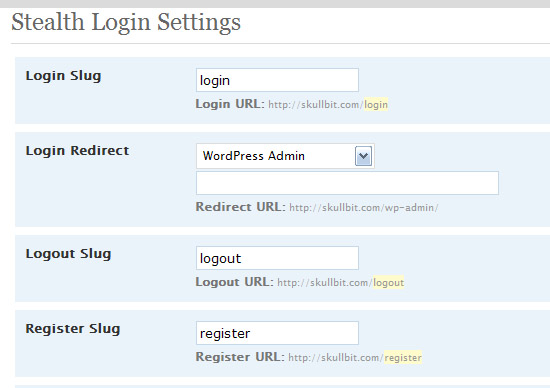
WordPress has default login url. This makes it somewhat easy for hacker. So, we can use Stealth login plugin to change our login url to something skeptic. So, even if the hacker knows our password, he will find it difficult to enter our admin panel as he don’t know our login url. This surely helps us in safeguarding our blogs from hackers.
3. Admin SSL
Admin SSL secures login page, admin area, posts, pages – whatever you want – using Private or Shared SSL. Once you have activated the plugin, you have to go to the Admin SSL config page to enable SSL.
4. User locker:
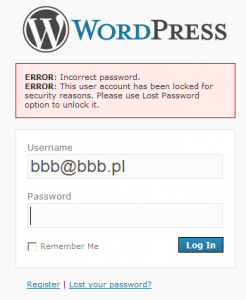
It is used to lock a user after the specified number of login attempts. Very useful to protect your blog from bruteforce attacks.
5. Semisecure Login Reimagined
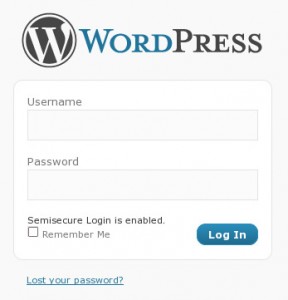
Semisecure Login Reimagined increases the security of the login process by using a combination of public and secret-key encryption to encrypt the password on the client-side when a user logs in. JavaScript is required to enable encryption. It is most useful for situations where SSL is not available, but the administrator wishes to have some additional security measures in place without sacrificing convenience.
6. WP Security Scan
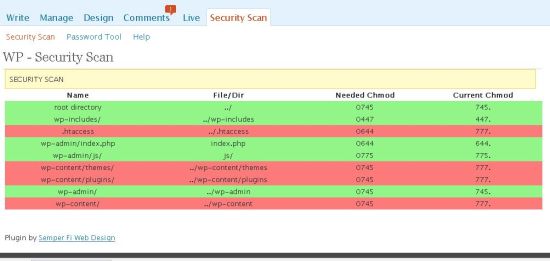
This plugin will scan your WordPress installation for security vulnerabilities and it will suggest some corrective actions.
7. Limit login attempts:
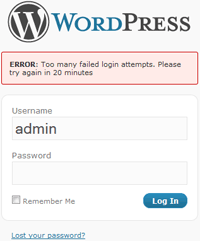
Limit the number of login attempts possible both through normal login as well as using auth cookies. I’m also using same best wordpress securiy plugin
8. WordPress File Monitor
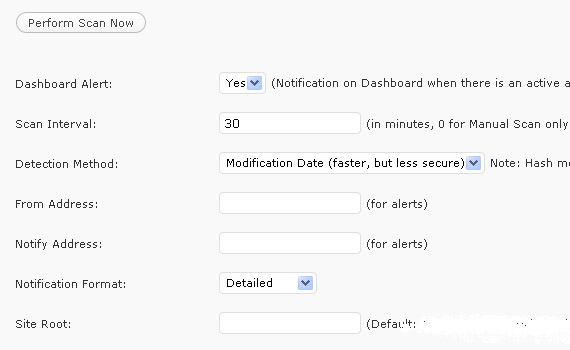
Monitors your WordPress installation for added/deleted/changed files. When a change is detected an email alert can be sent to a specified address.
9. WordPress firewall:
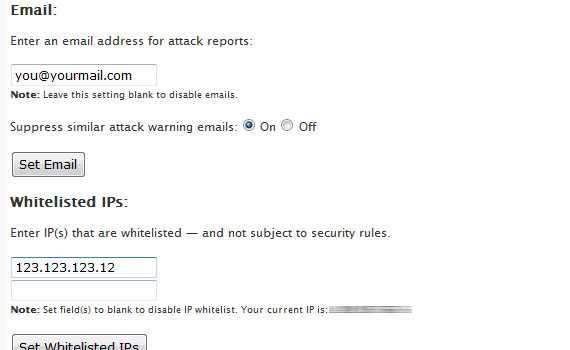
This WordPress plugin investigates web requests with simple WordPress-specific heuristics to identify and stop most obvious attacks. It intelligently whitelists and blacklists pathological-looking phrases based on which field they appear within in a page request.
10. Content Security Policy
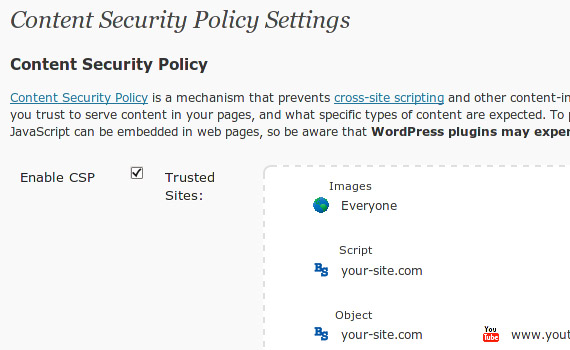
Content Security Policy prevents content injection attacks by allowing admins to specify which sites they trust to serve JavaScript and other types of content in their site. Any content which is not explicitly allowed by the policy will be blocked from loading.
11. Secure WordPress
Little help to secure your WordPress installation. This plugin removes error information on login page, adds index.html to plugin directory, removes the wp-version, except in admin area.
12.HTTP Authentication
The HTTP Authentication plugin allows you to use existing means of authenticating people to WordPress. This includes Apache’s basic HTTP authentication module and many others.
13.AntiVirus
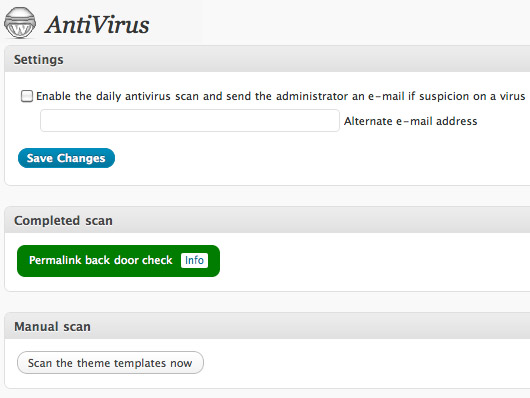
Viruses, worms and malware exist for WordPress and could easily attack your WordPress installation. AntiVirus for WordPress monitors malicious injections and warns you of any possible attacks. It also has multilingual support.
14. WP members:
wp-Member is an advanced WordPress membership plugin that adds many membership features including registration customization, total content protection for posts, pages and categories, content teasers, automated membership management, automated payment processing and many more.
15. Ultimate security check:
One of the rare security plugins which are updated regularly. It is a wordpress security plugin which scans your wordpress installation and assigns security grade based on passed tests.
16. AskApache Password Protect
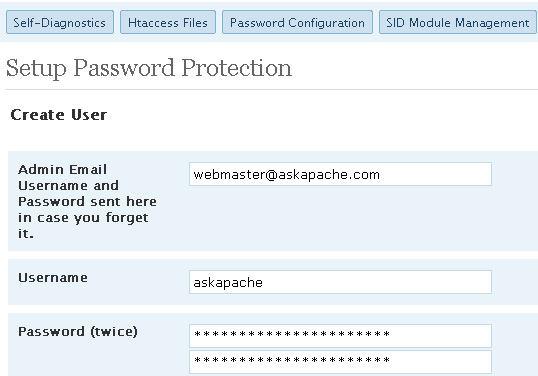
This plugin doesn’t control WordPress or mess with your database, instead it utilizes fast, tried-and-true built-in Security features to add multiple layers of security to your blog. This plugin is specifically designed and regularly updated specifically to stop automated and unskilled attackers attempts to exploit vulnerabilities on your blog resulting in a hacked site.
17. Exploit scanner:
It seaches in your WordPress database for any sort of infection which may indicate that your blog is accessed by any hacker. It includes all files, comments and database in its scan to detect any sort of suspicion.
18. Login encrypt:
Login Encrypt is a security plugin. It uses a complex combination of DES and RSA. This combination is used to encrypt your password protecting you from hackers.
19. Ultimate security check:
One of the rare security plugins which are updated regularly. It is a wordpress security plugin which scans your wordpress installation and assigns security grade based on passed tests.
20. WP Email Guard
WP Email Guard protects your email addresses included on any post or page from being crawled by spammers. It converts every email written within your post body into a JavaScript code, so the emails is readable and can be clicked by humans only. Spammers can’t crawl JavaScript.
Don’t forget to look at our recent plugin collection for WordPress Blog
- 5 Best Author Box Plugin for WordPress
- Top 10 Best Social Sharing Plugins For WordPress
- Top 5 Best Related Posts Plugins For WordPress Blogs
- 10+ Best eCommerce Plugins For WordPress
Note: Since plugins can increase your page load time, make sure you use optimum number of security plugins for wordpress.
I listed Top 20 Best WordPress Security Plugins in above list. Let me know if I missed any one :D

Security plugins are good, but you really want to not even allow the hacker to hit your WordPress blog at all, this is where a service like Incapsula comes in where it blocks these type of bots, hacks, attempts and they never even hit your web hosting provider, they are stopped in the cloud.
The other thing is denial of service attacks are the single largest cause of outages, no plugin will prevent them easily and a cloud protection service is the best chance at minimizing the outages of a denial of service flood.
I have been using Incapsula for months, replaced many WP plugins with it, it is free for any blogs with less than a million views per month and well worth looking into in my opinion as well.
Ammar you have share tons of security plugins but its very difficult to choose from this list.
Content Security Policy is an amazing one. never heard of it anywhere… thanks man thats a great tip :)
that was a pretty detailed post on security of wordpress… I think i need to take a look at some of the plugins becuase i use not much of them. Thanks for the great article :)
WordPress is the safest blogging platform and very much secure by itself but there is never too much ascertainable. Installing WordPress Security Plugins is a good idea to make your blog safe from hacking attacks.
Nice Post,
Should be required reading for all WP newbies.
A very simple and effective one is Block Bad Queries (BBQ), which is recommended by the ultimate security scan plugin.
nice collection of WordPress security plugins. You can add Bulletproof Security in the list. It is pretty good .
Sure Mike. We will add this in our new post!!
Which ones do you recommend? It would sure make it easier for new WordPress users to just have someone recommend 3 security plugins instead of everyone repeating a bunch of the same research that has already been done.
It depends on your requirement better to use Login LockDown.
Greetings.We are pleased to announce the release of wSecure. wSecure hides your WordPress admin URL with a special key so that only you can access. The problem with WordPress is that anyone can tell if your site is WordPress by simply typing in the default URL to the administration area (i.e. http://www.yoursite.com/wp-admin). wSecure helps you hide the fact that your website is built with Worpdress from prying eyes.
Check out wSecure in action here: http://wp.joomlaserviceprovider.com/
very nice collection of useful security plugins ammar :) now i’m going to test every plugin in my blog
Awesome list of security plugins. I use many of these as well. I’ve also used Bulletproof security as well as Sabre to weed out spam registrations. It adds a captcha to your registration page, so you don’t get tons of spam users registering on your wordpress site.
You are right. Security of WordPress blog is must
awesome list of plugins
I was looking for some security plugins for my wordpress blog which is recently created. This will help me a lot to complete my task. Thanks for sharing.
We will try our best to provide more useful plugins in future