• Skip to primary navigation
  • Skip to main content
  • Skip to primary sidebar
  • Skip to footer
logo

All Blogging Tips

Everything About Blogging

  • Home
  • Start a Blog
  • Grow Your Blog
  • About
  • Contact
  • Privacy Policy
  • Tools I Use

Search Results for: ai content

3 Simple Tips to Make This Year Your Best Year Ever

By Ahmed Safwan 5 Comments

best-practice-1078383_640

So the new year has started.

Many start the year with New Year resolutions.

It’s reported that 8% of the people, who create a new year resolution, stick to it till the end of the year and achieve it.

8% only. You can read more about it here on forbes.

Mind-blowing, right?
[Read more…] about 3 Simple Tips to Make This Year Your Best Year Ever

7 Psychological Ways to Engage Your Blog Readers

By Hassaan Khan 10 Comments

engageLet’s admit!

It becomes boring when people don’t notice you.

Trust me, I’ve got this covered.

Please don’t quit your blogging.

I know you would think – I’m not a quitter. I won’t…

But trust me, some of you would put their blogs on hold when they won’t see any progress.

And one day, your blog writing won’t be on your to-do list.

Don’t be scared…
[Read more…] about 7 Psychological Ways to Engage Your Blog Readers

How Can I Find If My Website Has Been Hacked?

By Ammar Ali 10 Comments

Info_Icon_2Running a website is hard work, and as hackers get increasingly more innovative, it just keeps getting harder. It takes some serious diligence to make sure your website doesn’t fall prey to hackers, and honestly, it takes a keen eye to even notice it’s happened.
If your site or blog is compromised, it can absolutely destroy your reader base in no time. You’ll be facing major damage to your site and what’s likely to be irreparable damage to your followers. Don’t let it happen to you. While it definitely happens to the best of us, there are some precautions you can take, along with some routine maintenance steps, to ensure that you hackers don’t commandeer your website. [Read more…] about How Can I Find If My Website Has Been Hacked?

Getresponse Vs Leadpages Vs Unbounce : Landing Page Builder Comparison

By Ammar Ali 2 Comments

If you own a website and you want it to be the best, then you must have the best landing page for it. There is a number of software available in the market that will provide you with the attractive and right landing page.

To be very precise, the Getresponse Landing Page, Leadpages and Unbounce are one of their kinds of software which are highly recommended by the experts.

Why is landing page so important?

The very first face of any company or any product is its website’s landing page. In this digital era, the companies are focusing on building up the page that will define more about their services and their objective. The companies collect visitor’s information through various ways or by asking them to fill the visitor’s form.

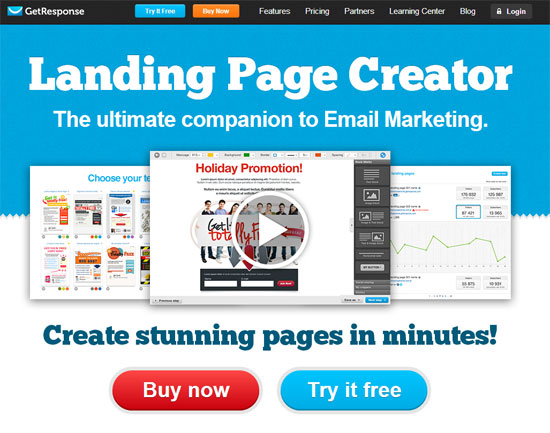
getresponse landing page

Now, how this software helps the developers and website marketers to enhance their landing pages and which one is the best, let’s take a look!

[Read more…] about Getresponse Vs Leadpages Vs Unbounce : Landing Page Builder Comparison

Quick Starter Guide to Launch a WordPress Website in 5 Minutes

After doing my research, the #1 hosting service that I found is Bluehost. It’s one and only hosting company I recommend to new bloggers. For just $3.49 a month, you can get started!

I’m also Bluehost affiliate partner, you can use this special link to get hosting for as low as $3.49 per month along with one free domain name for a year!

Why I Recommend Bluehost?

  • Outstanding customer support 24-hour via chat, email and the phone.
  • 99.9% up-time record, you can’t get any better.
  • Affordable and reliable
  • Get a domain name for FREE!
  • 30 Days Money Back Guarantee


Click here to Signup for Bluehost

Now let me guide you through the process of setting up your very own WordPress blog with bluehost.

Choose a Domain Name

You have a couple of options when it comes to registering your domain. You could either:

Register with your host (Easier)
Register with a domain provider and change your nameservers over to your host

I always recommend first option for beginners, because it’s very simple and easy.

If you choose to signup for bluehost, you can use my special link to get free domain name for a year!

www.bluehost.com/allbloggingtips

Sign up with Bluehost

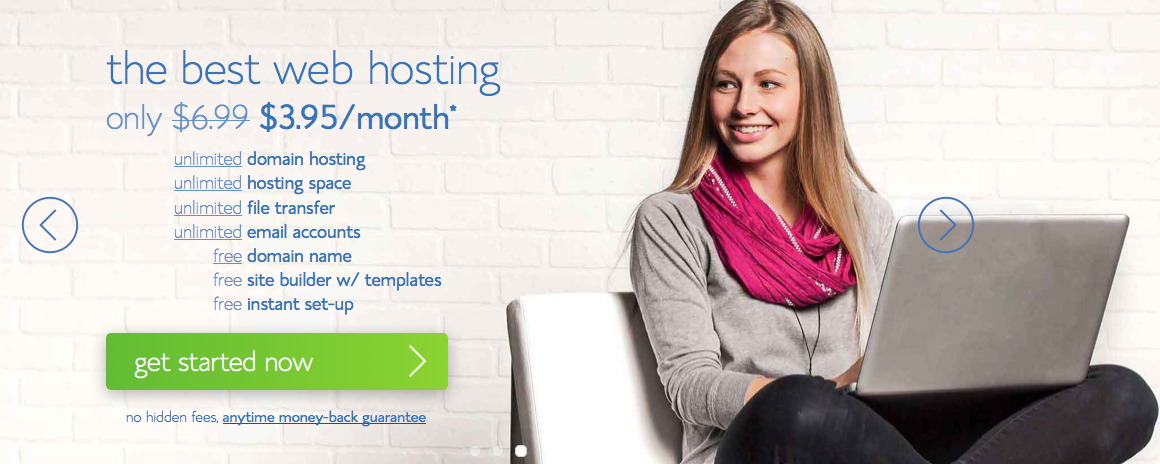
Go to Bluehost and press Get Started Now:


Click here to get Special 50% OFF DISCOUNT

1-Homepage

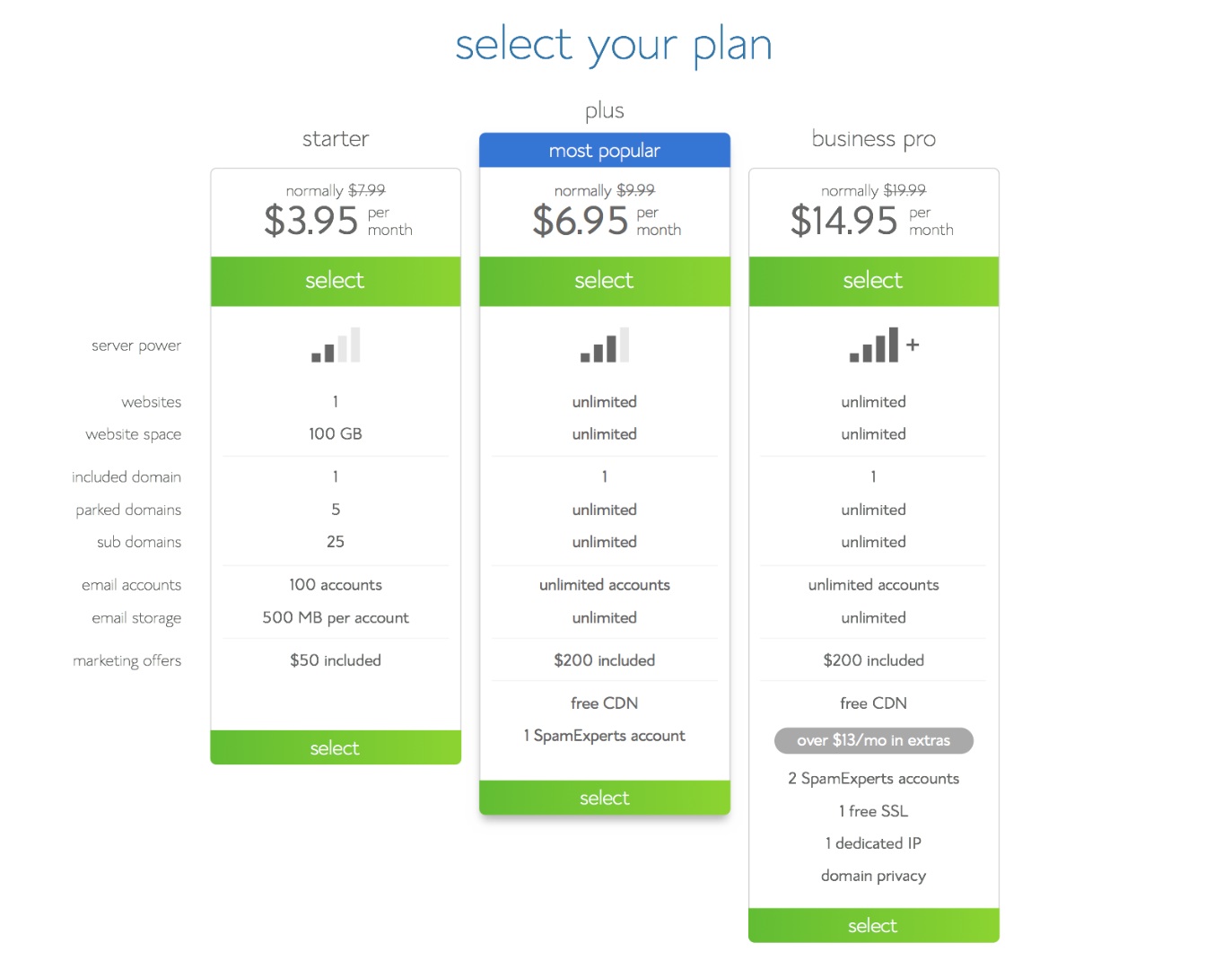
Select your plan:

If you’re just starting out, you only need the starter plan. You can always upgrade if you decide to later on.

2-Plans

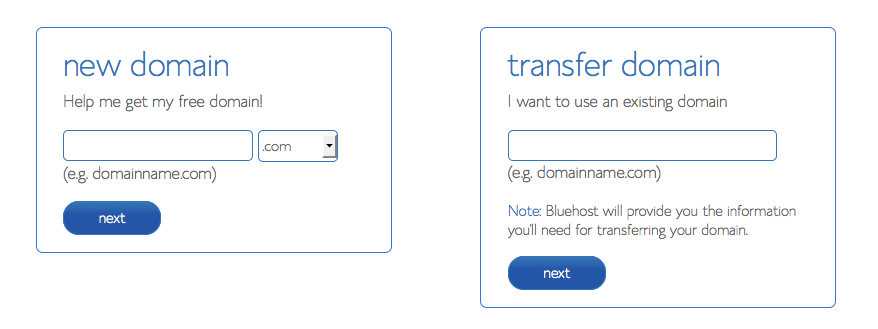
  • If you already bought your domain, type it in on the right.
  • If you’re taking advantage of FREE domain you chose to the left.

3-Domain Registartion

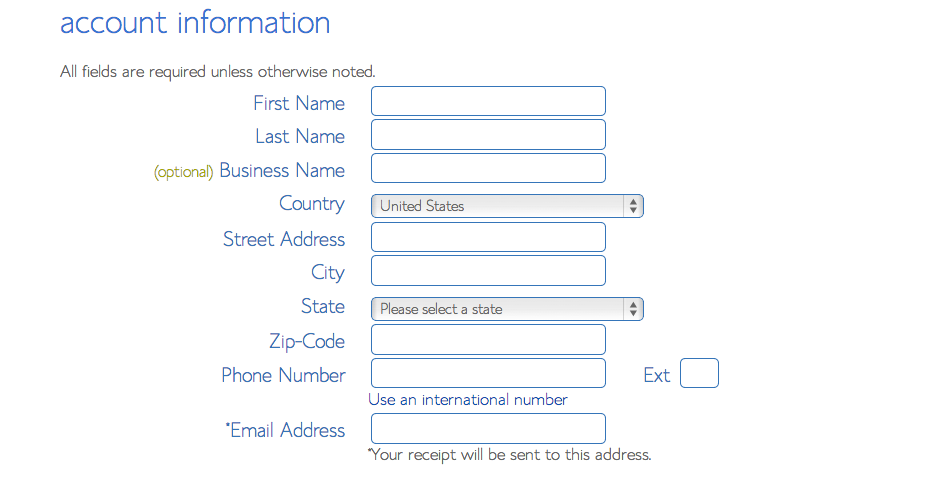
Fill out your account information:

4-Contact info

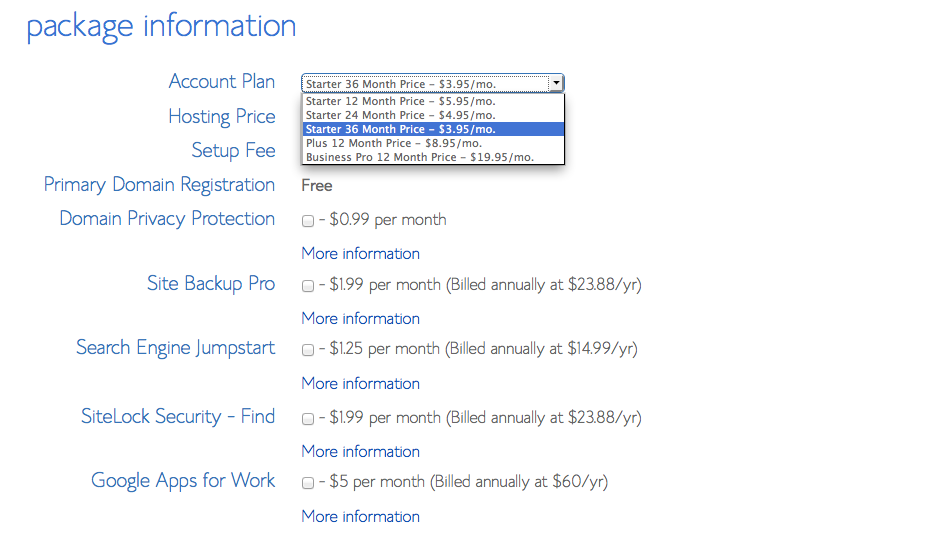
These are the checkboxes that I suggest to check off. Because you don’t really need them.

5 - Choose Plan

After you’ve choosed the package, now include your billing information and press next.

When you get your login information, login to Bluehost.

Installing WordPress

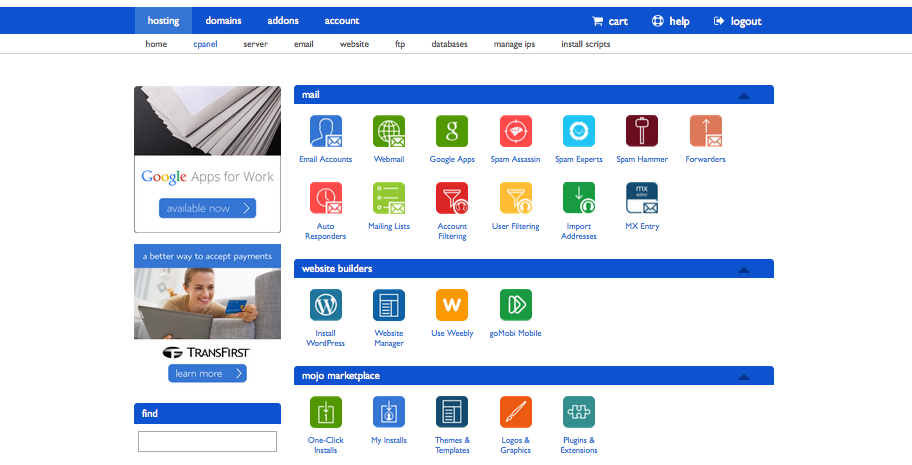
Here is what you you need to install WordPress.

6 -cPanel

Under “Website Builders”, click “Install WordPress”.

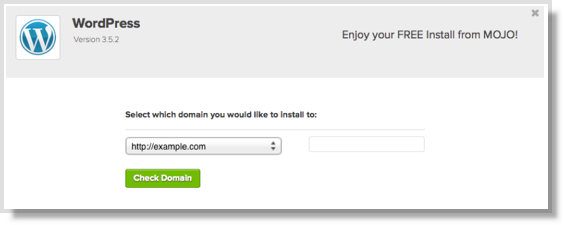
This will open a new tab or window, where you will press “install” button.

Select “Do It Yourself (FREE)” portion.

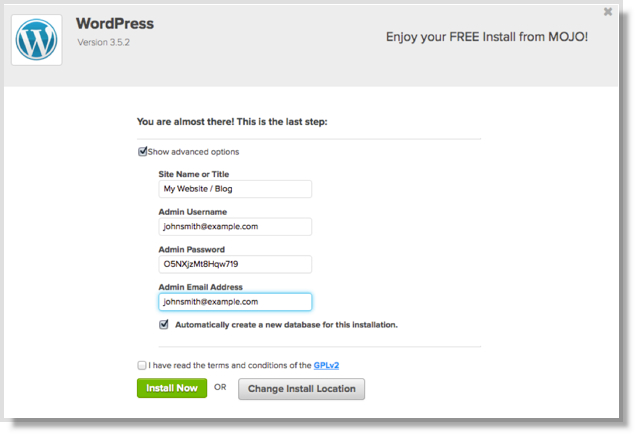
Select your domain with the dropdown list. After bluehost check the domain, it will ask you to check off the terms and conditions box.

8-Install WP

Do that, and press: Install Now.

9-WP Login

You may be directed to a themes page.. Don’t buy any of them yet. You can easily find many great themes for free.

When the install is complete, press the “View Credentials” button.

Press “view” button, and click on the “Admin URL”.

Log Into WordPress

Your login URL for blog will look like this

domain.com/wp-admin

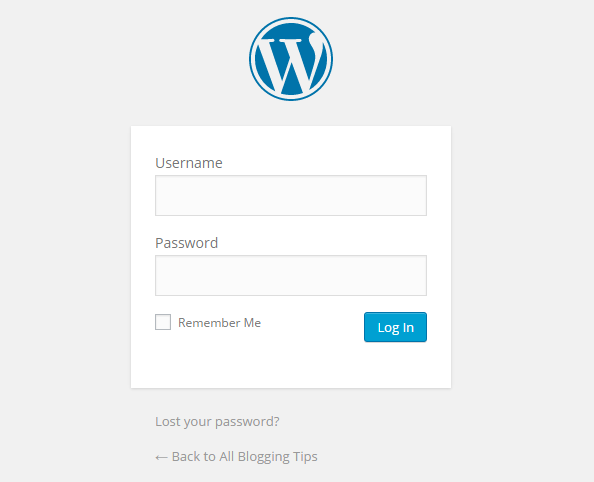
Type in your username and password and you’re logged in!

You’re looking at your WordPress Dashboard.

LOGIN SCREEN

Congratulations!

You’ve now set up your website.

  • « Go to Previous Page
  • Page 1
  • Interim pages omitted …
  • Page 11
  • Page 12
  • Page 13
  • Page 14
  • Page 15
  • Interim pages omitted …
  • Page 67
  • Go to Next Page »

Primary Sidebar

Get Blogging & SEO Tips by Email

Get helpful blogging, SEO, and content tips delivered straight to your inbox. No spam.

Join 3,493 other subscribers

Popular Posts

  • Is Your Blog Properly Optimized for Performance and SEO?
  • 10 Powerful Ways to Become a Famous Blogger
  • Google AdSense vs Affiliate Marketing: A Simple Comparison for Beginners
  • Effective Ways to Increase Content Reach and Audience Engagement
  • 12 Things to Do Before Applying for Google AdSense
  • Are Backlinks Becoming Less Valuable in Modern SEO?
  • Step-by-Step Guide to Creating a Successful Travel Blog
  • How to Start as a Freelance Writer & Is It Worth?
  • Add Smooth Multi Level Drop-Down Menu In Blogger
  • How To Delete A Blogger Blog Permanently In 5 Minutes (+ FAQs)

Blogging Tools I Use

Over the years, I’ve tested dozens of blogging and WordPress tools. Below are the tools I personally use and recommend for blogging, performance, SEO, and monetization.

Blogging Tools I Use →

Categories

  • Announcement (12)
  • Ask The Readers (2)
  • Blogger (56)
    • Blogger Hacks (4)
    • Blogger Tips (24)
  • Blogging (108)
    • Blogging Tips (81)
    • Writing Tips (6)
  • Coupons (2)
  • Design (5)
  • Email Marketing (4)
  • Free Themes (1)
    • WordPress Themes (1)
  • Free Traffic (40)
    • Guest Blogging (7)
    • Search Engine Optimization (4)
    • Social Media (13)
  • Giveaway (16)
  • Hosting (14)
  • How To (48)
  • Latest News (1)
  • Make Money Online (37)
    • Adsense (7)
    • Affiliate Marketing (8)
  • Reviews (17)
  • SEO (46)
  • Social Media (13)
    • Facebook (5)
      • Tips and Tricks (3)
    • Twitter (2)
  • WordPress (54)
    • WordPress Plugins (17)
    • WordPress Themes (5)
    • WordPress Tricks (2)
    • WordPress Widgets (14)

Footer

About This Site

All Blogging Tips helps beginners learn how to start, grow, and monetize blogs using WordPress. I share practical guides and honest recommendations based on real blogging experience.

Read more →

Site & Resources

  • Tools I Use
  • About
  • Advertise Here
  • Contact
  • Disclosure Policy
  • Copyright Policy
  • Privacy Policy

Start & Grow Your Blog

  • A Ridiculously Helpful Guide to Start Your Own Blog In 10 Minutes
  • How To Grow Your Blog And Build An Audience
  • How To Make Money From Your Blog
  • Cheap WordPress Hosting
  • Free WordPress Hosting

Copyright © 2026 All Blogging Tips · Powered by InMotion Hosting · WordPress · Log in