• Skip to primary navigation
  • Skip to main content
  • Skip to primary sidebar
logo

All Blogging Tips

Everything About Blogging

  • Home
  • Start a Blog
  • Blogging Resources
  • About
  • Contact
  • Work With Me

Announcement

AllBloggingTips Redesigned Version 2.0

By Ammar Ali 41 Comments

ABTHi all, We are very proud to announce that we redesigned out blog to meet better experience of you.  Our blog runs on Thesis Theme and is customized by me. We now comes with more cool features and design of this blog. First Check Out our new look of design v2.
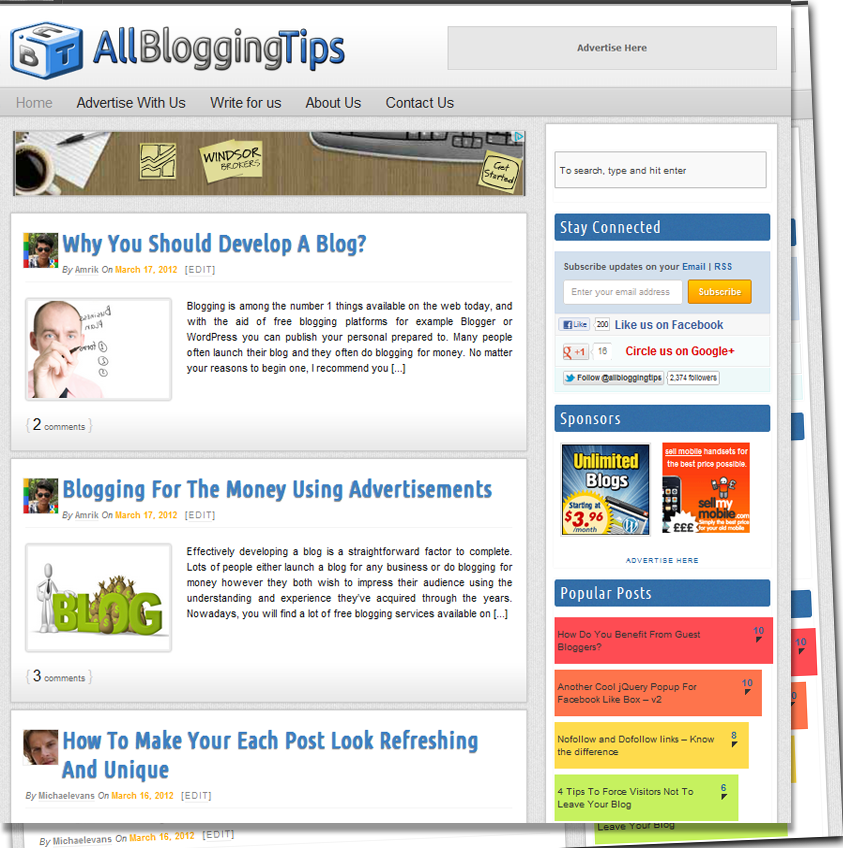
allbloggingtips new design v2 0


Features of New Design Version 2.0

This theme is coded with HTML5, CSS3 and using latest version of WordPress 3.3. Valid HTML5 markup, and also a Responsive Design. Check out some features of this new design.

  • Full Width Header and Menu Bar
  • New Logo Added and Favicon
  • Site Background with Texture
  • Post Body with new style
  • Cool Sidebar
  • Animating Footer on Hover
  • Comment Section Updated
  • Stylish Author Box
  • Related Posts with Thumbnails
  • Heading Styles with Author Avatar on Homepage
  • Top Commentators and Author Widget Added

What’s More?

 Not only above features are added we all updated some of our recent pages , widgets and much more some of them are:

  • About Us Page Updated
  • Advertise with AllBloggingTips Page Launched
  • Write For Us Page Updated
  • New Contact Form Added

 Some Numbers

Stats recorded on 18/03/2012

Number of Posts : 96
Number of Comments : 600
Fans at Facebook 200+
Twitter Followers 2440+
Alexa Rank : 64k
Pagerank : 3


This site is in Version 2.0 , and open for your Feedback. if you found any Dispute or Error, then please let me know through Comments or Contact form.
Filed Under: Announcement Tagged With: announcement, Redesigned

How To Remove Thesis Footer Text And WordPress Admin Link

By Ammar Ali 2 Comments

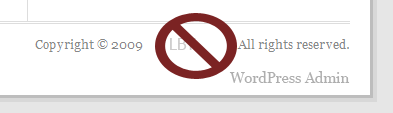
In this post I am going to show you How To Remove Thesis Footer Text And WordPress Admin Link. Everyone wants to remove default Thesis Footer Text and WordPress Admin Link to add their own copyrights, Or as they want.Here I am going to show two process in above heading, first one is how to remove footer thesis theme link, and second one is how to remove WordPress Admin Link.

Remember, you should have thesis developer edition to remove the attribute in footer. In personal edition, you should not remove it.

See Also:  How To Add Logo To WordPress Login Screen

How To Remove Thesis Footer Text or Attribution?

  1. First you have to go your wordpress admin.
  2. In wordpress admin, go to thesis option.
  3. In thesis option, go to custom file editor, click Custom_funtion.php and paste below code or use FTP and put below code in launch.php. (Why I prefer FTP. At the time of accessing Custom_funtion.php via your wordpress admin, it is showing some warning message. That’s why I prefer FTP)
/* Remove footer link or Attribution*/remove_action('thesis_hook_footer', 'thesis_attribution');

How To Remove WordPress Admin Link From Footer?

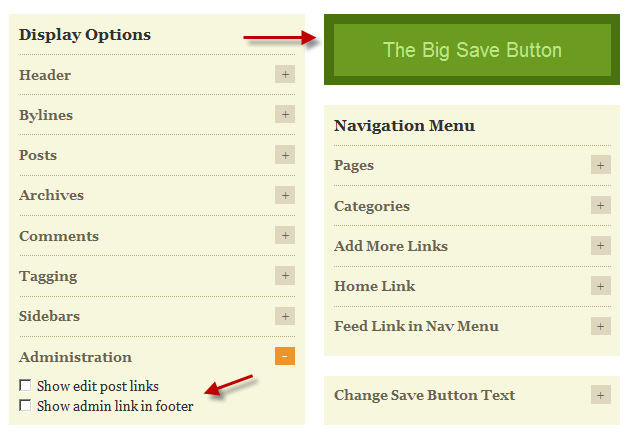
  1. The Thesis theme gives you an option to remove the admin link from the footer in the Thesis “Site Options” panel.
  2. First, go to Thesis “Site Options” panel, and in the “Display Options” under “Administration” un-check the box that says ” Show admin link in footer”. It’s that easy!

how-admin-link-in-footer

3.  Don’t forget, “The Big Save Button”!

If you got any problem in above process ( remove thesis footer text ), write in comment box. I will help you. If it is useful for you, share your experience in comment box.

Filed Under: Announcement

  • « Go to Previous Page
  • Page 1
  • Page 2
  • Page 3

Primary Sidebar

Subscribe to Blog via Email

Enter your email address to subscribe to this blog and receive notifications of new posts by email.

Popular Posts

  • Is Your Blog Properly Optimized? 5 SEO Must-Haves to Check Off Your List
  • 10 Powerful Ways to Become a Famous Blogger in No Time!
  • 10 Proven Ways To Make Money Without Google AdSense
  • Google AdSense Vs Affiliate Marketing: Which One Should You Choose?
  • 5 Tactics To Boost Your Content Reach & Engagement
  • 12 Things to Do Before Applying for Google AdSense
  • Are Backlinks Becoming Less Valuable?
  • Step by Step Guide to Creating a Travel Blog
  • How to Start as a Freelance Writer & Is It Worth?
  • Add Smooth Multi Level Drop-Down Menu In Blogger

Let Me Help You!

Let me take care of your website and make it run like a champ. I can help you with blog setup, migration, quick fixes or maintenance services.

Work With Me

Copyright © 2026 · Genesis Sample on Genesis Framework · WordPress · Log in