• Skip to primary navigation
  • Skip to main content
  • Skip to primary sidebar
  • Skip to footer
logo

All Blogging Tips

Everything About Blogging

  • Home
  • Start a Blog
  • Grow Your Blog
  • About
  • Contact
  • Privacy Policy
  • Tools I Use

Top 10 Best Social Sharing Plugins For WordPress Compared

By Ammar Ali 63 Comments

Whether you are a WordPress blogger or an expert webmaster, you cannot deny the ultimate need of social media marketing and it’s icons. In view to flourish any business strategy, everyone needs to make use of social sharing plugins. The dire need of sharing content with the readers has made social sharing an important topic to discuss nowadays.

Who doesn’t need traffic? I also want to drive traffic to my site, the same way you needit to expand your site.It has become a common knowledge that if social sharing buttons do the magic then you will have a number of visitors on your site.

Social Sharing Plugins for WordPress are highly essential because they are easy to use and can bring valuable visitors. With just one click, your content gets access to new readers. Isn’t it impressive?

Why A Good Social Sharing Plugin Is A Must Have

Social plugins are considered as the ‘indicators’ to analyze the popularity or success of a blog post. It also helps the visitors to view the number of total shares. The readers, as well as bloggers, identify with the help of social icons whether the post has received maximum shares on networking sites or not.

The prominent social sharing plugins require no hard effort at the time of integration. It’s easy to incorporate the WordPress plugins to your site. You can do it too!

All above, social sharing plugins are such a common tools that every blogger uses and I must say that you cannot survive online without these magical sharing buttons.

However, I would suggest adding only those social sharing icons to your site that you think are suitable for your marketing strategy. Facebook, twitter, GooglePlus, LinkedIn, Instagram, and Pinterest are highly popular.

In this article, I will discuss the most important social sharing plugins for WordPress and their exclusive features.

1) Easy Social Share Buttons
easy social share

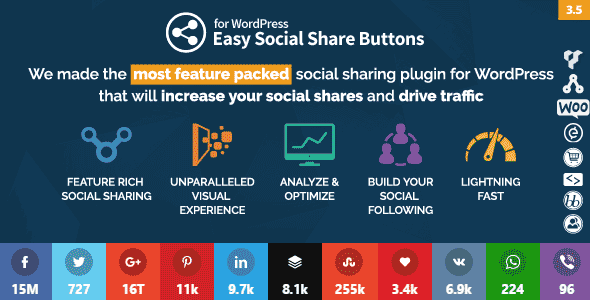
Share buttons is a complete optimized package for all the webmasters. The complete package obtains all the necessary social sharing buttons that will enable your site to grow and expand.

Why is easy social share buttons the best plugin for WordPress?

The answer is simple. This particular plugin accedes every user to share the content on more than 40 social connections. Isn’t it amazing? That’s not limited. It also allows you for optimized mobile sharing.

The plugin also consists of following prominent features;

  • Easy social sharing plugin offers a wide range of 31 impressive templates, specially designed for social sharing.
    Customization and design position are also effortless. When I said it’s a complete package, it includes everything you need to acquire for social sharing according to your choice.
  • This plugin also provides an unparalleled visual experience because of an extensive range of buttons, designs, captivating animations and counter styles.
  • It also has built-in modules for Google analytics tracking, Click log analytics and other statistics of social media.
  • It also offers social profiles and Followers counter modules. In that way, the users get access to view your social media profiles and can interact with you easily.
  • It also assists in building your social media following in the most convenient manner.

Download Now

Monarch Social Media Plugin

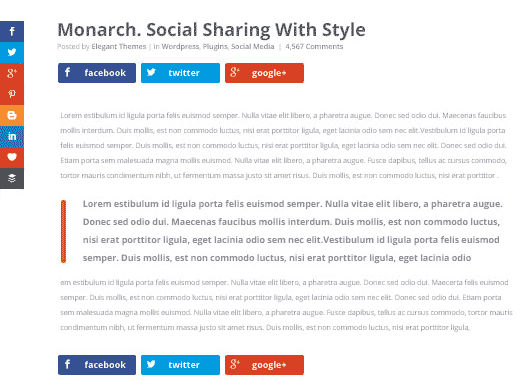
monarch by elegantthemesIf you need a social sharing and social following plugin for your WordPress blog then Monarch is the first choice. The social media plugin by Elegant Themes is focused on increasing shares and followers.

Monarch is the beautifully designed social media plugin that just not allow you to integrate social buttons on your site, but also encourages the visitors to share more.

I recommend using Monarch plugin to boost social media shares and your social profiles. It is definitely an excellent paid plugin for WordPress users because it is elegantly responsive and provided with smooth design settings.

Download Now

It has some impressive additional features;

  • Monarch enables you to add social sharing icons to 5 different locations; Sidebar, Flyin, Inline, Popup, and Media. You can enable or disable the locations anytime through dashboard settings.
  • It allows you to choose from 20 famous social networking icons that can benefit your website.
  • With few steps, you can build an impressive social following and also display social counts.
  • Monarch plugin, by Elegant themes, also offer different button shapes, 5 sidebar button hover effects, 4 inline button effects to create a customizable design according to your theme.

Download Now

Social Warfare Plugin

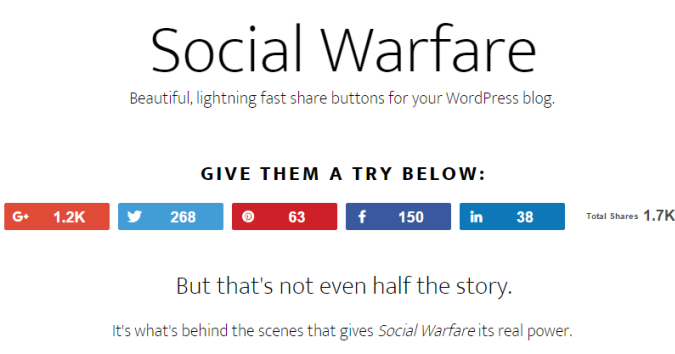
social warefare pluginAnother social plugin that is advantageous in driving more traffic to your website is warfare plugin. The premium social sharing warfare plugin is specially designed for WordPress users.

I recommend using premium plugins for social media marketing as it gives you more control and easy access to the success of your content.

Free plugins do not guarantee you for faster loading on mobile phones but Warfare plugin does it, exceptionally.

The plugin also got few amazing features;

  • The main attractive feature of Warfare Plugin is the stunning visual look of social buttons. You can even customize the colors as per your theme. The social icons are also mobile-ready share buttons so it is an awesome feature.
  • It also offers ‘Click to Tweet’ feature with 6 themes and built-in ‘Frame Buster’. The Frame buster plugin restricts other frames which are being placed over your posts. It eventually redirects the visitors to your original post.
  • Another striking feature of this awesome plugin is that now you can show off your tweets. As you know twitter has now removed tweet counts but warfare plugin enables you to enjoy displaying total tweet counts.
  • Smooth performance and no hassle in loading content, even on mobile.
  • It allows you to add customized Pinterest image with descriptions.
  • Twitter card is another built-in feature of Warfare plugin.
  • It also helps to recover the social share counts.

Download Now

Floating Social bar

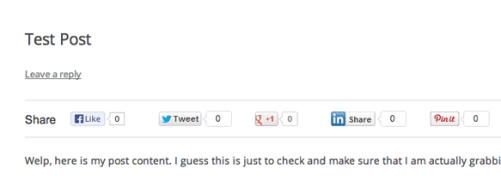
floating social barAmong WordPress plugins, floating social bar is another notable plugin which bloggers should consider. When you install this plugin, a horizontal floating share bar is added to your web contents.

The captivating floating bar of social media icons will help your content to be shared on respective social sites without any hassle.

This plugin is particularly designed in view to speeding up the site and make it fast that’s why it does not compromise on the speed factor.

Some of the incredible features of floating social bar are discussed below;

  • The plugin is light weighted thus it does not slow down the performance of your site.
  • It is extremely fast, reliable and slim.
  • Keeping in mind about the speed of the website, the plugin only supports main social networks, Facebook, Twitter, Google Plus, LinkedIn, and Pinterest.
  • Incredible easy drag-drop interface that provides bloggers for dropping social icons of their choice on the site.

Download Now

Mashshare Plugin

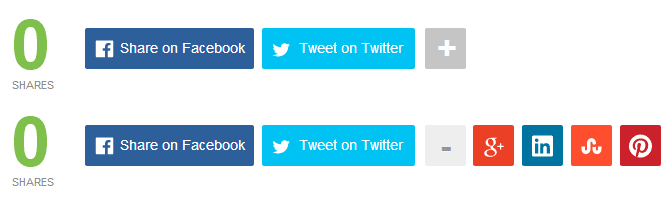
mashshareThe free Mashshare plugin is commonly known for its attractive style of sharing social media icons to your blog. If you want to have a clean plugin that is responsive and highly impressive then Mashshare should be your choice. It is fast and ready to go.

If you desire to use it for free, you can have access to three major social icons. One is Facebook, other is Twitter and third is optional where you can add a subscribe button.

Though, you can opt for its premium services by paying few extra bucks annually.

Mashshare plugin also has few benefits;

  • Great looking total social media shares count.
  • High-speed performance social buttons.
  • Expandable with Add-Ons (You can purchase Add-Ons and enjoy other social buttons and email contact support)
  • Easy to use and customize.
  • You can disable total counts by using shortcode option if you want.

Download Now

6) Sumome

sumome official share buttonsIf you are a non-techie or even a webmaster, this WordPress plugin called ‘Sumome’ obtains multiple features for the benefit of your website.

Many website users have given friendly reviews about Sumome Share because of the FREE version. But, if you do not want your site occupied with Sumome branding, then you can remove the ads by paying an amount. Pretty simple. I even don’t like any third party branding.

If you are a serious blogger, then you can also go for Share Pro on spending bugs. The benefits are completely enjoyable. But, free version also works for many users.

Sumome plugin sums up the formula for more shares, more traffic, and more real viewers.

This WordPress plugin has got best features too;

  • Sumome Share plugin works best in driving traffic and gain attention. You can opt your favorite social media icon from 16 social sites.
  • It works efficiently on both mobile and desktop.
  • It also got a smart share button which helps you to optimize specific sharing options on each page.
  • It’s sleek design also encourages viewers.

Download Now

7) Get Social Plugin

getsocial pluginThis incredible plugin has jotted down everything at an ease for all the WordPress users. Social Sharing, Smart Popup and Share Buttons by Get Social is a freemium WordPress plugin that you can integrate into your site.

The plugin provides multiple free features, however, there are also certain paid features. If your site works fine with free, then it’s quite awesome.

Some of the prominent features(free and paid)are discussed below;

  • Hello Buddy is an intelligent popup free feature to boosts up visitor’s engagement with the site.
  • Welcome bar and floating social bar are also free features to drive traffic.
  • Mobile share and Follow bar is a paid feature.
  • Another attractive free feature is custom facebook shares (want, wish etc).
  • You have to pay for extended optimization in social icons or any theme.

There are specific social sharing tools, Following tools and Tracking tools. Enjoy the advantage of this amazing plugin. You can view the details and download the plugin.

Overall, it’s a good plugin but advantageous features are mostly paid.

Download Now

8) Sharify Social Sharing Buttons Plugin

sharify sharing plugin preview
By installing Sharify, you can add gorgeous social sharing buttons to your WordPress site and build more traffic. The simple plugin is extensively fast in performance as it speeds up the sharing activity.

The plugin provides following major features;

  • It has elegantly responsive social sharing buttons for popular social networking sites. The sites include Facebook, Twitter, Reddit, GooglePlus,LinkedIn,Pinterest, Email, Vontake,Pocket.
  • It has the capacity to enable or disable the social share icons. You can also change colors of buttons.
  • Share counts for popular sites only.
  • It enables caching, which makes the site work faster than ever.
  • It works perfectly on mobile devices.
  • Fast and reliable.
  • Installation process is very quick.
  • High Performance.

Download Now

9) AddThis Share Button

addthis social share plugin
Take social sharing to the next level with the AddThis Share Button Plugin for WordPress. It’s important to display the share buttons on the necessary pages. I would suggest that you should display the social icons on the well-written content or viral blog posts.

The benefits of using AddThis Share Button are;

  • Its basically a free plugin. Avail all the benefits free of cost.
  • You can choose the particular social icon from different styles and sizes.
  • It also obtains share counts that motivate a visitor to share the content with family and friends.
  • A good service provider and easy to use.

Download Now

10) Sharebar Plugin

sharebarSharebar plugin is little different due to its vertical box, obtaining multiple links to famous social sites. If you have a wide blog, a vertical social sharing bar displays on the left side of any article.

The features of sharebar plugin are;

  • It’s easy to use. Every newbie can use the plugin with an ease.
  • If your blog is too wide, the vertical social bar automatically turns into a horizontal social sharing bar.
  • It’s highly compatible.

Download Now

However, due to its limited features, the plugin works more for new bloggers.

Final words

All above mentioned social sharing plugins WordPress are effective enough to install and integrate to your site. As you’ve read that every sharing plugin has some common features so it is fine if you install any one of the social sharing plugins.

But, I have my personal recommendations for premium Plugins as it obtains extensive features that ACTUALLY boosts up the traffic, makes your content go viral and develop your social profile.

If you’re looking for a premium plugin. I find Monarch by Elegant themes and Easy Social Share Button more suitable for WordPress.

Try your favorite plugin and hit me back with a rocking feedback.

If there is any other plugin which is fast and reliable, share with me in comments.

How to Build a Penguin-Safe, Search Engine Friendly Website?

By brianix 19 Comments

Is your website search friendly??

Can you Build a Penguin-Safe, Search Engine Friendly Website? The answer is YES!

The recent Penguin update has show the direction of search and what the future holds for web marketers. A lot of people are scared of using exact match anchor texts or building links to their inner pages. But you don’t have to be scared – at least, not when you do the right thing.

It’s true that the Penguin update has drowned a lot of sites and rendered some folks homeless, but we need to also look at the good side. Google and other search engines are doing their best to make the web much better, more convenient and resourceful for guys like us, the white haters. They’re in business too, so if you play your card well, they would do the same and reward you accordingly.

When you look at the other side in the algorithm calendar, you will discover how to build a better website and optimize properly. You should employ personality and creativity when building a site – and there are credible SEO services to meet these latest ranking requirements.

And the interesting part is that the old is the new new: content is king. To be safe and build search engine friendly website  follow these basic steps:

Know Who You’re Targeting

Image Credit: focus

Everyone will not benefit from your website. You’ve to map out the target audience your contents will be directed to. Without knowing who the person at the receiving end is, you’ll produce the wrong contents for them. An SEO company should help the prospect and customer to research who they’re marketing to. That’s their primary duty – market research. Who is your audience?

Do you know their social status, the demographics and what piques them? Without a proper grasp of who they’re, you’ll build the wrong website. Creating a search engine friendly website rests at the base of a sound market research and metrics.

There is no place for assumptions – if you assume that your audience knows what you’re saying, it could be the greatest obstacle to business growth. Get to know these people; who have blood running through their veins. They want to experience you. Not only as an internet marketer, but also as a person who has feelings and could go extra miles to help others.

Spoon-feed Search Spiders

Image Credit: thewikiman

Search engine spiders are like toddlers. Toddlers need support from parents before they can enjoy the nice meal on the table. When building a website or if you already have one, the goal is to serve quality and helpful contents to your readers.

Google spider for instance, doesn’t have eyes and cannot tell if your site is well designed or not. Web Spiders that crawl websites for fresh and unique contents have been programmed to function in a certain way. The secret to building a friendly website and producing excellent contents is to ignore search engines and focus on the people.

Of course, you may still use keywords to give insights, but that’s not the focus.

When you engage the readers with interesting and helpful contents, they would stick around, ask intelligent questions, make buying decisions and share your contents with fans and business acquaintances. If your content must please Google, it must first please the end user (prospects, readers, customers, clients and so forth).

So, the best way to spoon-feed Google isn’t by stuffing keywords or using hype, it’s about using the right language in a unique way to gladden the hearts of readers. If you consistently practice this, your website will grow exponentially.

Focus ON End Users

It’s all about them, not you. When you create a website for your business, the focus mustn’t be on your achievements and the numerous qualifications you’ve got. It’s about the end user.

Those who have problems, needs and aspirations – they’re counting on you to provide lasting solutions and if you can do that continually, congratulations. You can easily create a powerful platform for organic traffic.

A search engine friendly website talks about people and their problems. “What’s in it for them” should inspire you – see you at the top!

How to Get More Twitter Followers?

By Mirsub Fazlani 33 Comments

Now unless your a celebrity of some sort with a decent following somewhere, getting (genuine) followers who retweet and interact with you will take time and effort. It’s better to have a 100 followers who will actually read your tweets and interact with you instead of thousands upon thousands of useless spam-bots that will do absolutely nothing. People often use programs that promise to increase your followers that do what their meant to do but in reality don’t really help you at as most of these followers will consist of spam-bots.

get more twitter followers

These programs rely on something called ‘Aggressive Following’ and will make you automatically follow thousands of people in the sole hope that they’ll follow back and if they don’t you’ll dump and them and follow other people. Twitter has an policy against this and if caught, will delete your account. Here are 6 Tips to get more twitter followers.

How to Get More Twitter Followers?

  • Write an Interesting Bio: Your Twitter Profile bio is the first and most important thing to get more followers on Twitter. 160 characters for bio may not seem like much but it’s one of the first things your potential followers will see so try to be witty, make an interesting tag-line and write anything interesting that will get people to follow you.
  • Make your presence visible: Tweet too little and people won’t notice you on their Timeline or all together forget that they even followed you. Tweet too much and people will start to think your either a nuisance or a spam-bot and will unfollow you (and you don’t want that happening).
  • Be Entertaining: Try to be witty or funny when making a tweet. Don’t be all like “today was so boring of my life, i am bored and i have nothing to do except being bored” instead try to be like “…. is updating his status to let you know his status is that he has no status” funny and effective.
  • Tweet on Trending Topics: Give your opinion and perspective on things and the latest events. If you’re lucky (and clever enough) you might have a ‘top tweet’ (over 100+ Retweets) which can lead to you gaining many followers.
  • Avoid Promoting Yourself too much: Yes, you can promote your blogposts, products, music etc but their is an invisible that you must not cross. If you do, you’ll either end up looking like a spammer/spam-bot or just clueless. Not only will you NOT gain additional followers but you will wear out your existing followers and many of them will un-follow you.
  • Linking your account: You can link you account with facebook. This will also help you to get more twitter followers.
  • An Inviting Twit-Pic: Chances are, you’d rather follow someone using their own picture or logo than some random spam-bot with a semi-nude twitpic. So why wouldn’t your potential followers? Using your own image goes a long way to create an impact.
And Last but not least, try to have fun! Don’t worry too much about the numbers. Like most things in Life, slow and steady wins the race, so have faith in yourself. I didn’t build my following over-night and neither will you. :)

Top 15 Killer Tips To Increase Page Rank!

By Saad Asad 218 Comments

Page Rank is a link analysis algorithm which is used by search engines to determine relative importance of your link within their database. Here I’ll tell you how to increase page rank.

How is Page Rank Calculated?

Page Rank is calculated by various algorithms made by search engines, in simple words, Page Rank is calculated upon the number of links on your site; these links Include:

  1. Backlinks.
  2. Inbound links.
  3. Internal links.
  4. External links.
  5. No-Follow links.
  6. Do-Follow links.

Google and other Page Ranking sites analyze these links and assign a numerical page rank from 1 to 10 to your website. Below we will discuss Top 15 Killer Tips To Increase Page Rank.
[Read more…] about Top 15 Killer Tips To Increase Page Rank!

4 Reasons Your Blog Will Never Grow!

By Rahul Kuntala 67 Comments

your blog sucks

First of all tell me why should anyone read your blog?

No idea?

Let me clear your doubt why should someone read your blog.

People read your blog to solve their problems not to listen your bragging!

Blogging is not only the best way to make money online but it also provide a better platform to share your opinions and to build a brand.

Isn’t it?

But only few bloggers succeed online. Well, most of the remaining bloggers quit blogging within 6 months, how terrible?

Ammar is very lucky as he had recently completed his 6 months blogging journey and published over 199 posts, this the 200th post which you are reading now!

Coming back to the point. Why your blog will never grow and what can you do to stop it? Ready?

4 Reasons Why Your Blog Will Never Grow

1. Mediocre content:

If you have pathetic content and writing style then no one will be interested to read your so called blog.

Create something that you will be proud of.

Don’t post just another posts to update your blog. No post is better than the worst post. And I know it’s bit difficult to create great content especially when you are just starting out.

All you have to do to create better content for your blog is: being helpful to your readers. Know your targeted audience first. Then try solving their problems.

How to know their problems then?

Good question which I always love to answer.

Try solving your own blogging problems! I will explain you more better here.

If you are just created a blog and thinking what to write in your first blog post, you can write “How to write your very first blog post”.

You can rank more better in Google if you are the first person to write on the trending hot topics!

At the end of the day, you must create compelling content, readers will come one or other day for sure!
Read: 10 Crucial Points To Help You Write Better Blog Posts.

2. Terrible design:

Invest some money on buying premium themes like Thesis or Genesis, their coding is so simpler and easy which can make your blog to take next level.

Make your readers easily to read your content. Don’t make your blog design complex! If you strain their eyes, they will go away.

If you can’t afford premium themes, just make use of minimalist themes like pagelines etc.

They look simple and easy to read the content without having any strain.

Read: Selecting Your Blog Design Theme Design

3. You don’t network:

Creating valuable content alone is not enough, you must network with others in your niche. Spend some time to respond to your comments, email others to read your content, be in touch with your readers etc.

Blogging becomes much easier when you have like minded people around your network. If you have unique tone and content, you can absolutely stand out from the crowd to make a difference.

You don’t need to be creative marketer to network with others. Just focus on Win/Win approach i.e give and take policy.

It works better when you network with others. Try to help them and solve their problems, surely you will make positive impact on them.

Read: How to Create a SCADA System For Your Blog!

4. You spend time on wrong things!!

Instead of spending your time on blog commenting for 2 to 3 hours, spend that time to write quality guest posts for others. It can do wonders.

I’m not saying to stop blog commenting. But if you have less time to blog, spend time productively. And this is the best way to build your blog fast.

Guest blogging gives you:

  • Relationships with the author
  • Subscribers
  • You can steal their readers
  • Attract more traffic
  • Back links
  • You can be everywhere!

Do you know Danny Iny aka freddy krueger of blogging?

Here is a snapshot of Danny Iny’s traffic in his first year of blogging.

DannyIny traffic_stats

And look at him now! He is almost everywhere in the blogosphere. How does he made it? The credit goes to guest blogging!

Read: How to get Maximum Benefits from your guest post…

Over to you

What are the suggestion would you give to build a better blog?

Note from Ammar: Hurray! I’m so excited to announce that this is the 200th post on my blog. All the credit goes to you. Without YOU I can’t reach this position so fast. As you all know that I started this blog just about 6 months back. And it has been growing super fast from then with your support. Thanks for your love and I will promise you that I can do more better for you in the upcoming days.

  • « Go to Previous Page
  • Page 1
  • Interim pages omitted …
  • Page 43
  • Page 44
  • Page 45
  • Page 46
  • Page 47
  • Interim pages omitted …
  • Page 72
  • Go to Next Page »

Primary Sidebar

Get Blogging & SEO Tips by Email

Get helpful blogging, SEO, and content tips delivered straight to your inbox. No spam.

Join 3,489 other subscribers

Popular Posts

  • Is Your Blog Properly Optimized for Performance and SEO?
  • 10 Powerful Ways to Become a Famous Blogger
  • Google AdSense vs Affiliate Marketing: A Simple Comparison for Beginners
  • Effective Ways to Increase Content Reach and Audience Engagement
  • 12 Things to Do Before Applying for Google AdSense
  • Are Backlinks Becoming Less Valuable in Modern SEO?
  • Step-by-Step Guide to Creating a Successful Travel Blog
  • How to Start as a Freelance Writer & Is It Worth?
  • Add Smooth Multi Level Drop-Down Menu In Blogger
  • How To Delete A Blogger Blog Permanently In 5 Minutes (+ FAQs)

Blogging Tools I Use

Over the years, I’ve tested dozens of blogging and WordPress tools. Below are the tools I personally use and recommend for blogging, performance, SEO, and monetization.

Blogging Tools I Use →

Categories

  • Announcement (12)
  • Ask The Readers (2)
  • Blogger (56)
    • Blogger Hacks (4)
    • Blogger Tips (24)
  • Blogging (108)
    • Blogging Tips (81)
    • Writing Tips (6)
  • Coupons (2)
  • Design (5)
  • Email Marketing (4)
  • Free Themes (1)
    • WordPress Themes (1)
  • Free Traffic (40)
    • Guest Blogging (7)
    • Search Engine Optimization (4)
    • Social Media (13)
  • Giveaway (16)
  • Hosting (14)
  • How To (48)
  • Latest News (1)
  • Make Money Online (37)
    • Adsense (7)
    • Affiliate Marketing (8)
  • Reviews (17)
  • SEO (46)
  • Social Media (13)
    • Facebook (5)
      • Tips and Tricks (3)
    • Twitter (2)
  • WordPress (54)
    • WordPress Plugins (17)
    • WordPress Themes (5)
    • WordPress Tricks (2)
    • WordPress Widgets (14)

Footer

About This Site

All Blogging Tips helps beginners learn how to start, grow, and monetize blogs using WordPress. I share practical guides and honest recommendations based on real blogging experience.

Read more →

Site & Resources

  • Tools I Use
  • About
  • Advertise Here
  • Contact
  • Disclosure Policy
  • Copyright Policy
  • Privacy Policy

Start & Grow Your Blog

  • A Ridiculously Helpful Guide to Start Your Own Blog In 10 Minutes
  • How To Grow Your Blog And Build An Audience
  • How To Make Money From Your Blog
  • Cheap WordPress Hosting
  • Free WordPress Hosting

Copyright © 2026 All Blogging Tips · Powered by InMotion Hosting · WordPress · Log in