• Skip to primary navigation
  • Skip to main content
  • Skip to primary sidebar
  • Skip to footer
logo

All Blogging Tips

Everything About Blogging

  • Home
  • Start a Blog
  • Grow Your Blog
  • About
  • Contact
  • Privacy Policy
  • Tools I Use

Search Results for: ai

4 Secrets to Create Blog Posts in No Time!

By Saqib 25 Comments

Blogging is becoming competitive day by day and if you don’t update your blog frequently, it will fade out pretty soon.

That’s the reason you have to update it frequently to stay in competition and move forward as well.

But, here is another thing. Not having enough time to blog is the biggest problem of a lot of bloggers like me and might be YOU? ;)

They don’t have time to write posts to publish every day.

That’s where I have decided to step in and help out those fellows. I’m going to guide you how to Create Blog Posts in no time just how I made myself much more productive and faster.

You see, fast typing is not the only thing that guarantees blog post in quick time. Many other things play their roles as well.

Now allow me to show you 4 Secrets to Create Blog Posts in No Time!

create killer blog post

1. Mind Mapping:

Organize your thoughts into one place is called “mind mapping”

First and most important thing for writing blog posts quickly is to have ideas prepared already.

You can’t just sit in front of your PC and stare on monitor, hoping to get an idea. ;)

You have to pull them out yourself. And, choose the best title possible for your blog.

Mind mapping is not as hard as some people may think. Here is what you can do.

Whenever you are free, try to bring out all the ideas and write them on notepaper or some kind of software. The point is when you sit in your chair to create blog post you should have exact idea what you are going to write about. This will help you to Create Blog Posts in No Time.

  • 12 Tips For Writing Engaging Content For Readers

2. Create Sub Headings:

Sub headings cannot only help you complete your posts quickly, but they also make blog posts attractive, easy to read and digestible.

When you create sub heading while brain mapping, you think something about every point. And many things are saved just then.

Hence, when you sit in your chair and begin to type, you look at the paper and there should be many things popping up in your mind immediately that you may want to add in your post. This makes the process really fast and you can go on and on without running out of thoughts or stopping to think.

3. Writing the Post first:

Another Secrets to Create Blog Posts in No Time!, is the first thing that you need to do is to write the post first and do anything else later. Because, at that time your mind is absolutely clear.

After spending some moments with computer and surfing the web, there are already so many things running in your head and you feel like writing a short simple post is a load.

So, do it first than anything else. Because, it is important than other activities like chatting, web surfing, reading, music or playing games.

4. Know your Audience:

Since, audience is the most important thing for a blogger, you should have a clear idea of yours.

And,

Why are you writing post?

Is it a regular blog post or a killer one?

Or maybe a guest post?

Whatever you may want to do with your post, know your audience who you are going to talk to. If you educate new people about something, then keep your post easy to understand, but if they are experts, then don’t type too obvious sentences that may make them feel bored.

  • 5 Reasons Why Your Visitors Don’t Visit Your Blog Again

I’m sure that by following these four simple steps to create blog post you can boost your speed and stay entertaining and productive at the same time without sacrificing things that you cannot afford like not giving time to your family.

Your Turn!

How much time you take to write a killer blog post? How do you boost your typing speed? Or are you still struggling? Make sure to let the world know. You may want to subscribe here to receive all new posts direct into your mailbox.

Don’t forget to share this post with your followers using below sharing buttons! ;)

How to Make The Most Of Your About Me Page?

By Ammar Ali 20 Comments

Your ‘about me’ page is an inside look for your readers.

From here they hope to gain insight on the qualifications of your expertise, details of your life or business, and how you will help them as a reader. Social Media Examiner’s research shows that people are almost as likely to share the information they read in Blogs as a newspaper or magazine. With Facebook and Twitter at every blog reader’s fingertips, you want to fashion a blog they’ll send out to all their friends. A stellar about me page could be the deciding factor.

In this post I’m going to tell How to Make The Most Of Your About Me Page? :D

about ammar ali

Making The Most Of Your About Me Page?

Simplified

Your about me page should be very simple and easy to understand. Add following things to your about me page.

  • Who you are
  • Qualifications
  • Picture
  • What you have to offer

For them, not you

A common misconception is that this section of the blog should be used to outline every detailed specifics of what brought you to this point in your blogging career. As much as the reader is interested in who you are, they’re more interested in how you can eventually help them. Let’s face it, people read blogs for their benefit. Be concise in your personal details and cater them in a “you” tone.

Point out how YOUR knowledge will help THEM, to encourage their continual reading.

  • 5 Basic Pillars of Creating Successful and Profitable Blog!

Details

There is nothing worse than wanting to browse though a snippet of the blog’s author, and instead finding a biography on every success they’ve ever had. A blog’s main purpose is to quickly and easily inform the reader. When your about me pageis the exact opposite, you have a problem. Not only does this become annoying, but invites your reader to merely scan through the text, missing details they may need to stay a loyal reader of yours.

Hey, I’m relatable…

No one likes to be talked down to. ;)

No one wants to read a blog that touts all your accomplishments, which can in turn make them feel inferior. The social sphere is about connecting with people who you can learn from and relate to. When you are genuine and sincere, exposing imperfections, your readers will have more to grab onto.

Check out more

At the end, you should give a suggestion to your readers. It would be wise to point them to a particular post or specific section as opposed to suggesting they take in the blog as a whole. You should direct them to a starting point; somewhere that may generate curiosity, leading them to look around a bit more. For more info check our “About Us” page

  • What Makes ABT a Successful Blog?

While creating an ‘about me’ page may seem like common sense, it’s the most overlooked section of any blog. A reader wants to know that you’re qualified and have something to offer, and are still on their level. This is your chance to garner a spark in your reader, toting your talents.

Did I missed any point? Do let me know in comments! :D

15 Premium Looking Best Free Blogger Templates

By Ammar Ali 28 Comments

It’s been long time, I’ve not posted any collection of  Best Blogger Templates.  So now it’s the right time to publish great collection of Premium Looking Best Free Blogger Templates.

New year 2013 is also very near. You can use these best free blogger templates in 2013 as well to spice up your blogger blog. ;)

I’ve spend many time collecting best templates. All the templates given below are great, premium looking, magazine style and niche style related free blogger/ blogspot template.

These templates will suit perfect for tech , blogging, SEO niche related blogs!

15 Premium Looking Best Free Blogger Templates

Here are 15 Premium Looking Best Free Blogger Templates.

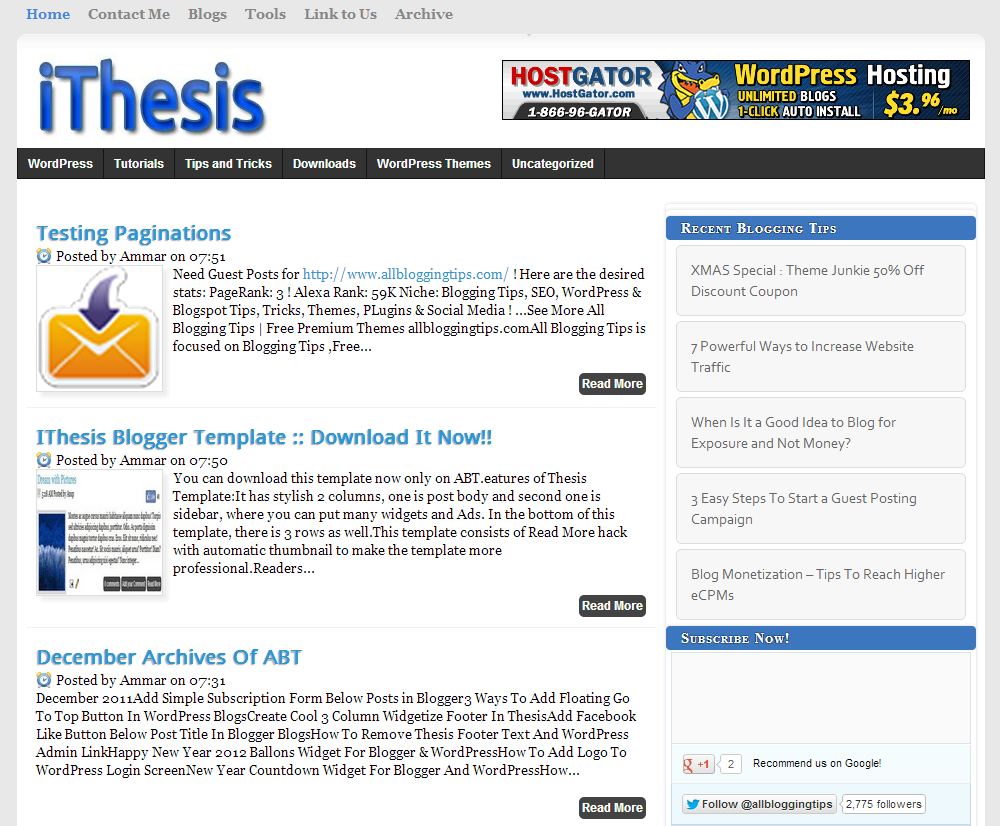
1. iThesis : Free Premium Blogger Template.

iThesis is best free premium looking Blogger template. Designed by me. It’s perfect for tech, blogging and SEO niche blogs

iThesis Theme For Blogger

2. Reporter – News Style Blogger Template

Great template with Ads Ready, Featured Slider and elegant design.

Reporter - News Style Blogger Template

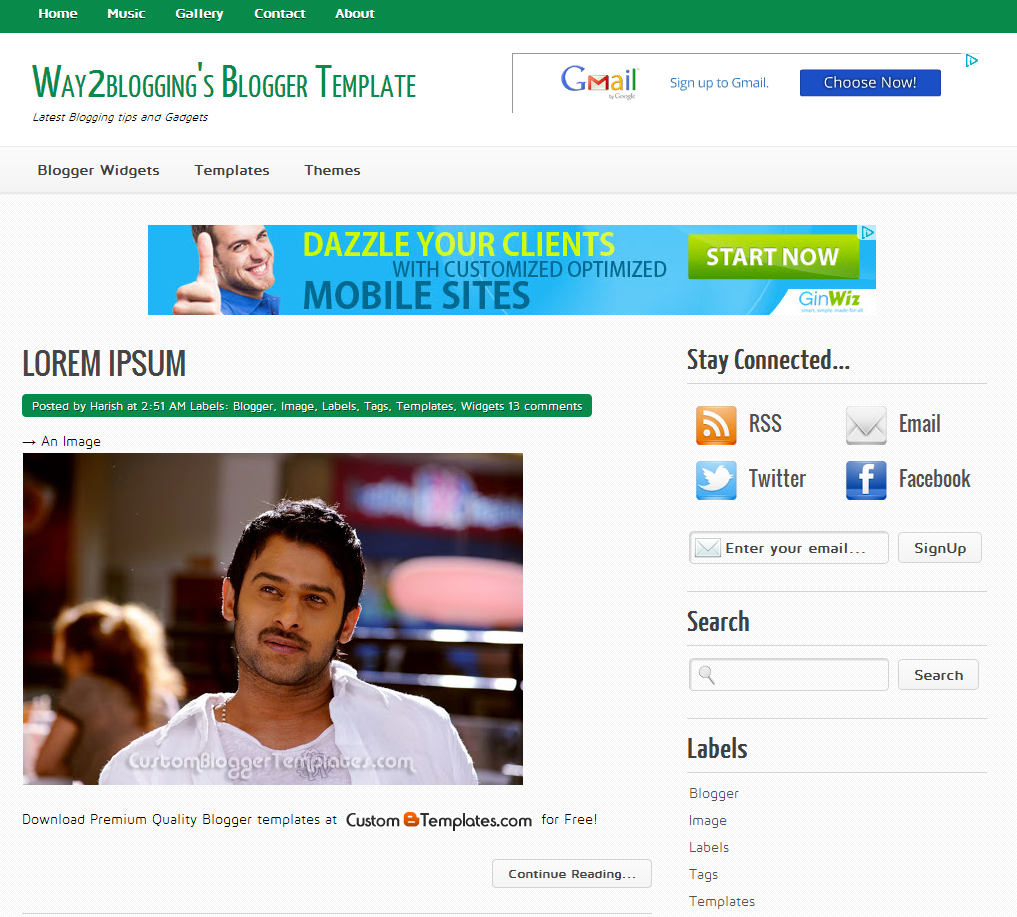
3. Way2Blogging : Elegant Blogger Template

An excellent template by my friend Harish, looks simple, clean and elegant design.

Way2blogging Blogger Template

4. E Style : Free Premium Blogger Template

This template is also designed by Harish, style is awesome, looks great with featured content slider, menu bar and footer!


 E Style

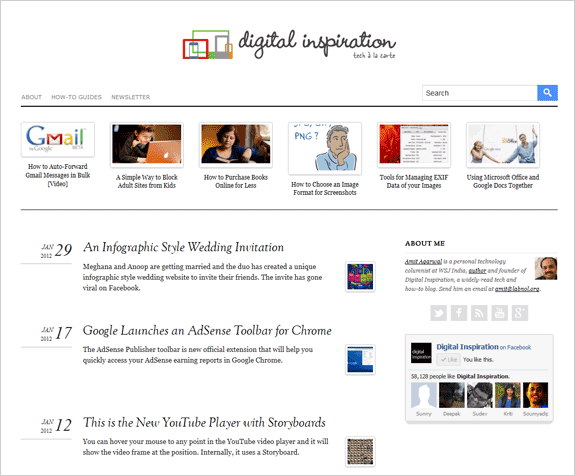
5. Labnol : Premium Blogger Template

Ths best free blogger template looks just like Labnol.org indian best blog. Simple and attractive design and of course fast loading blogger template too.

labnol blogger template

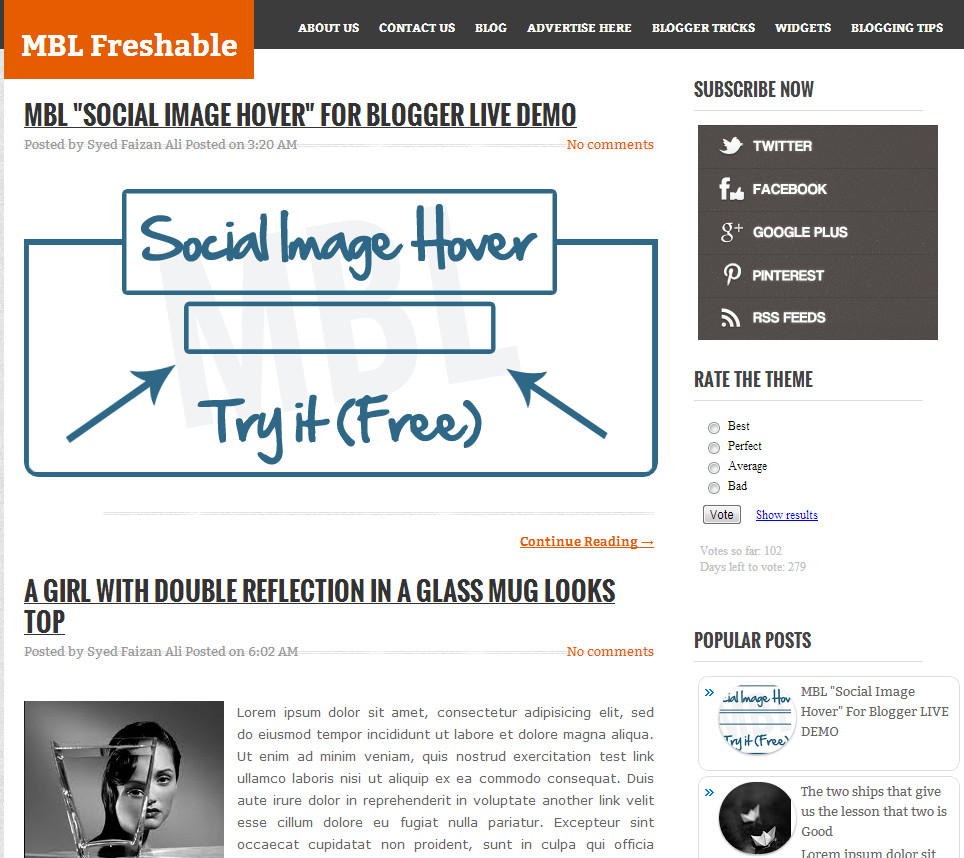
6. MBL Freshable : Custom Blogger Template

Freshable is Free Blogger Template. Widget ready, awesome post style and header.

MBL Freshable

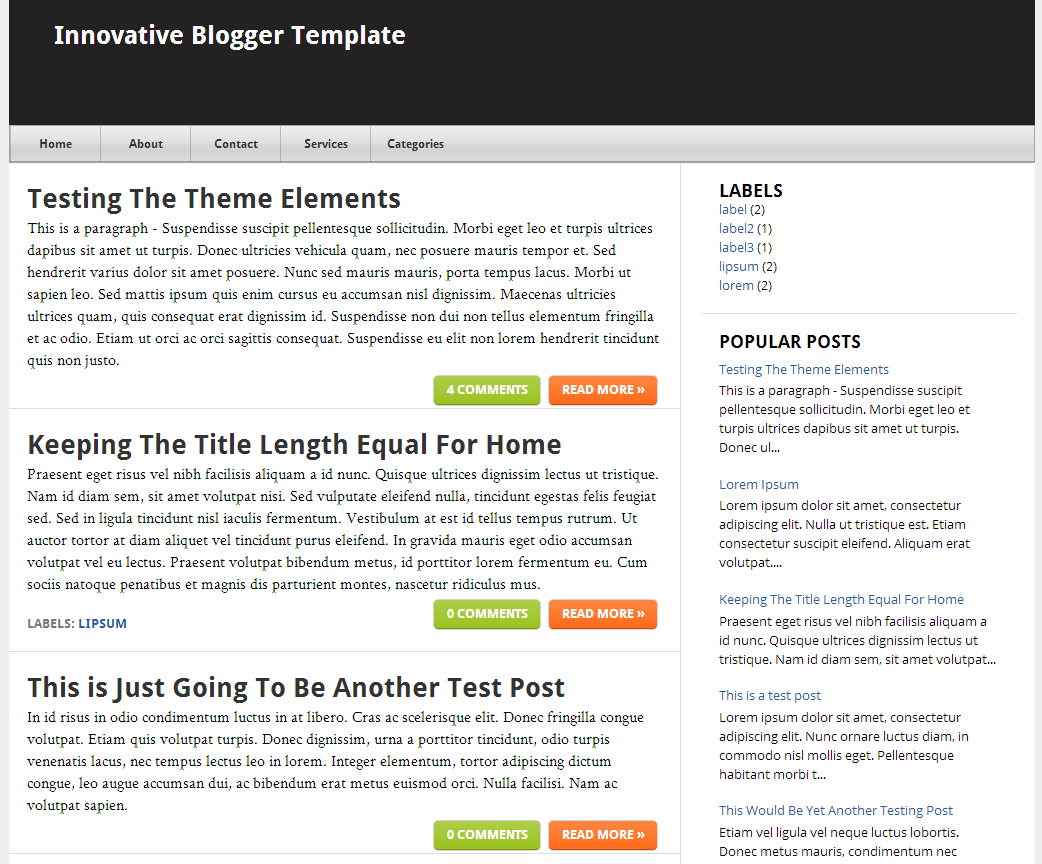
7. Innovative – A Responsive Blogger template

Innovative is a responsive blogger template by Paul. Simple and mac style menu bar and stylized home page.

Innovative Blogger Template

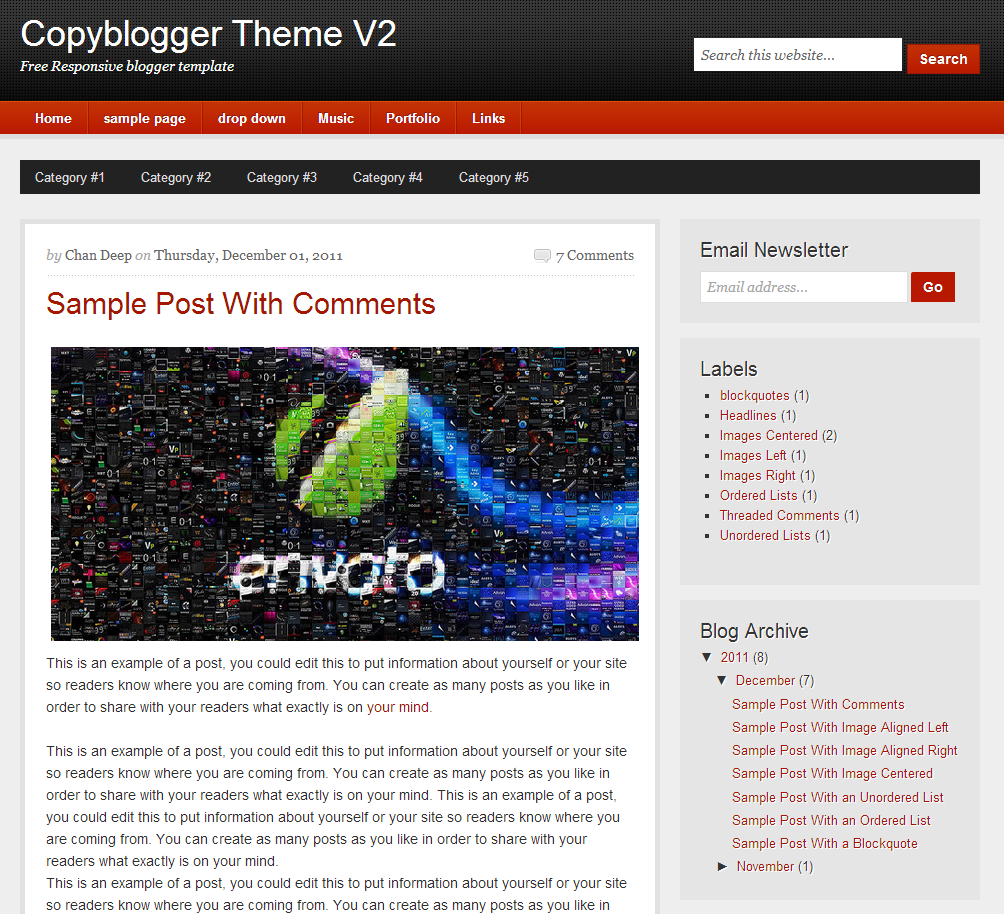
8. CopyBlogger V2 : Premium Looking Blogger Template

This is another great template looks similar to copyblogger. The best feature is its a responsive blogger template 2 menus and elegant look.

Copyblogger Theme V2

9. Personified : Clean Style Blogger Template

Personified is simple, elegant and stylish sidebar blogger template. I like the its sidebar.

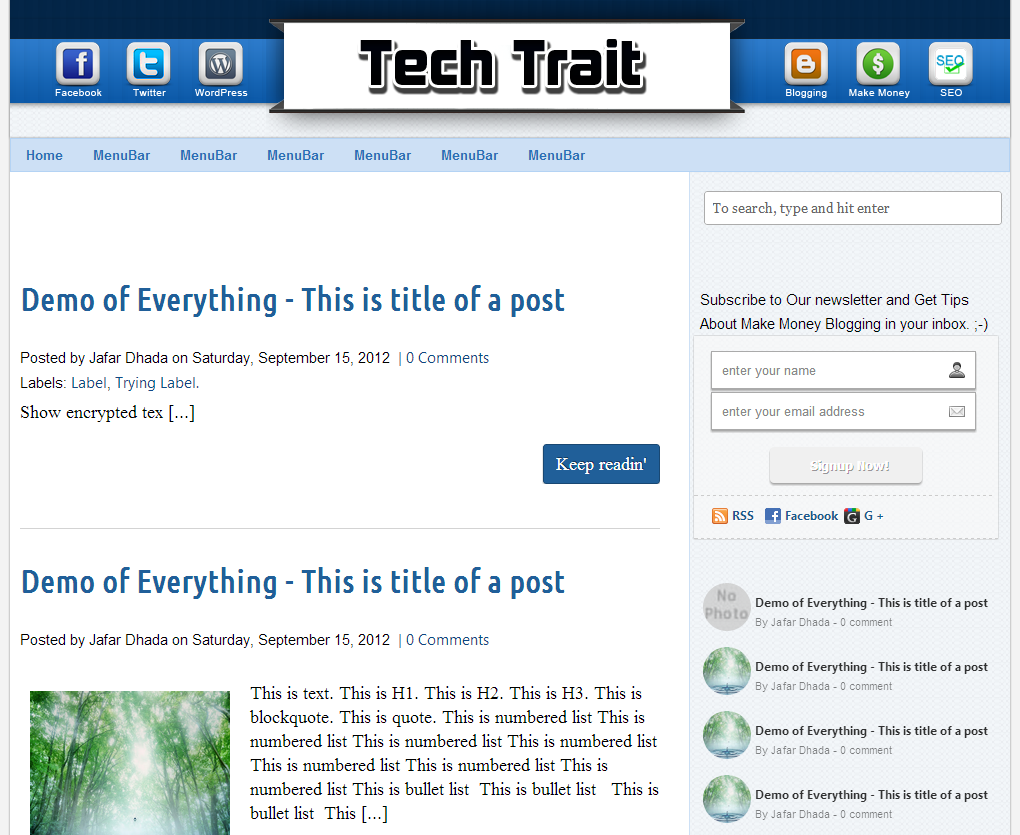
10. My WordPress : WordPress style Template

My WordPress is WordPress to Blogger Converted Template. Looks clean and elegant with search bar on header and footer.

My WordPress

11. Perception : Elegant Blogger Template

Prception is a blogger template with simple and clean design. Stylish font and only 1 navigation bar with custom popular post widget.

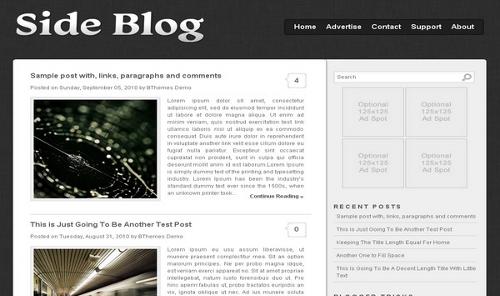
12. Side Blog

This template is also converted from WordPress to blogger. Ads ready and custom header.

SideBlog-xml-Blogger-Template

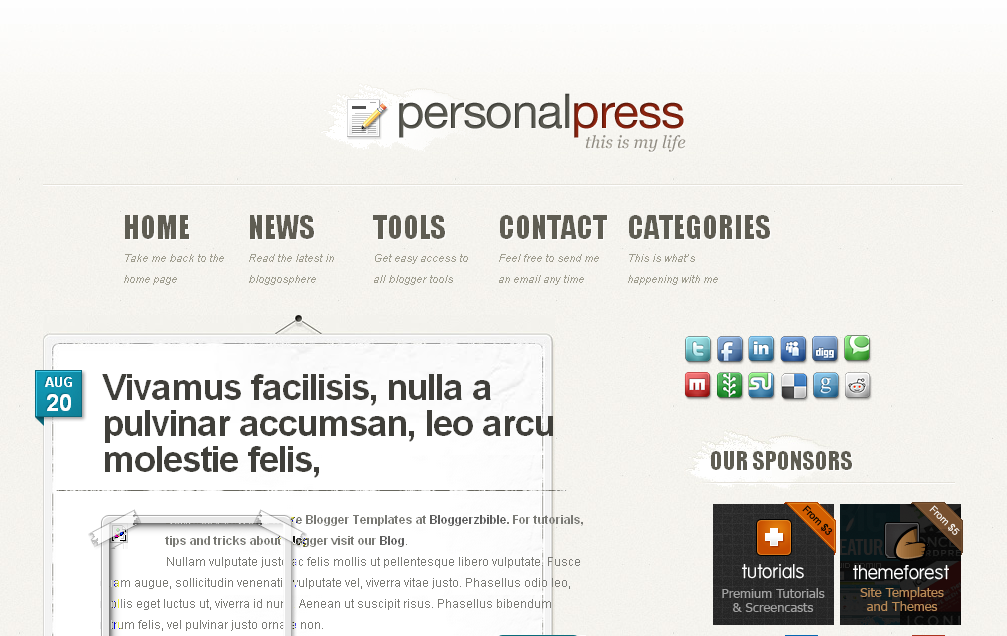
13. PersonalPress Blogger Template

Personal-Press-Blogger-Template

14. iOcean

iOcean is really an elegant style blogspot template. Looks smiilar like ShoutMeLoud Theme.

iOcean

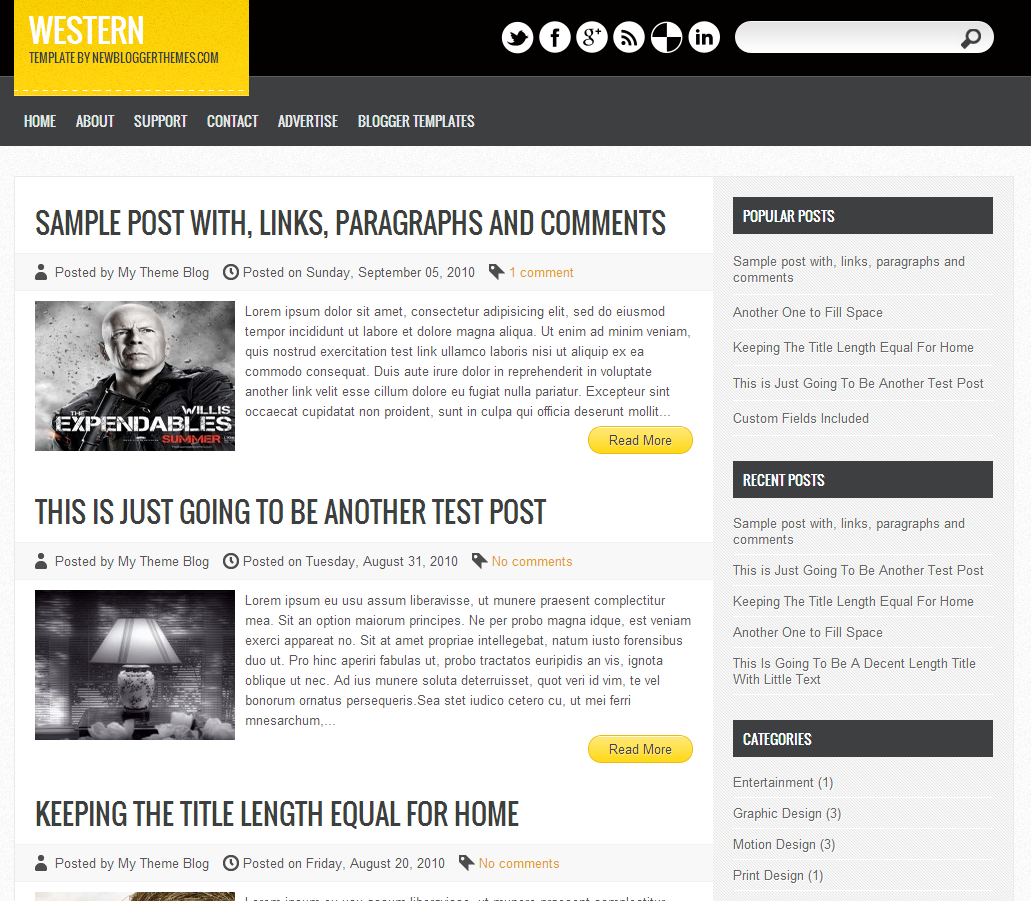
15. Westren

Western

That’s the list and the standard was so high there are lots of templates on the web so  it was hard to only choose 15 Great Looking Blogger Best Free Templates.

Check out more Best Free Templates

Hope you will enjoy the Best Free Blogger Templates. Share your comments and views about these best free blogger templates in comment section!!

Are Your SEO Methods Spammy?

By Kostas Chiotis 25 Comments

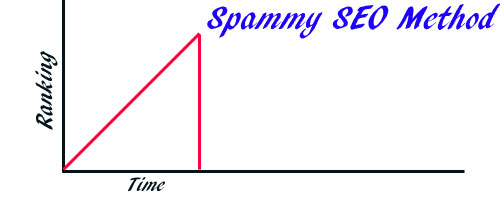
Optimizing your blog for SEO has never been any easier. On the other hand, getting the desired results has never been any harder. The competition is incredibly tough these days and Google, whose trends everyone needs to follow, is quite harsh when it comes to punishing those who are trying to abuse its ranking system.

So what are some of the spammy methods that are likely to be punished by Google and other search engines?

In this article, we are going to look Are Your SEO Methods Spammy? :D

Are Your SEO Methods Spammy?

Keyword Stuffing

Keyword stuffing is one of those things that Google have been warning about for quite some time already – and, as many webmasters and bloggers have already found out, the search engine can indeed punish you very harshly for that tactic. Keyword stuffing is the practice of trying to place as many keywords as humanly possible on a page, no matter whether it makes sense to do so or not.

It goes without saying that overdoing it when it comes to keywords does not bring anything to the readers and visitors of the website – so why should it count for anything in terms of search engine rankings?

  • 5 Best SEO Tips To Use The Keywords Effectively

Avoiding Anchor Texts Over-Optimization

Knowing how to link webpages through the right anchor texts can be very beneficial to the search engine ranking of any given webpage. The thing is, it is not that great to over-optimize things by trying to manufacture keywords and anchor texts that just are not relevant to what the webpage is about.

Think about it as an exercise. If someone had to connect your webpage with a list of anchor texts, what words would he or she choose? It is easy and simply – just don’t forget to go through with those words. The key rule one has to follow here is staying as relevant as possible. Irrelevant keywords and anchor texts simply are not going to get you anywhere.

Duplicate Content

Just a few years ago, copying content and having poorly-written texts on webpages was quite okay. In fact, many webmasters were more than happy with hiring poor copywriters or even with just duplicating content without any shame or regrets. However, those days are gone. These days, trying the very same strategies can lead to a very quick fall of rankings when it comes to search engines.

In all honesty, Google has really stepped upped its efforts in this particular department. Fortunately, it is quite easy to avoid getting punished by Google – all one needs to keep in mind is that quality is worth more than quantity. Hiring good writers is one of the best and most obvious solutions.

  • Should You Copy Content From Other Blogs Without Giving Credit ?

Bad Linking Practices

And, finally, let’s also talk about what simply does not work in the world of linking practices. One thing that can really hurt the search engine rankings is the participation in various link schemes. Yes, that’s right – the practice that was considered to be okay a few years ago is not that great anymore. And it is not only about excessive link exchanging – far from it. It is also about trying to create multiple webpages in order to cross-link between them, linking to unrelated and irrelevant sites, and trying to gain additional links in the form of comments with optimized links.

It is also not a good idea to think that you can get anything from the so-called cloaking practice. What you are showing to the users should be exactly what you are showing to the search engine crawlers. So no, trying to show HTML code to the crawler instead of the animation that visitors get to see is not going to get you anywhere either.

  • Common SEO Mistakes & Tips From Google for New Bloggers

Summing Up

At the end of the day, it is clear that it is getting harder and harder to trick Google into thinking that you have a better site than you really do. The best strategy to get a high search engine ranking is to simply focus on the over all quality of the website. Using clean and simple SEO strategies is still a great way to improve search engine rankings, but it is much better to invest one’s time into making your blog better than into trying one’s luck with shady methods.


Proven Ways To Get More Traffic From Facebook

By Ammar Ali 24 Comments

If you’re hit by Panda or Penguin. You’ll see sudden drop in traffic and it will take time to receive this traffic. Social networks are also best way to bring traffic to your blog. Facebook is one of them. I’m sure most of you already know.

But,

How to get more traffic from Facebook?

Today in this post, I’m going to discuss few points to help you get more traffic from Facebook. So let’s dive in!

  • How To Get Traffic To A New Blog ?

get more traffic from facebook

How To Get More Traffic From Facebook

Make your Profile More effective

This is first step to get more traffic form Facebook. You have to make your current Facebook profile more catchy and effective.

How?

Add your site URL in your profile.

Give more background information about you and your site.

In this way, others can understand easily and will surely visit your blog. Don’t forget to share your article on your timeline. Don’t share too much links daily. Try to share some interesting and engaging statuses and photos.

PS: You can do same things for your fan page as well! :)

  • 7 Powerful Ways to Increase Website Traffic

Increase your fan counts

I’m sure you already have a fan page for your blog right? and as you guys already know traditional ways to increase your fan count.

  1. Sharing your page with friends
  2. Placing like box widget on your website
  3. Telling your other social networks fans about your Facebook fan page as from twitter , Google+ , LinkedIn and some other social networks.
  4. When you reach certain count then your page automatically grows and you keep getting fans.

But the problem starts when your page is new and your website or blog is also new, you have few fans that show no charm to your readers to like your page on the other hand if you have good number of fans people do not hesitate to like your page. Problem is how to get this much fan count for this you can use two methods

  •  Use Facebook advertising facility
  • Buy some fans after that your page will flourish automatically because these fans will add trust in your page and people will automatically like your page , you can use freelancing services to do this or refer to this website to buy some fans

Build Strong Interaction with other Bloggers

If you want to get more traffic from Facebook, you have to build strong interaction with other bloggers. Do these things,

  • Add good blogger friends
  • Read their Content
  • Interact with them
  • Share their blog posts

If you do things as mentioned above, I’m sure they will also like to read and share your blog posts. In this way, you can drive more traffic from Facebook. In Simple words share their posts and they will share yours. ;)

Use Facebook Groups

This is another great way to get more traffic from Facebook. You’ve to be active in these groups to get more traffic.

I know most of group don’t allow to spam but here is list of few groups that you should join. You can promote your blog post there!

Download List of Facebook Groups

Things not to be Forgotten

Here are few things you should not forget. I’m sure these will also help you to get more traffic from Facebook

  • Sharing at right time ( when people are available at Facebook)
  • Sharing a thumbnail that attracts users
  • Sharing only what people need ( too much sharing can force people to stop your page’s news feed
  • Affiliation with other page owners having same niche ( share their posts and they will share yours)
  • Do not share links always ( also share some simple tips tricks , discounts without link)
  • Get your fans engaged by announcing some discounts and rewards to them.
  • Don’t forget to use your subscribers to get traffic. ;)

That’s all. I hope you like my points to get more traffic from Facebook. Did I missed any one? Do let me know in comments!

Happy Blogging. :D

  • « Go to Previous Page
  • Page 1
  • Interim pages omitted …
  • Page 35
  • Page 36
  • Page 37
  • Page 38
  • Page 39
  • Interim pages omitted …
  • Page 70
  • Go to Next Page »

Primary Sidebar

Get Blogging & SEO Tips by Email

Get helpful blogging, SEO, and content tips delivered straight to your inbox. No spam.

Join 3,489 other subscribers

Popular Posts

  • Is Your Blog Properly Optimized for Performance and SEO?
  • 10 Powerful Ways to Become a Famous Blogger
  • Google AdSense vs Affiliate Marketing: A Simple Comparison for Beginners
  • Effective Ways to Increase Content Reach and Audience Engagement
  • 12 Things to Do Before Applying for Google AdSense
  • Are Backlinks Becoming Less Valuable in Modern SEO?
  • Step-by-Step Guide to Creating a Successful Travel Blog
  • How to Start as a Freelance Writer & Is It Worth?
  • Add Smooth Multi Level Drop-Down Menu In Blogger
  • How To Delete A Blogger Blog Permanently In 5 Minutes (+ FAQs)

Blogging Tools I Use

Over the years, I’ve tested dozens of blogging and WordPress tools. Below are the tools I personally use and recommend for blogging, performance, SEO, and monetization.

Blogging Tools I Use →

Categories

  • Announcement (12)
  • Ask The Readers (2)
  • Blogger (56)
    • Blogger Hacks (4)
    • Blogger Tips (24)
  • Blogging (108)
    • Blogging Tips (81)
    • Writing Tips (6)
  • Coupons (2)
  • Design (5)
  • Email Marketing (4)
  • Free Themes (1)
    • WordPress Themes (1)
  • Free Traffic (40)
    • Guest Blogging (7)
    • Search Engine Optimization (4)
    • Social Media (13)
  • Giveaway (16)
  • Hosting (14)
  • How To (48)
  • Latest News (1)
  • Make Money Online (37)
    • Adsense (7)
    • Affiliate Marketing (8)
  • Reviews (17)
  • SEO (46)
  • Social Media (13)
    • Facebook (5)
      • Tips and Tricks (3)
    • Twitter (2)
  • WordPress (54)
    • WordPress Plugins (17)
    • WordPress Themes (5)
    • WordPress Tricks (2)
    • WordPress Widgets (14)

Footer

About This Site

All Blogging Tips helps beginners learn how to start, grow, and monetize blogs using WordPress. I share practical guides and honest recommendations based on real blogging experience.

Read more →

Site & Resources

  • Tools I Use
  • About
  • Advertise Here
  • Contact
  • Disclosure Policy
  • Copyright Policy
  • Privacy Policy

Start & Grow Your Blog

  • A Ridiculously Helpful Guide to Start Your Own Blog In 10 Minutes
  • How To Grow Your Blog And Build An Audience
  • How To Make Money From Your Blog
  • Cheap WordPress Hosting
  • Free WordPress Hosting

Copyright © 2026 All Blogging Tips · Powered by InMotion Hosting · WordPress · Log in